ABC Kids
更新日
現在のバージョン
4.16.6
提供元

スマートフォンは不要!パソコンと同じようにキーボードとマウスで操作できます。MEmu Playは、あなたが待ち望んでいたすべての楽しみをお届けします。バッテリー残量や小さな画面を気にすることなく、ABC Kidsをご利用ください。最新のMEmu 9は、ABC KidsをPCで体験するのに最適です!完璧なキーマッピングシステムにより、PCのようなスムーズな操作性を実現します。マルチインスタンス機能により、複数のアプリケーションを同時に実行できます。独自の仮想化エンジンがPCのパフォーマンスを最大限に引き出します。アプリを使用するだけでなく、高品質な体験を得ることができます。
もっと見る
MEmu Playを使えば、PCでABC Kidsを快適に楽しめます。何千ものAndroidアプリをデスクトップ版で利用できる、パワフルな無料Androidエミュレーターです。友達とつながり、より効率的に作品を磨き上げましょう! Welcome to the ABC Kids app!
Welcome to the ABC Kids app!
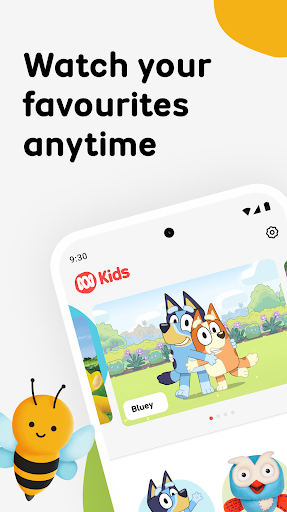
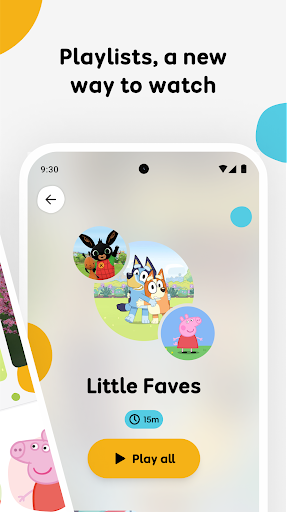
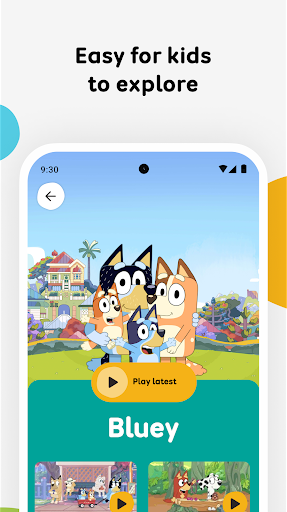
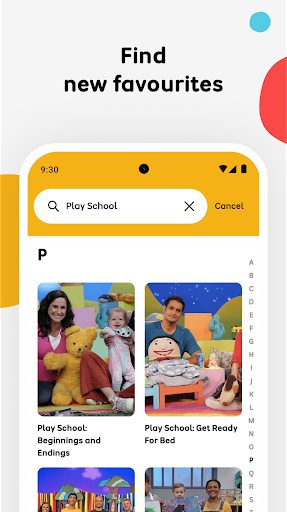
The ABC Kids app is designed to support your child through their early years as they learn and grow. The ABC Kids app is home to many trusted and loved programs, carefully curated to entertain, educate and support Australian children from their earliest years, growing with them from preschool into their first years of school. Watch Bluey, Play School, Giggle and Hoot, Peppa Pig, Hey Duggee, and so many more in the ABC Kids app now!
This version of ABC Kids app is designed for devices running Android 5.0 and above.
Watching ABC Kids app on any Android device is metered regardless of your service provider. Due to rights restrictions, this app is geo-blocked to Australia.
Data consumption:
You are responsible for the data transfer and consumption charges incurred by you when using any ABC app. The ABC disclaims all liability for such charges.
If you have limited mobile data available, watching video over a mobile data (3G, 4G) connection can be expensive. Check your quota with your service provider and monitor your usage. Your service provider may be able to send you alerts when you reach the limit of your monthly quota. You can disable Mobile Data within the Settings app of your device. For more information about video data consumption, visit the FAQs & Help page in the Settings section of the ABC Kids app.
Please note: This app features Nielsen’s proprietary measurement software which will allow you to contribute to market research. Please see: www.nielsen.com/digitalprivacy for more information.
もっと見る

1. MEmuインストーラーをダウンロードしてセットアップを完了する

2. MEmuを起動し、デスクトップでのPlayストアを開く

3. PlayストアでABC Kidsを検索する
Install
4. ABC Kidsをダウンロードしてインストールする
5. インストールが完了したら、アイコンをクリックしてスタート

6. MEmuを使ってパソコンでABC Kidsを体験する
MEmu Playは現在、最高の無料Androidエミュレーターであり、5,000万人のユーザーが優れたAndroidアプリ体験を楽しんでいます。MEmuの仮想化テクノロジーにより、数千ものAndroidアプリをコンピューターでスムーズに実行できます。
大画面でより精細;無限の待機、電池とドラフィックの極限を超え
キーボード・マウス・コントローラーを全力でサポート、より快適
マルチインスタンスで複数のゲームを同時に実行
Use ABC Kids on PC by following steps: