AI Video - AI Video Generator
更新日
現在のバージョン
3.0.0
提供元

スマートフォンは不要!パソコンと同じようにキーボードとマウスで操作できます。MEmu Playは、あなたが待ち望んでいたすべての楽しみをお届けします。バッテリー残量や小さな画面を気にすることなく、AI Video - AI Video Generatorをご利用ください。最新のMEmu 9は、AI Video - AI Video GeneratorをPCで体験するのに最適です!完璧なキーマッピングシステムにより、PCのようなスムーズな操作性を実現します。マルチインスタンス機能により、複数のアプリケーションを同時に実行できます。独自の仮想化エンジンがPCのパフォーマンスを最大限に引き出します。アプリを使用するだけでなく、高品質な体験を得ることができます。
もっと見る
MEmu Playを使えば、PCでAI Video - AI Video Generatorを快適に楽しめます。何千ものAndroidアプリをデスクトップ版で利用できる、パワフルな無料Androidエミュレーターです。友達とつながり、より効率的に作品を磨き上げましょう! Unleash your imagination with AI Video — the AI video studio that turns a single sentence into cinematic, high-definition video in seconds.
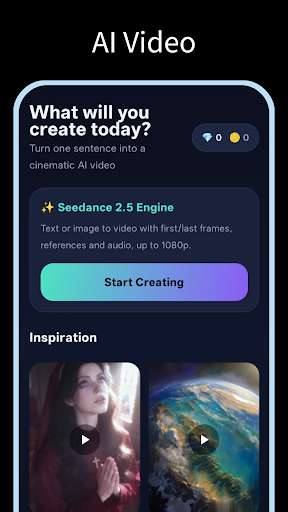
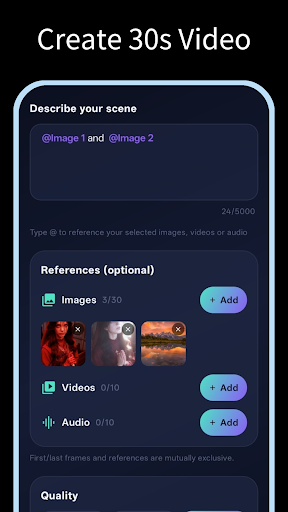
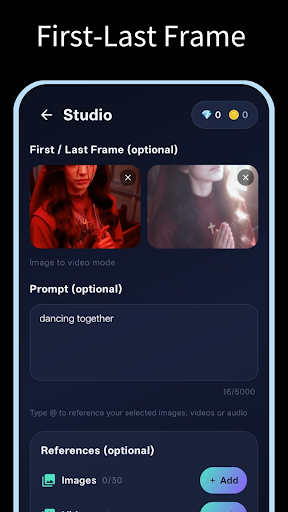

Unleash your imagination with AI Video — the AI video studio that turns a single sentence into cinematic, high-definition video in seconds.
TEXT TO VIDEO
Describe any scene — a moonlit coastline, a neon cyberpunk city, a golden retriever surfing at sunset — and watch AI Video bring it to life with fluid motion, rich detail and up to 1080p clarity.
IMAGE TO VIDEO
Upload any photo and let AI Video animate it. Perfect for portraits, product shots, artwork and cherished memories.
WHY AI Video?
• Three quality tiers: fast 480p, 720p drafts and stunning 1080p Ultra output
• Flexible durations: 4s to 30s clips
• Portrait, landscape and square aspect ratios for every platform
• Real-time generation progress with automatic retry and refund on failure
• 30 reference images and 10 reference videos and 10 reference audios and first-last frame to videos
• Powered by Seedance 2.5 model.
BUILT FOR CREATORS
Whether you make content for TikTok, Reels, YouTube Shorts or just want to wow your friends, AI Video gives you a production studio in your pocket.
Download AI Video today and direct your first AI film!
もっと見る

1. MEmuインストーラーをダウンロードしてセットアップを完了する

2. MEmuを起動し、デスクトップでのPlayストアを開く

3. PlayストアでAI Video - AI Video Generatorを検索する
Install
4. AI Video - AI Video Generatorをダウンロードしてインストールする
5. インストールが完了したら、アイコンをクリックしてスタート

6. MEmuを使ってパソコンでAI Video - AI Video Generatorを体験する
MEmu Playは現在、最高の無料Androidエミュレーターであり、5,000万人のユーザーが優れたAndroidアプリ体験を楽しんでいます。MEmuの仮想化テクノロジーにより、数千ものAndroidアプリをコンピューターでスムーズに実行できます。
大画面でより精細;無限の待機、電池とドラフィックの極限を超え
キーボード・マウス・コントローラーを全力でサポート、より快適
マルチインスタンスで複数のゲームを同時に実行
Use AI Video - AI Video Generator on PC by following steps: