AirDroid Parental Control
更新日
現在のバージョン
2.2.0.0
提供元

スマートフォンは不要!パソコンと同じようにキーボードとマウスで操作できます。MEmu Playは、あなたが待ち望んでいたすべての楽しみをお届けします。バッテリー残量や小さな画面を気にすることなく、AirDroid Parental Controlをご利用ください。最新のMEmu 9は、AirDroid Parental ControlをPCで体験するのに最適です!完璧なキーマッピングシステムにより、PCのようなスムーズな操作性を実現します。マルチインスタンス機能により、複数のアプリケーションを同時に実行できます。独自の仮想化エンジンがPCのパフォーマンスを最大限に引き出します。アプリを使用するだけでなく、高品質な体験を得ることができます。
もっと見る
AirDroid Parental ControlをPCでダウンロード!大画面でより楽しむ。電源が落ちてしまうとか通信料が足りないとかの問題を心配する必要がなく、PCの大画面でより快適にゲームを楽しましょう! AirDroid Parental Control App is designed for your child's safety as a priority.
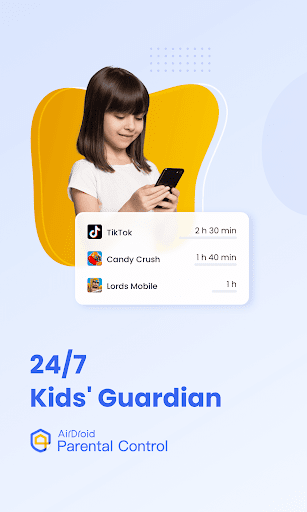
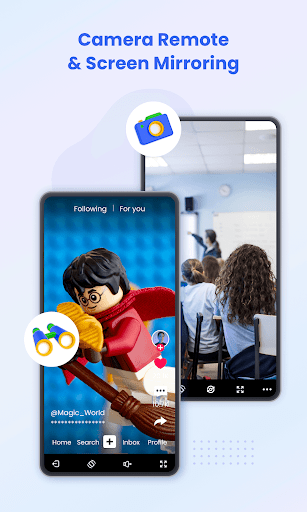
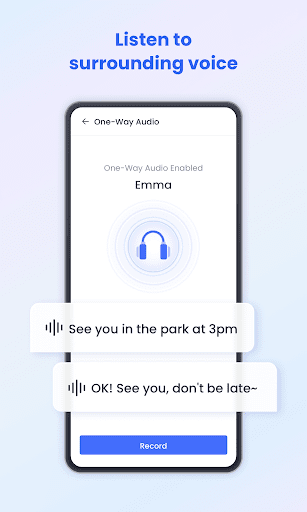
AirDroid Parental Control App is designed for your child's safety as a priority. With the high safety features provided by AirDroid Parental Control, you can easily get in touch with your child when they are not around you or they can't respond to you on time. Find your child in a tap, extremely easy!
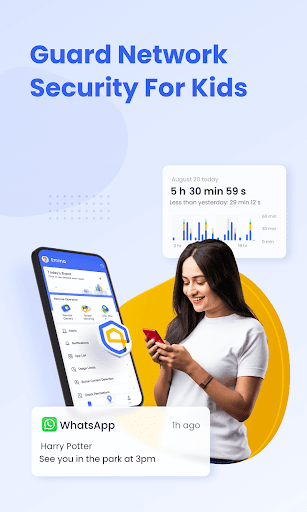
The latest online monitor, content filter, and anti-cyberbullying functions have been released, which could improve the performance of kids' safeguards and ensure your loved child is always under perfect protection built by you.
Do you know what is happening in your child’s world? Whether you are too busy to put extra concern on your child? Do you know how your child surfs online with their phone? Do you ever worry about your child who comes home late? Do you want to know more about your lovely sweetheart? Try AirDroid Parental Control for free now!
What makes you choose AirDroid Parental Control:
◆ Real-time monitoring - Cast your child's device screen to your phone in real-time to find out what apps they're using in school and the use frequency to prevent them from getting addicted to their phone.
◆ Sync app notification - Real-time sync function helps you to know more about your child's chat on social media like Facebook, Instagram, Messenger, etc. Help your child to stay far away from cyberbullying and online fraud.
◆ Screen time - Set up a unique schedule for your child to limit their use time and prevent them from focusing on it while having class.
◆ App blocker - Set up phone access permission to ensure your child can only access the permitted app, also you will get an alert when your child tries to install or delete apps.
◆ GPS location tracker - With the high-accuracy location tracker, you can track your child's location on the map and see their historical route for the day. Ensure your child is stay safe and they won't visit any high-risk places.
◆ Location alert - Custom Geofence to your child, you will receive alerts when they passed, just like a 24/7 guard to follow and protect your child.
◆ Battery check - Monitor your child's device charging status, once the device's power is running low, a notification will be sent to their phone to remind your child to charge their phone in time, always stay in touch!
To activate AirDroid Parental Control would be super easy:
1. Install 'AirDroid Parental Control' on your phone.
2. Connect your kids' devices by the invited link or code.
3. Install 'AirDroid Kids' successfully.
4. Link your account with your kid's device, then it works.
To use AirDroid Parental Control you will need to download the app onto each device you wish to control. One paid account allows you to control up to 10 devices.
AirDroid Parental Control contains no advertisements.
AirDroid Parental Control app offers a 3-day free trial of all Premium features. When the trial is over, access to features requires a subscription, with discounts for longer commitments.
The cost of a subscription will be debited from your Google Play account. The subscription will automatically be renewed at chosen intervals unless canceled more than 24 hours before the end of the subscription period. Subscription management is available in the settings of your Google Play account after purchase.
The app requires the following access:
- to the camera and photos - for the screen mirroring
- to contacts - for the choice of a phone number when setting up the GPS
- to the microphone - for sending voice messages in the chat and hear surrounding sound
- push notifications - for notifications about your child’s movements and new chat messages
Please make sure you have read the following before you use AirDroid Parental Control.
Privacy Policy: https://kids.airdroid.info/#/Privacy
Terms of Service: https://kids.airdroid.info/#/Eula
Payment Terms: https://kids.airdroid.info/#/Payment
Contact Us:
For any further suggestions or questions, please feel free to contact us at support@airdroid.com
もっと見る

1. MEmuインストーラーをダウンロードしてセットアップを完了する

2. MEmuを起動し、デスクトップでのPlayストアを開く

3. PlayストアでAirDroid Parental Controlを検索する
Install
4. AirDroid Parental Controlをダウンロードしてインストールする
5. インストールが完了したら、アイコンをクリックしてスタート

6. MEmuを使ってパソコンでAirDroid Parental Controlを体験する
MEmu Playは現在、最高の無料Androidエミュレーターであり、5,000万人のユーザーが優れたAndroidアプリ体験を楽しんでいます。MEmuの仮想化テクノロジーにより、数千ものAndroidアプリをコンピューターでスムーズに実行できます。
大画面でより精細;無限の待機、電池とドラフィックの極限を超え
キーボード・マウス・コントローラーを全力でサポート、より快適
マルチインスタンスで複数のゲームを同時に実行
Use AirDroid Parental Control on PC by following steps: