DiGiKiNDi
更新日
現在のバージョン
1.0.7
提供元

スマートフォンは不要!パソコンと同じようにキーボードとマウスで操作できます。MEmu Playは、あなたが待ち望んでいたすべての楽しみをお届けします。バッテリー残量や小さな画面を気にすることなく、DiGiKiNDiをご利用ください。最新のMEmu 9は、DiGiKiNDiをPCで体験するのに最適です!完璧なキーマッピングシステムにより、PCのようなスムーズな操作性を実現します。マルチインスタンス機能により、複数のアプリケーションを同時に実行できます。独自の仮想化エンジンがPCのパフォーマンスを最大限に引き出します。アプリを使用するだけでなく、高品質な体験を得ることができます。
もっと見る
DiGiKiNDiをPCでダウンロード!大画面でより楽しむ。電源が落ちてしまうとか通信料が足りないとかの問題を心配する必要がなく、PCの大画面でより快適にゲームを楽しましょう! DiGiKiNDi's mission is to provide a lot of real-world inspiration using just a small amount of screen time.
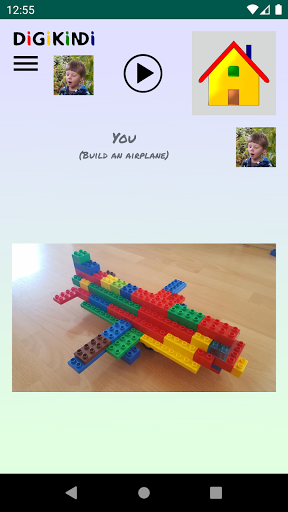
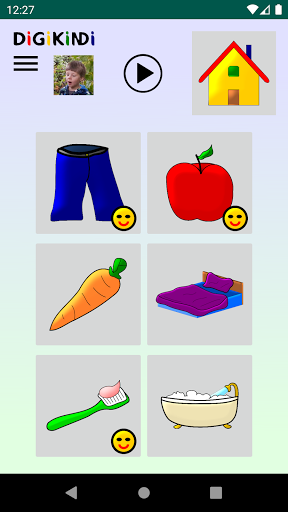
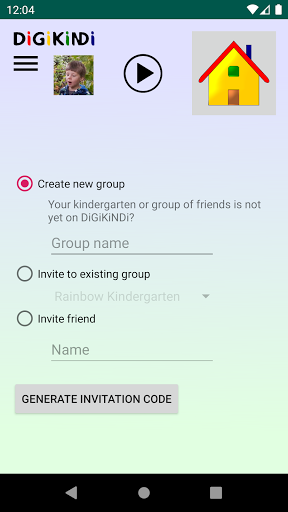
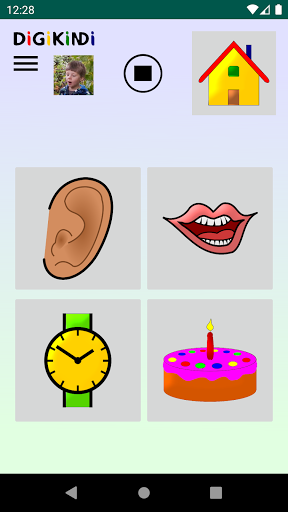
DiGiKiNDi's mission is to provide a lot of real-world inspiration using just a small amount of screen time. The digital kindergarten in the form of a mobile app supports parents as they accompany their children in the digital world. Children can exchange ideas with their friends, play, and be creative together. Parents manage the children's profiles, invite friends, provide assistance, and communicate with other parents using the parent board. Private invitation codes, encryption, and security questions keep parents' and children's data safe.
*** Child-friendly interaction ***
- Be creative in the real world, share with friends in the digital world.
- Use the app by tapping on easy to understand pictures.
- Explanatory texts in spoken language.
*** Parents retain control ***
- A parent creates an account and verifies it with his/her email address.
- The child's given name is sufficient to add a profile. (A profile picture is recommended to avoid confusion.)
- Only friends with a private invitation code can see children's profiles.
- Security questions and encryption keep your child's data safe.
*** Features ***
- Create groups, invite friends, add siblings.
- Say hello: Send short voice messages to your friends (end-to-end encrypted).
- Did you brush your teeth? Let your friends know what you have already done today.
- Who has a birthday coming up? Add your birthday to the calendar.
- Paint a picture, look at the pictures your friends have painted, or draw funny characters together with your friends.
- Did you make or build something great? Take part in a photo challenge or start a new one.
- Do the jigsaw puzzle of the month and get a great surprise. You can swap duplicate pieces with your friends.
- Create parent board notices (ad-free with the SuperParent subscription).
もっと見る

1. MEmuインストーラーをダウンロードしてセットアップを完了する

2. MEmuを起動し、デスクトップでのPlayストアを開く

3. PlayストアでDiGiKiNDiを検索する
Install
4. DiGiKiNDiをダウンロードしてインストールする
5. インストールが完了したら、アイコンをクリックしてスタート

6. MEmuを使ってパソコンでDiGiKiNDiを体験する
MEmu Playは現在、最高の無料Androidエミュレーターであり、5,000万人のユーザーが優れたAndroidアプリ体験を楽しんでいます。MEmuの仮想化テクノロジーにより、数千ものAndroidアプリをコンピューターでスムーズに実行できます。
大画面でより精細;無限の待機、電池とドラフィックの極限を超え
キーボード・マウス・コントローラーを全力でサポート、より快適
マルチインスタンスで複数のゲームを同時に実行
Use DiGiKiNDi on PC by following steps: