San Fermín
更新日
現在のバージョン
1.1.1
提供元

スマートフォンは不要!パソコンと同じようにキーボードとマウスで操作できます。MEmu Playは、あなたが待ち望んでいたすべての楽しみをお届けします。バッテリー残量や小さな画面を気にすることなく、San Fermínをご利用ください。最新のMEmu 9は、San FermínをPCで体験するのに最適です!完璧なキーマッピングシステムにより、PCのようなスムーズな操作性を実現します。マルチインスタンス機能により、複数のアプリケーションを同時に実行できます。独自の仮想化エンジンがPCのパフォーマンスを最大限に引き出します。アプリを使用するだけでなく、高品質な体験を得ることができます。
もっと見る
San FermínをPCでダウンロード!大画面でより楽しむ。電源が落ちてしまうとか通信料が足りないとかの問題を心配する必要がなく、PCの大画面でより快適にゲームを楽しましょう! Explora el programa completo de las fiestas de San Fermín con nuestra aplicación especializada.
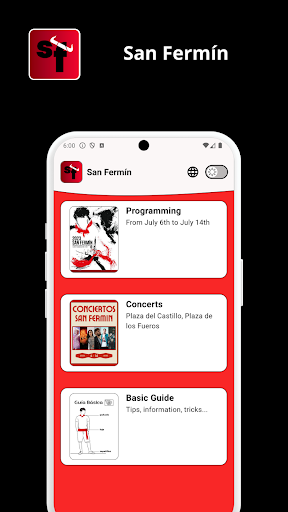
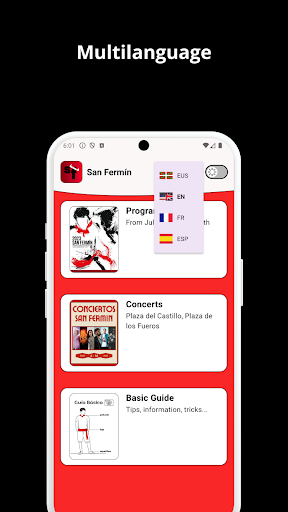
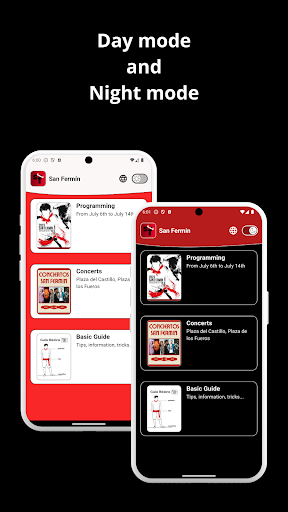
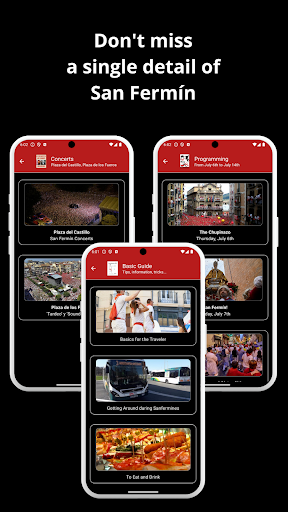
Explora el programa completo de las fiestas de San Fermín con nuestra aplicación especializada. Te ofrecemos la programación detallada de todos los eventos, desde los emocionantes encierros hasta los vibrantes desfiles y más. Lo mejor de todo es que puedes disfrutar de la app en varios idiomas. Descubre la rica cultura y las tradiciones de Pamplona mientras te sumerges en la celebración. Nuestra app está diseñada para mantenerte informado con horarios precisos y actualizados de cada actividad. Si buscas la experiencia completa de San Fermín y la comodidad de acceder a la programación en tu idioma preferido, esta es tu app ideal. Simplifica tu experiencia festiva y asegúrate de no perderte nada importante. Descarga ahora y prepárate para vivir San Fermín de manera única.
Explore the complete program of San Fermín festivities with our specialized application. We provide you with the detailed schedule of all events, from the thrilling bull runs to the vibrant parades and more. The best part is, you can enjoy the app in multiple languages. Discover the rich culture and traditions of Pamplona as you immerse yourself in the celebration. Our app is designed to keep you informed with precise and updated schedules for each activity. If you're seeking the full San Fermín experience and the convenience of accessing the program in your preferred language, this is your ideal app. Streamline your festival experience and ensure you don't miss anything important. Download now and get ready to uniquely experience San Fermín.
もっと見る

1. MEmuインストーラーをダウンロードしてセットアップを完了する

2. MEmuを起動し、デスクトップでのPlayストアを開く

3. PlayストアでSan Fermínを検索する
Install
4. San Fermínをダウンロードしてインストールする
5. インストールが完了したら、アイコンをクリックしてスタート

6. MEmuを使ってパソコンでSan Fermínを体験する
MEmu Playは現在、最高の無料Androidエミュレーターであり、5,000万人のユーザーが優れたAndroidアプリ体験を楽しんでいます。MEmuの仮想化テクノロジーにより、数千ものAndroidアプリをコンピューターでスムーズに実行できます。
大画面でより精細;無限の待機、電池とドラフィックの極限を超え
キーボード・マウス・コントローラーを全力でサポート、より快適
マルチインスタンスで複数のゲームを同時に実行
Use San Fermín on PC by following steps: