
Cine Review
更新日
現在のバージョン
1.0.17
提供元

スマートフォンは不要!パソコンと同じようにキーボードとマウスで操作できます。MEmu Playは、あなたが待ち望んでいたすべての楽しみをお届けします。バッテリー残量や小さな画面を気にすることなく、Cine Reviewをご利用ください。最新のMEmu 9は、Cine ReviewをPCで体験するのに最適です!完璧なキーマッピングシステムにより、PCのようなスムーズな操作性を実現します。マルチインスタンス機能により、複数のアプリケーションを同時に実行できます。独自の仮想化エンジンがPCのパフォーマンスを最大限に引き出します。アプリを使用するだけでなく、高品質な体験を得ることができます。
もっと見る
MEmu Playを使えば、PCでCine Reviewを快適に楽しめます。何千ものAndroidアプリをデスクトップ版で利用できる、パワフルな無料Androidエミュレーターです。友達とつながり、より効率的に作品を磨き上げましょう! Cine Review is your ultimate companion for discovering movies, TV series, and dramas through expert reviews and comprehensive information.

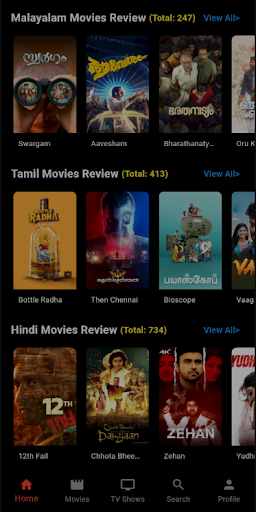
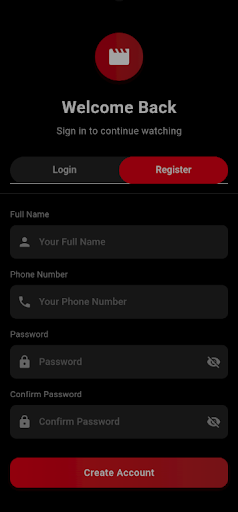
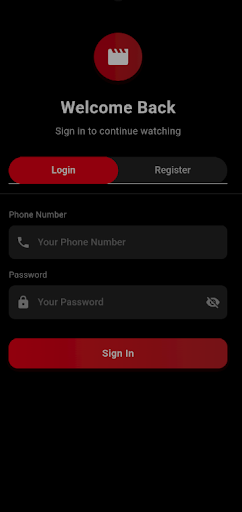
Cine Review is your ultimate companion for discovering movies, TV series, and dramas through expert reviews and comprehensive information.
IMPORTANT: This app does NOT stream or provide full movies or TV series content. Cine Review only offers review videos and information sourced from TMDB (The Movie Database) API.
INTERNET: An internet connection is needed to browse and watch reviews. Review videos you save in the app can be watched later without internet.
FEATURES:
- REVIEWS ONLY: Watch expert review videos that help you decide what to watch next – we never stream full movies or TV shows
-
もっと見る

1. MEmuインストーラーをダウンロードしてセットアップを完了する

2. MEmuを起動し、デスクトップでのPlayストアを開く

3. PlayストアでCine Reviewを検索する
Install
4. Cine Reviewをダウンロードしてインストールする
5. インストールが完了したら、アイコンをクリックしてスタート

6. MEmuを使ってパソコンでCine Reviewを体験する
MEmu Playは現在、最高の無料Androidエミュレーターであり、5,000万人のユーザーが優れたAndroidアプリ体験を楽しんでいます。MEmuの仮想化テクノロジーにより、数千ものAndroidアプリをコンピューターでスムーズに実行できます。
大画面でより精細;無限の待機、電池とドラフィックの極限を超え
キーボード・マウス・コントローラーを全力でサポート、より快適
マルチインスタンスで複数のゲームを同時に実行
Use Cine Review on PC by following steps: