Cobo Wallet
更新日
現在のバージョン
5.19.14
提供元

スマートフォンは不要!パソコンと同じようにキーボードとマウスで操作できます。MEmu Playは、あなたが待ち望んでいたすべての楽しみをお届けします。バッテリー残量や小さな画面を気にすることなく、Cobo Walletをご利用ください。最新のMEmu 9は、Cobo WalletをPCで体験するのに最適です!完璧なキーマッピングシステムにより、PCのようなスムーズな操作性を実現します。マルチインスタンス機能により、複数のアプリケーションを同時に実行できます。独自の仮想化エンジンがPCのパフォーマンスを最大限に引き出します。アプリを使用するだけでなく、高品質な体験を得ることができます。
もっと見る
Cobo WalletをPCでダウンロード!大画面でより楽しむ。電源が落ちてしまうとか通信料が足りないとかの問題を心配する必要がなく、PCの大画面でより快適にゲームを楽しましょう! Cobo is the first wallet ever to create POS revenue, enabling users to safely store, use and invest in encrypted assets.
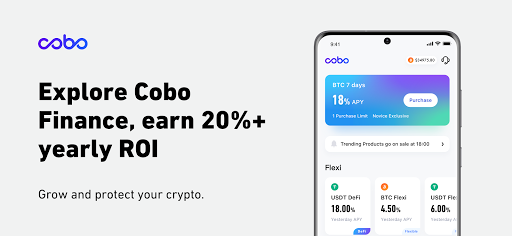
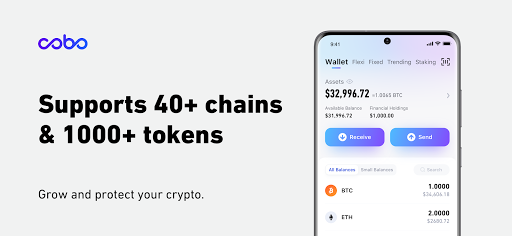
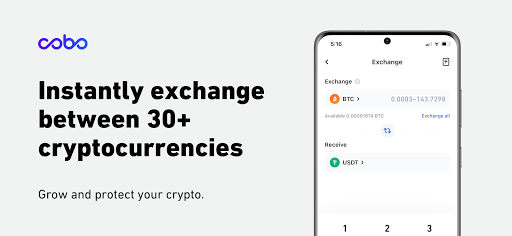
Cobo is the first wallet ever to create POS revenue, enabling users to safely store, use and invest in encrypted assets. Supports multiple coin gains, which can be enjoyed when stored safely; Cobo continues to launch unprecedented services to set industry benchmarks. The following is the fully updated Cobo Wallet v5.0 version:
1. POS
- Deposit your XZC and LBTC into our gain account to enjoy APY 200%
- Stay tuned for more POS assets. Want more POS assets to join the gain? Please contact us
2.Cloud wallet
- Safe and independent account system, one-click login, easy to use
3. Finance
- Multi-coin enhancement products to help wealth growth
4.Security
- Multiple security verification
- Heat and cold separation, dynamic asset distribution, HSM and multisig card to ensure server-side security
5.Multi-chain ecosystem
- We are partners of ETH, EOS, TRON and more ecosystems, and our users can fully participate in these communities
6.Multiple cryptocurrencies and global products
- Support 80+ chains and more than 1000 multi-chain tokens, keep adding more
- Providing services in more than 80 countries/regions, you are very important to us
If you have any questions or suggestions, please contact us: support@cobo.com
もっと見る

1. MEmuインストーラーをダウンロードしてセットアップを完了する

2. MEmuを起動し、デスクトップでのPlayストアを開く

3. PlayストアでCobo Walletを検索する
Install
4. Cobo Walletをダウンロードしてインストールする
5. インストールが完了したら、アイコンをクリックしてスタート

6. MEmuを使ってパソコンでCobo Walletを体験する
MEmu Playは現在、最高の無料Androidエミュレーターであり、5,000万人のユーザーが優れたAndroidアプリ体験を楽しんでいます。MEmuの仮想化テクノロジーにより、数千ものAndroidアプリをコンピューターでスムーズに実行できます。
大画面でより精細;無限の待機、電池とドラフィックの極限を超え
キーボード・マウス・コントローラーを全力でサポート、より快適
マルチインスタンスで複数のゲームを同時に実行
Use Cobo Wallet on PC by following steps: