
CocoFlix
更新日
現在のバージョン
提供元

スマートフォンは不要!パソコンと同じようにキーボードとマウスで操作できます。MEmu Playは、あなたが待ち望んでいたすべての楽しみをお届けします。バッテリー残量や小さな画面を気にすることなく、CocoFlixをご利用ください。最新のMEmu 9は、CocoFlixをPCで体験するのに最適です!完璧なキーマッピングシステムにより、PCのようなスムーズな操作性を実現します。マルチインスタンス機能により、複数のアプリケーションを同時に実行できます。独自の仮想化エンジンがPCのパフォーマンスを最大限に引き出します。アプリを使用するだけでなく、高品質な体験を得ることができます。
もっと見る
MEmu Playを使えば、PCでCocoFlixを快適に楽しめます。何千ものAndroidアプリをデスクトップ版で利用できる、パワフルな無料Androidエミュレーターです。友達とつながり、より効率的に作品を磨き上げましょう! CocoFlix is your simple guide to movie and TV information.
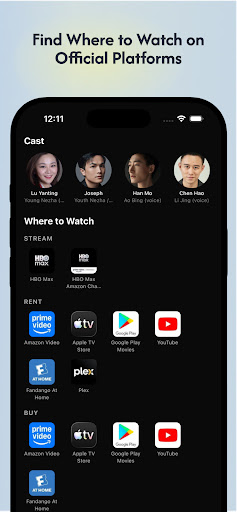

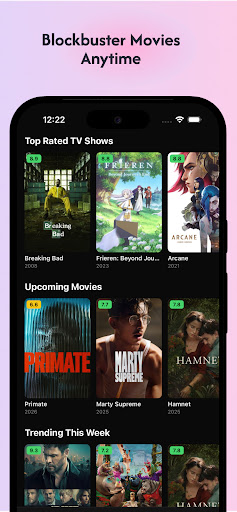

CocoFlix is your simple guide to movie and TV information. Search any movie or
series, check its rating, read the story overview, and see cast details —
everything you need to decide what to watch next, in one easy app.
WHAT YOU GET
• Search for movies and TV shows
• Ratings, overviews, release dates and genres
• Cast and crew details
• Save titles to your favorites
• A fun movie quiz
ℹ 100% INFO-ONLY
CocoFlix is an independent, information-only app. It does not stream, play, or
offer downloads of movies, series or TV episodes, and it contains no video
playback.
DATA
Movie information is provided by TMDB. This product uses the TMDB API but is
not endorsed or certified by TMDB.
CocoFlix is not affiliated with Netflix, Disney, or any other streaming
service, studio or platform.
もっと見る

1. MEmuインストーラーをダウンロードしてセットアップを完了する

2. MEmuを起動し、デスクトップでのPlayストアを開く

3. PlayストアでCocoFlixを検索する
Install
4. CocoFlixをダウンロードしてインストールする
5. インストールが完了したら、アイコンをクリックしてスタート

6. MEmuを使ってパソコンでCocoFlixを体験する
MEmu Playは現在、最高の無料Androidエミュレーターであり、5,000万人のユーザーが優れたAndroidアプリ体験を楽しんでいます。MEmuの仮想化テクノロジーにより、数千ものAndroidアプリをコンピューターでスムーズに実行できます。
大画面でより精細;無限の待機、電池とドラフィックの極限を超え
キーボード・マウス・コントローラーを全力でサポート、より快適
マルチインスタンスで複数のゲームを同時に実行
Use CocoFlix on PC by following steps: