
Sharee (シェアリー)
更新日
現在のバージョン
12.5.1
提供元

スマートフォンは不要!パソコンと同じようにキーボードとマウスで操作できます。MEmu Playは、あなたが待ち望んでいたすべての楽しみをお届けします。バッテリー残量や小さな画面を気にすることなく、Sharee (シェアリー)をご利用ください。最新のMEmu 9は、Sharee (シェアリー)をPCで体験するのに最適です!完璧なキーマッピングシステムにより、PCのようなスムーズな操作性を実現します。マルチインスタンス機能により、複数のアプリケーションを同時に実行できます。独自の仮想化エンジンがPCのパフォーマンスを最大限に引き出します。アプリを使用するだけでなく、高品質な体験を得ることができます。
もっと見る
Sharee (シェアリー)をPCでダウンロード!大画面でより楽しむ。電源が落ちてしまうとか通信料が足りないとかの問題を心配する必要がなく、PCの大画面でより快適にゲームを楽しましょう! 毎日に、ハジける発見。
毎日に、ハジける発見。
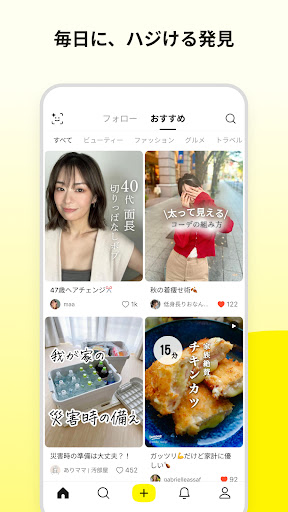
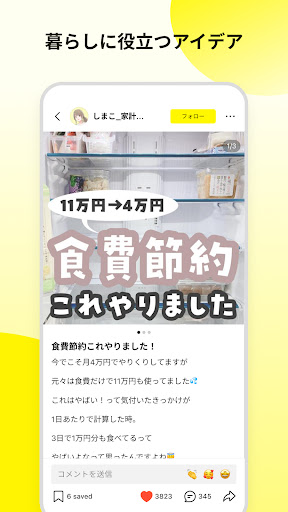
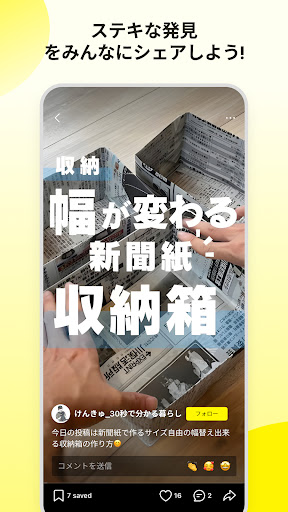
Lemon8 (レモンエイト) は、ライフスタイル共有アプリで、この度TikTokとのシステム連携を開始します。心を動かすコンテンツを発見したり、写真を簡単に編集したり、投稿して同じ興味を持つ人々と繋がることができます。Lemon8ではファッション、ビューティー、レシピ、トラベルなど、あなたの興味に合ったリアルなコンテンツを発見でき、みんなとシェアできるコミュニティです。
【趣味でつながるコミュニティ】
• クリエイティブで若いユーザーがたくさん集まり、ファッション、ビューティ、トラベル、グルメなど多くのカテゴリを渡って、新鮮な発見ができます。
• 魅力的なモノや暮らしなどクリエイティビティあふれるコンテンツを自由にシェア。コンテンツを通して、より良いコミュニケーションを促します。
• 独自のレコメンドシステムにより、興味や好みに応じて自動的にオススメ。検索せずに、あなたが好きなコンテンツに出合えます。
【シェア・交流】
• 好みのコンテンツを見つけたら、「いいね」「保存」「コメント」で、気軽に、好きな気持ちを共有できます。
• 興味のあるコンテンツを友達や、Facebook、Twitterなど他のSNSへもすぐにシェアできます。
【手軽な投稿ツール】
• 文章、画像、動画などを自由に組み合わせて、クリエイティビティや個性を発揮できます。
• コスメ、コーデ、グルメなどテーマに合う多彩なテンプレートやフィルター、スタンプ、フォントなどの画像編集機能も豊富。簡単なステップでおしゃれな投稿ができます。
• シンプルな投稿フォームで誰でも簡単操作。スマホ1つで、おしゃれにフォト加工ができます。
【検索機能・#ハッシュタグ】
• キーワードを検索することで、関連する楽しい情報が簡単に見つかります。
• 同じハッシュタグがついたコンテンツが一覧で表示され、お気に入りのコンテンツを簡単に見つけられます。
【お問い合わせ先】
• ご要望・ご質問・不具合は下記アドレスまでお気軽にお問い合わせください。
• 皆様のご意見をもとに、『 Lemon8 (レモンエイト) 』をより良いアプリにして参ります。
E-mail: contact@lemon8-app.com
【公式ページ】
◯Twitter
https://twitter.com/Lemon8_Japan
◯Instagram
https://www.instagram.com/lemon8_japan/
もっと見る

1. MEmuインストーラーをダウンロードしてセットアップを完了する

2. MEmuを起動し、デスクトップでのPlayストアを開く

3. PlayストアでSharee (シェアリー)を検索する
Install
4. Sharee (シェアリー)をダウンロードしてインストールする
5. インストールが完了したら、アイコンをクリックしてスタート

6. MEmuを使ってパソコンでSharee (シェアリー)を体験する
MEmu Playは現在、最高の無料Androidエミュレーターであり、5,000万人のユーザーが優れたAndroidアプリ体験を楽しんでいます。MEmuの仮想化テクノロジーにより、数千ものAndroidアプリをコンピューターでスムーズに実行できます。
大画面でより精細;無限の待機、電池とドラフィックの極限を超え
キーボード・マウス・コントローラーを全力でサポート、より快適
マルチインスタンスで複数のゲームを同時に実行
Use Sharee (シェアリー) on PC by following steps: