
Halo Cleaner - Phone Optimizer
更新日
現在のバージョン
1.0.8.1010
提供元

スマートフォンは不要!パソコンと同じようにキーボードとマウスで操作できます。MEmu Playは、あなたが待ち望んでいたすべての楽しみをお届けします。バッテリー残量や小さな画面を気にすることなく、Halo Cleaner - Phone Optimizerをご利用ください。最新のMEmu 9は、Halo Cleaner - Phone OptimizerをPCで体験するのに最適です!完璧なキーマッピングシステムにより、PCのようなスムーズな操作性を実現します。マルチインスタンス機能により、複数のアプリケーションを同時に実行できます。独自の仮想化エンジンがPCのパフォーマンスを最大限に引き出します。アプリを使用するだけでなく、高品質な体験を得ることができます。
もっと見る
Halo Cleaner - Phone OptimizerをPCでダウンロード!大画面でより楽しむ。電源が落ちてしまうとか通信料が足りないとかの問題を心配する必要がなく、PCの大画面でより快適にゲームを楽しましょう! Halo Cleaner is here to make phone cleaning up process easy, fun & safe.
Halo Cleaner is here to make phone cleaning up process easy, fun & safe.
When the device storage is almost full, space usage is critically high, and the battery life is only half a day. You decide to clear up the space manually only when your device can hardly respond to your commands.
With Halo Cleaner, your Android device will run faster, smoother and safer, store more data, free up memory by cleaning junk, and save phone battery. Halo Cleaner is a powerful and smart phone optimizer for android.
Cleaner top features:
✔ More storage space - Remove junk files, uninstall apps, and delete similar or duplicate photos, videos, files
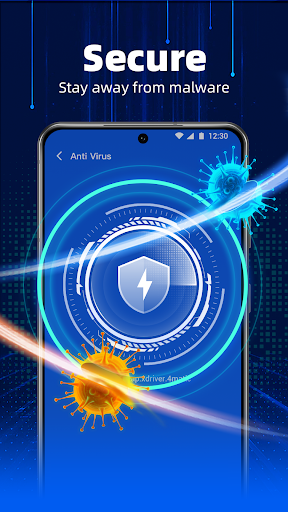
✔ Antivirus & Security - Scan and clean apps and files for malicious viruses, malware, trojan and spyware
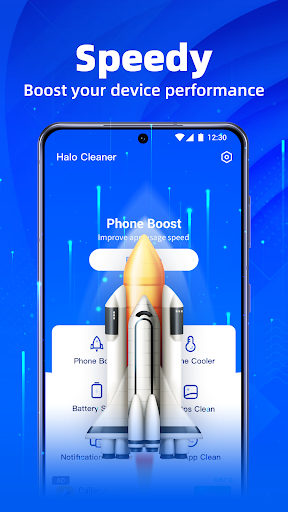
✔ Improve phone performance - Use Cleaner to clear cache, remove junk, and identify apps that are slowing down your device (RAM Cleaner & memory booster)
✔ Longer battery life - Cleaner's battery saving feature helps improve your phone's battery life
✔ Hibernate apps - Suspend background apps to prolong battery life and save mobile data
✔ File manager - Smart File Manager & Storage Cleaner can analyze pictures, files, and apps to help you clean them then maximize your Android device's performance
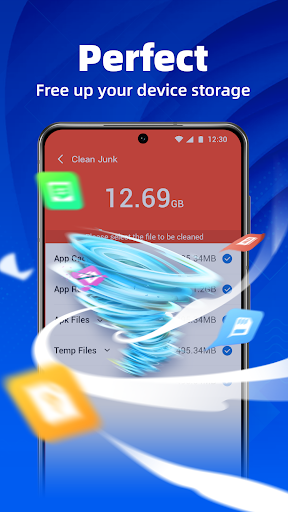
✔ Junk Cleaner - Clean out any useless junk from your device e.g. cache and app data
With Halo Cleaner, you will enjoy a longer battery life, avoid a lagging Android device, get rid of junk files, and automatically find duplicate or large files.
The booster, memory cleaner (RAM Cleaner), cache cleaner, battery saver, storage clean up, antivirus & security, and app removal features are described below:
Main Features:
Advanced apps cleaner & app manager:
► App analyzer: Halo Cleaner can identify apps that consume your battery, drain mobile data, or take up too much storage space, allowing you to clean them out more easily
► App booster: Easily remove apps that slow down your device
► RAM cleaner: Clean RAM and boost performance of your phone in a few taps
► Cache cleaner: Master your app cache, temporary files and leftover data
►Easily analyze apps based on storage, ram, battery, data consumption or usage
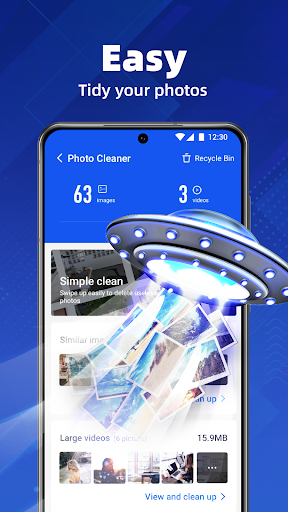
Photo Cleaner:
► Fast and easy photo gallery optimization
► Find similar photos and identify the best one
► Easily clean your photo library
Battery Saver & Optimizer:
► App hibernation: Master hibernating apps to prolong battery life and keep your device running faster for longer
► Battery Profiles & Optimization: battery temperature, battery capacity
Professional Antivirus & Security:
► Powered by world leading virus database, offers the most professional antivirus service for your mobile phone
► 100% prevent your Android device from any threat, malware, trojan or spyware
► Help you to scan and clean mobile viruses and also protect your private files by making your phone safer
Smart cleaner and manager:
► List and sort miscellaneous junk files
► large files, duplicate files, download files, and document files
Large files cleanup & duplicate files cleanup:
► Find large files occupying huge storage space
► Find duplicate files for you to clean up.
Video compressor:
► Compress your videos to a small size with HD.
► Alternative compression ratios.
Clean your phone to free up storage space, help it run smoother and faster, and boost its speed and performance. Clean up junk, clear cache, boost memory, delete similar or duplicate photos to make more storage space available for the apps, photos, and other stuff you want.
Please download the Halo Cleaner and give us 5 stars if you are into it.
もっと見る

1. MEmuインストーラーをダウンロードしてセットアップを完了する

2. MEmuを起動し、デスクトップでのPlayストアを開く

3. PlayストアでHalo Cleaner - Phone Optimizerを検索する
Install
4. Halo Cleaner - Phone Optimizerをダウンロードしてインストールする
5. インストールが完了したら、アイコンをクリックしてスタート

6. MEmuを使ってパソコンでHalo Cleaner - Phone Optimizerを体験する
MEmu Playは現在、最高の無料Androidエミュレーターであり、5,000万人のユーザーが優れたAndroidアプリ体験を楽しんでいます。MEmuの仮想化テクノロジーにより、数千ものAndroidアプリをコンピューターでスムーズに実行できます。
大画面でより精細;無限の待機、電池とドラフィックの極限を超え
キーボード・マウス・コントローラーを全力でサポート、より快適
マルチインスタンスで複数のゲームを同時に実行
Use Halo Cleaner - Phone Optimizer on PC by following steps: