マガポケ英語版 - K MANGA
更新日
現在のバージョン
2.3.0
提供元

スマートフォンは不要!パソコンと同じようにキーボードとマウスで操作できます。MEmu Playは、あなたが待ち望んでいたすべての楽しみをお届けします。バッテリー残量や小さな画面を気にすることなく、マガポケ英語版 - K MANGAをご利用ください。最新のMEmu 9は、マガポケ英語版 - K MANGAをPCで体験するのに最適です!完璧なキーマッピングシステムにより、PCのようなスムーズな操作性を実現します。マルチインスタンス機能により、複数のアプリケーションを同時に実行できます。独自の仮想化エンジンがPCのパフォーマンスを最大限に引き出します。アプリを使用するだけでなく、高品質な体験を得ることができます。
もっと見る
マガポケ英語版 - K MANGAをPCでダウンロード!大画面でより楽しむ。電源が落ちてしまうとか通信料が足りないとかの問題を心配する必要がなく、PCの大画面でより快適にゲームを楽しましょう! 累計2600万ダウンロードの大人気マンガアプリ「マガポケ」。
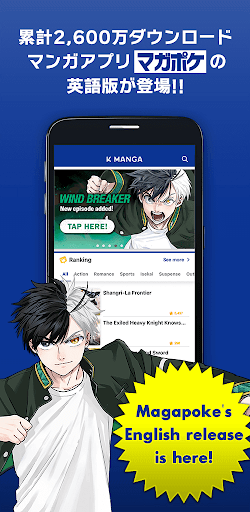
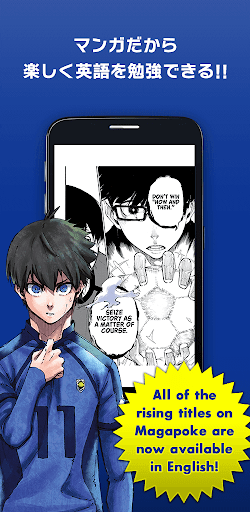
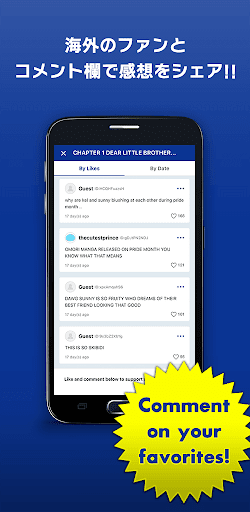
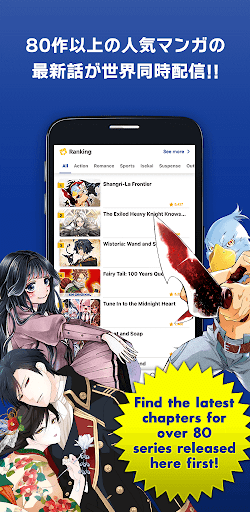
累計2600万ダウンロードの大人気マンガアプリ「マガポケ」。
その英語版「KMANGA」がついに日本でもリリース!!
あの名セリフ、あの名シーンを英語で読んで楽しく英語を勉強できちゃいます!
「マガポケ」と同様、コメント機能付き。英語でコメントして、世界中のファンと感動を分かち合えます!!
最新話が世界同時配信されるマンガはなんと80作以上!!
人気マンガの無料話数は500話以上にも上ります!
英語でマンガを楽しみたい方にも、マンガで英語を勉強したい方にもオススメしたい
講談社公式グローバルマンガアプリ、せひお楽しみください!!
-----
Welcome to K MANGA - the official Kodansha manga app where you can dive into your favorite Kodansha titles every day. With K MANGA, you can immerse yourself in renowned titles such as 'Attack on Titan', 'Ghost in the Shell', 'Fairy Tail', 'Hajime no Ippo: The Fighting Spirits', 'Tokyo Revengers', and many more.
Enjoy reading popular manga, ongoing series available simultaneously in Japan and the US, or explore new original series on K MANGA right from your phone or tablet. Dive into a new story whenever you like. Show your support for your favorite authors by reading the titles through official releases.
Why K MANGA?
- Access to a vast collection of over 500 titles from Kodansha’s Manga Catalog
- More than 60 original manga series available the moment they are published in Japan
- Discover fresh stories from your favorite titles, original series, and continuously added new titles
- Read a new chapter for free every day
- Encompasses a wide range of genres from Action, Romance, Sports, Isekai, Suspense, Drama, Fantasy, and more
- Official service that supports your favorite authors
Explore Famous Kodansha Manga:
- 'Attack on Titan'
- 'Ghost in the Shell'
- 'Fairy Tail'
- 'Hajime no Ippo: The Fighting Spirits'
- 'Tokyo Revengers'
- 'Initial D'
Discover K MANGA Original Series Simulpubbed with Japan:
- 'Don’t Toy With Me, Miss Nagatoro'
- 'The Fragrant Flower Blooms with Dignity'
- 'WIND BREAKER'
- 'As a Reincarnated Aristocrat, I’ll Use My Appraisal Skill to Rise in the World'
- 'Alya Sometimes Hides Her Feelings in Russian'
Explore a diverse array of genres including Action, Romance, Sports, Isekai, Suspense, Outlaws, Drama, Fantasy, Slice of Life, Shojo, and more.
If you're a fan of K MANGA or curious about our latest titles, follow us on X: [https://twitter.com/KMANGA_KODANSHA] - Stay updated on our releases and exciting news!
もっと見る

1. MEmuインストーラーをダウンロードしてセットアップを完了する

2. MEmuを起動し、デスクトップでのPlayストアを開く

3. Playストアでマガポケ英語版 - K MANGAを検索する
Install
4. マガポケ英語版 - K MANGAをダウンロードしてインストールする
5. インストールが完了したら、アイコンをクリックしてスタート

6. MEmuを使ってパソコンでマガポケ英語版 - K MANGAを体験する
MEmu Playは現在、最高の無料Androidエミュレーターであり、5,000万人のユーザーが優れたAndroidアプリ体験を楽しんでいます。MEmuの仮想化テクノロジーにより、数千ものAndroidアプリをコンピューターでスムーズに実行できます。
大画面でより精細;無限の待機、電池とドラフィックの極限を超え
キーボード・マウス・コントローラーを全力でサポート、より快適
マルチインスタンスで複数のゲームを同時に実行
Use マガポケ英語版 - K MANGA on PC by following steps: