Nekopoi
更新日
現在のバージョン
2.5.4.2
提供元

スマートフォンは不要!パソコンと同じようにキーボードとマウスで操作できます。MEmu Playは、あなたが待ち望んでいたすべての楽しみをお届けします。バッテリー残量や小さな画面を気にすることなく、Nekopoiをご利用ください。最新のMEmu 9は、NekopoiをPCで体験するのに最適です!完璧なキーマッピングシステムにより、PCのようなスムーズな操作性を実現します。マルチインスタンス機能により、複数のアプリケーションを同時に実行できます。独自の仮想化エンジンがPCのパフォーマンスを最大限に引き出します。アプリを使用するだけでなく、高品質な体験を得ることができます。
もっと見る
NekopoiをPCでダウンロード!大画面でより楽しむ。電源が落ちてしまうとか通信料が足りないとかの問題を心配する必要がなく、PCの大画面でより快適にゲームを楽しましょう! NekoPoi is a video streaming app that is dedicated to providing Japanese anime content to individuals of all ages.
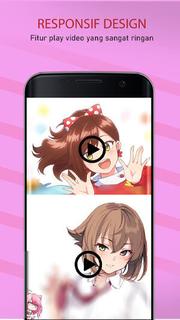
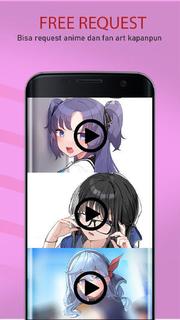
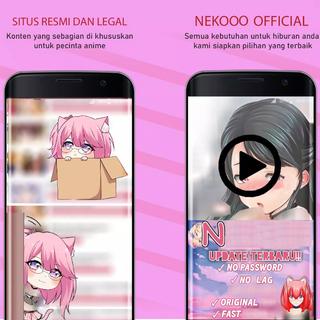
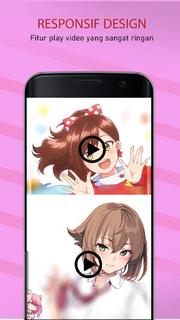
NekoPoi is a video streaming app that is dedicated to providing Japanese anime content to individuals of all ages. >>How to Use NekoPoi on My Android Phone?<<To use NekoPoi, you must first register using your email address. Once you have registered, the app developer will send you a code to authenticate your login, and you will gain access to the main homepage. 【Main Features】1. A wide collection of popular and trending Japanese anime movies and TV shows to stream online.2. From kids to adults, everyone will find their favorite video content on NekoPoi.3. Easy-to-navigate menu and intuitive User interface. Non-Japanese people can also enjoy seamless user experiences.4. Download to watch offline, at any time and anywhere.5. High-quality video content. Multiple video quality options to select from.6. Custom search option available. Easy to find your favorite anime movies or TV shows. [Enjoy Non-stop entertainment with a wide selection of anime video content.]Featuring a large library of movies, programs, and TV shows that are suitable for adults and children, NekoPoi is perfect for those who are Japanese anime enthusiasts. If you are on the hunt for a free Japanese anime streaming app, you may want to put NekoPoi on your wish list! Get the NekoPoi in the palm of your hands today and binge on numerous anime movies and TV shows to have a lot of fun! [Navigate the app and manipulate the elements with ease.]It is worth noting that the app is primarily in Japanese, which may pose a challenge for non-Japanese users. However, the app's intuitive design ensures that it is user-friendly for everyone, even those who only know a little Japanese. The app's interface is simple and straightforward, making it easy to navigate through the app. The homepage displays the latest releases, making it convenient for users to find new content. The app also provides a section for popular anime movies and shows, allowing users to quickly access their favorite titles. [Watch offline without an internet connection.]One of the most notable features of NekoPoi is its ability to download movies and shows for offline viewing. This feature enhances the flexibility of your entertainment experience, allowing you to watch your favorite anime content without an internet connection. The app also provides multiple video quality options, allowing users to choose the best quality based on their internet speed and device capabilities. [Locate your favorite anime video content with the quick search feature.]NekoPoi also provides a custom search feature, allowing you to easily find your favorite anime movies, programs, and children's shows. The app's search function is powerful and accurate, ensuring that you can quickly find the content you are looking for. The app also provides a synopsis of each movie and show, giving users an idea of what to expect before they start watching. [Always find something new anime movies/programs to watch.]The app's content is regularly updated with new releases, ensuring that users have access to the latest anime content.
もっと見る

1. MEmuインストーラーをダウンロードしてセットアップを完了する

2. MEmuを起動し、デスクトップでのPlayストアを開く

3. PlayストアでNekopoiを検索する
Install
4. Nekopoiをダウンロードしてインストールする
5. インストールが完了したら、アイコンをクリックしてスタート

6. MEmuを使ってパソコンでNekopoiを体験する
MEmu Playは現在、最高の無料Androidエミュレーターであり、5,000万人のユーザーが優れたAndroidアプリ体験を楽しんでいます。MEmuの仮想化テクノロジーにより、数千ものAndroidアプリをコンピューターでスムーズに実行できます。
大画面でより精細;無限の待機、電池とドラフィックの極限を超え
キーボード・マウス・コントローラーを全力でサポート、より快適
マルチインスタンスで複数のゲームを同時に実行
Use Nekopoi on PC by following steps: