Japan Travel – Route,Map,Guide
更新日
現在のバージョン
9.2.4
提供元

スマートフォンは不要!パソコンと同じようにキーボードとマウスで操作できます。MEmu Playは、あなたが待ち望んでいたすべての楽しみをお届けします。バッテリー残量や小さな画面を気にすることなく、Japan Travel – Route,Map,Guideをご利用ください。最新のMEmu 9は、Japan Travel – Route,Map,GuideをPCで体験するのに最適です!完璧なキーマッピングシステムにより、PCのようなスムーズな操作性を実現します。マルチインスタンス機能により、複数のアプリケーションを同時に実行できます。独自の仮想化エンジンがPCのパフォーマンスを最大限に引き出します。アプリを使用するだけでなく、高品質な体験を得ることができます。
もっと見る
Japan Travel – Route,Map,GuideをPCでダウンロード!大画面でより楽しむ。電源が落ちてしまうとか通信料が足りないとかの問題を心配する必要がなく、PCの大画面でより快適にゲームを楽しましょう! Japan Travel by NAVITIME will help you travel around like a local!
Japan Travel by NAVITIME will help you travel around like a local!
App Overview:
-Explore (Travel guides/articles)
-Route Search
-Map / Offline Spot Search
-Plan
About the Features:
[Explore]
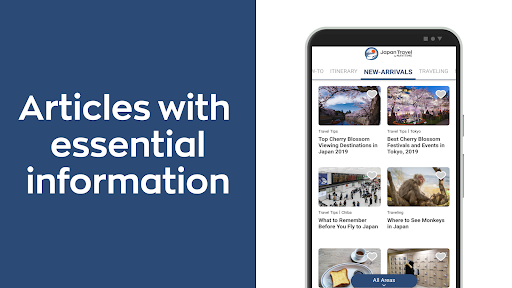
-We provide you with basic guides and informative articles about traveling in Japan, written by foreign autohrs residing in Japan.
-Topics include transportation, money, internet connection, food, art&culture, nightlife, shopping, etc.
-Recommended itineraries are also provided for areas throughout the country.
[Route Search]
-The app navigates you from your preferred point of departure to your destination.
-Search covers all modes of public transport (trains including JR and subway lines, airplanes, taxis, and ferries).
-Provides useful information such as the platform number, station lists, and timetables.
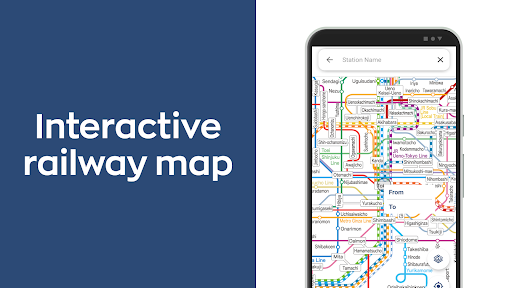
-Search directly from a zoomable interactive map of the Tokyo area.
-Allows you to save up to 50 recently searched routes. You can also see them while offline.
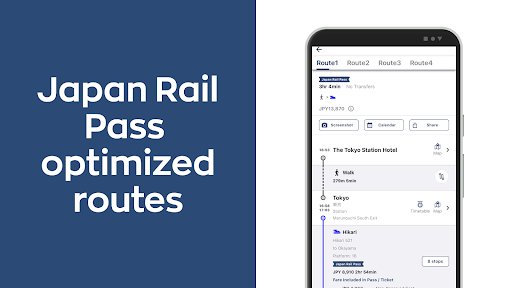
-The Japan Rail Pass mode will show the most efficient route for pass holders.
[Map / Offline Spot Search]
-Search offline for the following spots: Free Wi-Fi hotspots (NTT FREE Wi-Fi, FREESPOT, Starbucks, etc.), currency exchange spots, ATMs, TICs, and train stations.
-Book hotels, rental cars, and activities nearby you or your destination.
[Plan]
-While reading articles or searching on the map, add spots to your favorites that sounds attractive.
-Create your own travel plan with your favorite spots by adding them in a timeline. Your plan can be also viewed on a map.
-Comfirm the transportation information directly from your plan. You can select modes of transportation like train, taxi, walking, local buses, etc.
-Start your planning from our recommended itineraries, and coordinate it by adding spots from your interests.
[Itinerary] (New!)
- Search, create, and share travel itineraries. Search from +200 itineraries created by our Editorial Team, as well as by other users.
[PAID Features]
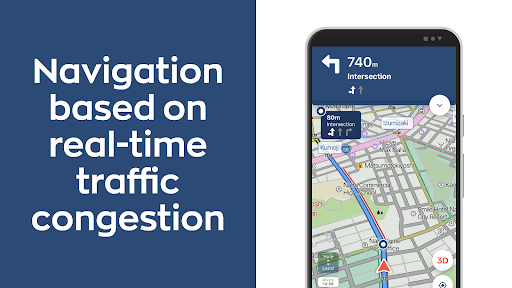
-Search alternative routes in case of a disruption to your searched route.
-Voice navigation will show you directions and landmarks.
-Check the rankings of articles to know the hot topics.
-Make more collections and sort out your favorite spots.
-Rain & snow radar will show the forecast up to 6 hours ahead.
To upgrade, please purchase the 30-day ticket via In-App-Purchase.
*Notice:
-This app uses GPS in the background for the purpose of enhancing user experience. You can turn the GPS off from Settings on your device.
-Continued use of GPS running in the background can dramatically decrease battery life.
-At the time of your initial access, we ask users to participate in a survey for the Japan Tourism Agency, which is aimed to enhance tourism experience in Japan. This survey is optional, and you will be able to use the app without answering them.
もっと見る

1. MEmuインストーラーをダウンロードしてセットアップを完了する

2. MEmuを起動し、デスクトップでのPlayストアを開く

3. PlayストアでJapan Travel – Route,Map,Guideを検索する
Install
4. Japan Travel – Route,Map,Guideをダウンロードしてインストールする
5. インストールが完了したら、アイコンをクリックしてスタート

6. MEmuを使ってパソコンでJapan Travel – Route,Map,Guideを体験する
MEmu Playは現在、最高の無料Androidエミュレーターであり、5,000万人のユーザーが優れたAndroidアプリ体験を楽しんでいます。MEmuの仮想化テクノロジーにより、数千ものAndroidアプリをコンピューターでスムーズに実行できます。
大画面でより精細;無限の待機、電池とドラフィックの極限を超え
キーボード・マウス・コントローラーを全力でサポート、より快適
マルチインスタンスで複数のゲームを同時に実行
Use Japan Travel – Route,Map,Guide on PC by following steps: