Pandora - Streaming Music, Radio & Podcasts
更新日
現在のバージョン
デバイスにより異なります
提供元

スマートフォンは不要!パソコンと同じようにキーボードとマウスで操作できます。MEmu Playは、あなたが待ち望んでいたすべての楽しみをお届けします。バッテリー残量や小さな画面を気にすることなく、Pandora - Streaming Music, Radio & Podcastsをご利用ください。最新のMEmu 9は、Pandora - Streaming Music, Radio & PodcastsをPCで体験するのに最適です!完璧なキーマッピングシステムにより、PCのようなスムーズな操作性を実現します。マルチインスタンス機能により、複数のアプリケーションを同時に実行できます。独自の仮想化エンジンがPCのパフォーマンスを最大限に引き出します。アプリを使用するだけでなく、高品質な体験を得ることができます。
もっと見る
Pandora - Streaming Music, Radio & PodcastsをPCでダウンロード!大画面でより楽しむ。電源が落ちてしまうとか通信料が足りないとかの問題を心配する必要がなく、PCの大画面でより快適にゲームを楽しましょう! Listen to songs hand-picked by some of the top athletes in the world on UNINTERRUPTED Radio.
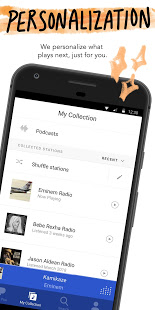
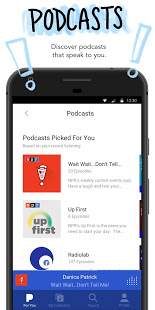
Listen to songs hand-picked by some of the top athletes in the world on UNINTERRUPTED Radio. Their music, their vibes, their channel.
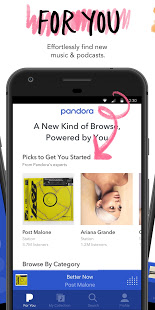
Pandora gives you a personalized listening experience that continually evolves with your tastes.
Create stations from your favorite songs, artists or genres, search or browse to find recommended stations for your mood or activity, and discover podcasts that speak to you. Download today and get instant access to your favorite artists and podcasts, while staying up to date on the most recent singles and releases. From rap and pop to rock and country, play your favorite artists and stay up to date on today’s top hits and releases. Start streaming all of the current global hits and enjoy your own personalized music experience.
Take Pandora with you wherever you go with Android Auto for your daily commute or your next road trip. Enjoy your own personalized music or podcast experience from anywhere on the world’s most powerful music discovery platform. The new voice mode lets you search, play, pause, skip adjust volume & thumb up music with a simple voice command. Start streaming your favorite artist, song, genre, or podcast instantly today for free in your car.
With Podcasts on Pandora, find your favorites and listen to personalized recommendations that actually make sense. Just search on your mobile phone or tablet and play to start listening, then tap + to add to your collection. Find something new by simply browse and tap recommended podcasts to find over 1,400 podcasts, including SiriusXM shows, on-demand whether you're on Pandora Premium, Plus or Radio.
Looking for more?
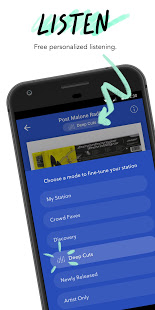
Meet Pandora Modes - The new way to customize your station experience. Choose from six different modes to switch up the kind of music you're hearing:
•My Station: The station experience you know and love.
•Crowd Faves: Hear the most
もっと見る

1. MEmuインストーラーをダウンロードしてセットアップを完了する

2. MEmuを起動し、デスクトップでのPlayストアを開く

3. PlayストアでPandora - Streaming Music, Radio & Podcastsを検索する
Install
4. Pandora - Streaming Music, Radio & Podcastsをダウンロードしてインストールする
5. インストールが完了したら、アイコンをクリックしてスタート

6. MEmuを使ってパソコンでPandora - Streaming Music, Radio & Podcastsを体験する
MEmu Playは現在、最高の無料Androidエミュレーターであり、5,000万人のユーザーが優れたAndroidアプリ体験を楽しんでいます。MEmuの仮想化テクノロジーにより、数千ものAndroidアプリをコンピューターでスムーズに実行できます。
大画面でより精細;無限の待機、電池とドラフィックの極限を超え
キーボード・マウス・コントローラーを全力でサポート、より快適
マルチインスタンスで複数のゲームを同時に実行
Use Pandora - Streaming Music, Radio & Podcasts on PC by following steps: