CPU-Z
更新日
現在のバージョン
1.54
提供元

スマートフォンは不要!パソコンと同じようにキーボードとマウスで操作できます。MEmu Playは、あなたが待ち望んでいたすべての楽しみをお届けします。バッテリー残量や小さな画面を気にすることなく、CPU-Zをご利用ください。最新のMEmu 9は、CPU-ZをPCで体験するのに最適です!完璧なキーマッピングシステムにより、PCのようなスムーズな操作性を実現します。マルチインスタンス機能により、複数のアプリケーションを同時に実行できます。独自の仮想化エンジンがPCのパフォーマンスを最大限に引き出します。アプリを使用するだけでなく、高品質な体験を得ることができます。
もっと見る
CPU-ZをPCでダウンロード!大画面でより楽しむ。電源が落ちてしまうとか通信料が足りないとかの問題を心配する必要がなく、PCの大画面でより快適にゲームを楽しましょう! PCのための人気のCPU識別ツールのAndroidのバージョンは、CPU-Zは、あなたのデバイスに関する情報を報告する無料のアプリケーションです。
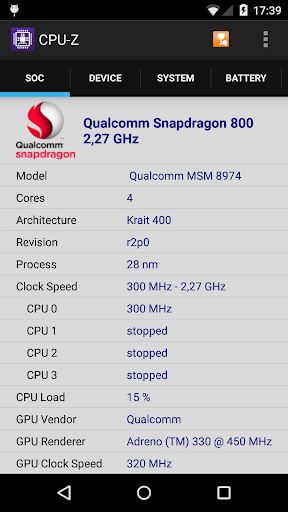
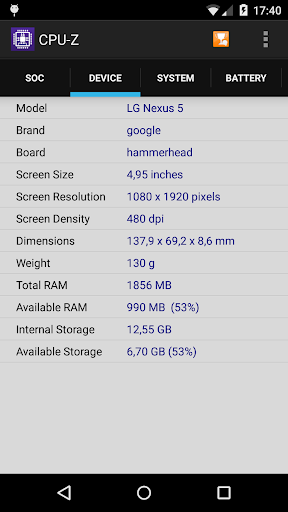
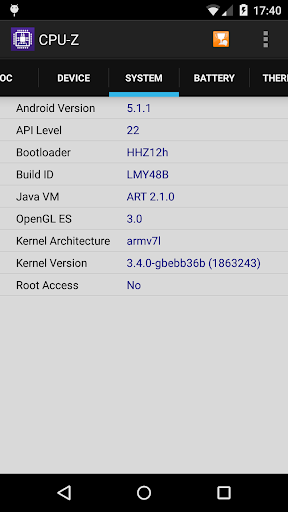
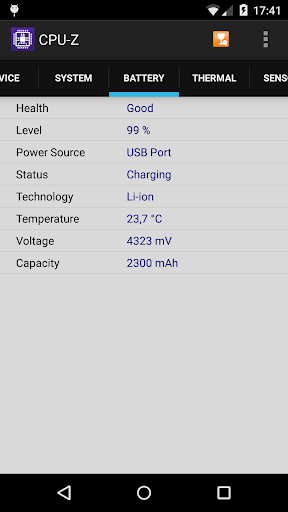
PCのための人気のCPU識別ツールのAndroidのバージョンは、CPU-Zは、あなたのデバイスに関する情報を報告する無料のアプリケーションです。
- のSoC(システムオンチップ)名、アーキテクチャ、各コアのクロック速度。
- システム情報:デバイスのブランド&モデル、画面解像度、RAM、ストレージ;
- バッテリー情報:レベル、ステータス、温度、容量;
- センサ。
要件:
- アンドロイド2.2以上(バージョン1.03および+)
権限:
- インターネットアクセス許可は、オンライン検証のために必要とされる(検証プロセスに関する詳細については、以下の注意事項を参照してください)
- 統計のACCESS_NETWORK_STATE。
注意事項:
オンライン検証(バージョン1.04および+)
検証は、データベースにあなたのAndroidデバイスのハードウェア仕様を保存することができます。検証後、プログラムは、現在のインターネットブラウザにあなたの検証のURLを開きます。あなたの電子メールアドレス(オプション)を入力すると、あなたの検証のリンクを電子メールはリマインダとしてあなたに送信されます。
設定画面とデバッグ(バージョン1.03および+)
CPU-Zは、(バグの場合)異常に閉じた場合、設定画面が次の実行時に表示されます。あなたは、アプリケーションの主検出機能を削除するには、その画面を使用し、それを実行することができます。
バグレポート
バグの場合には、アプリケーションメニューを開き、選択してください電子メールでレポートを送信するには、「デバッグに関する情報を送信します」
よくある質問とトラブルシューティング
http://www.cpuid.com/softwares/cpu-z-android.html#faq:あなたはそのアドレスでのFAQを訪問することができます
もっと見る

1. MEmuインストーラーをダウンロードしてセットアップを完了する

2. MEmuを起動し、デスクトップでのPlayストアを開く

3. PlayストアでCPU-Zを検索する
Install
4. CPU-Zをダウンロードしてインストールする
5. インストールが完了したら、アイコンをクリックしてスタート

6. MEmuを使ってパソコンでCPU-Zを体験する
MEmu Playは現在、最高の無料Androidエミュレーターであり、5,000万人のユーザーが優れたAndroidアプリ体験を楽しんでいます。MEmuの仮想化テクノロジーにより、数千ものAndroidアプリをコンピューターでスムーズに実行できます。
大画面でより精細;無限の待機、電池とドラフィックの極限を超え
キーボード・マウス・コントローラーを全力でサポート、より快適
マルチインスタンスで複数のゲームを同時に実行
Use CPU-Z on PC by following steps: