maps + more
更新日
現在のバージョン
6.4.3
提供元

スマートフォンは不要!パソコンと同じようにキーボードとマウスで操作できます。MEmu Playは、あなたが待ち望んでいたすべての楽しみをお届けします。バッテリー残量や小さな画面を気にすることなく、maps + moreをご利用ください。最新のMEmu 9は、maps + moreをPCで体験するのに最適です!完璧なキーマッピングシステムにより、PCのようなスムーズな操作性を実現します。マルチインスタンス機能により、複数のアプリケーションを同時に実行できます。独自の仮想化エンジンがPCのパフォーマンスを最大限に引き出します。アプリを使用するだけでなく、高品質な体験を得ることができます。
もっと見る
MEmu Playを使えば、PCでmaps + moreを快適に楽しめます。何千ものAndroidアプリをデスクトップ版で利用できる、パワフルな無料Androidエミュレーターです。友達とつながり、より効率的に作品を磨き上げましょう! Turn your smartphone into a full-fledged infotainment system for your up!
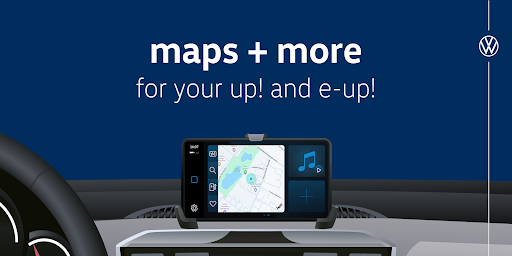
Turn your smartphone into a full-fledged infotainment system for your up! or e-up!
The Volkswagen maps + more app* has been completely redesigned to give you an even more intuitive user experience and helpful new features.
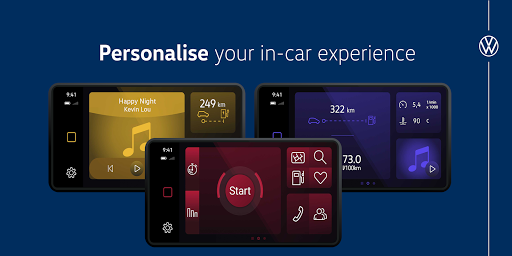
Now you can easily customise your dashboard with widgets to access your favourite features.
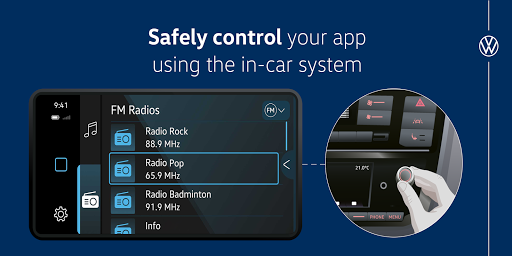
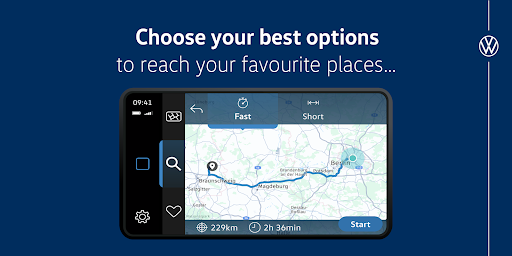
With Volkswagen maps + more you can listen to music, control the radio and navigate offline on 2D or 3D maps.
The turn-by-turn voice output for the navigation function and the speed warning make your daily journeys much more relaxed.
Helpful data such as fuel consumption, driving times, mileage and engine speed can now be conveniently displayed in the maps + more app.
And the Think Blue. trainer will help you to drive more efficiently and save fuel or energy.
As an e-up! driver, you'll find many additional features that help you plan your charging efficiently and make your everyday life with an electric car even easier:
For example, departure times can be conveniently set or a search for charging stations.
Your safety is very important to us, so you can conveniently control the app with the controls for the radio. We wish you a pleasant and safe journey with your Volkswagen up!
Configuration wizard:
1. Download the maps + more app from the App Store
2. Pair your smartphone with your vehicle via Bluetooth.
3. Open the maps + more app
4. Accept the terms of use.
5. maps + more will try to connect to your vehicle. A code will be displayed in the app and on your infotainment system. Confirm this code to continue.
6. maps + more is now connected to your vehicle and ready to use.
もっと見る

1. MEmuインストーラーをダウンロードしてセットアップを完了する

2. MEmuを起動し、デスクトップでのPlayストアを開く

3. Playストアでmaps + moreを検索する
Install
4. maps + moreをダウンロードしてインストールする
5. インストールが完了したら、アイコンをクリックしてスタート

6. MEmuを使ってパソコンでmaps + moreを体験する
MEmu Playは現在、最高の無料Androidエミュレーターであり、5,000万人のユーザーが優れたAndroidアプリ体験を楽しんでいます。MEmuの仮想化テクノロジーにより、数千ものAndroidアプリをコンピューターでスムーズに実行できます。
大画面でより精細;無限の待機、電池とドラフィックの極限を超え
キーボード・マウス・コントローラーを全力でサポート、より快適
マルチインスタンスで複数のゲームを同時に実行
Use maps + more on PC by following steps: