DramaEra
更新日
現在のバージョン
1.3.4
提供元

スマートフォンは不要!パソコンと同じようにキーボードとマウスで操作できます。MEmu Playは、あなたが待ち望んでいたすべての楽しみをお届けします。バッテリー残量や小さな画面を気にすることなく、DramaEraをご利用ください。最新のMEmu 9は、DramaEraをPCで体験するのに最適です!完璧なキーマッピングシステムにより、PCのようなスムーズな操作性を実現します。マルチインスタンス機能により、複数のアプリケーションを同時に実行できます。独自の仮想化エンジンがPCのパフォーマンスを最大限に引き出します。アプリを使用するだけでなく、高品質な体験を得ることができます。
もっと見る
MEmu Playを使えば、PCでDramaEraを快適に楽しめます。何千ものAndroidアプリをデスクトップ版で利用できる、パワフルな無料Androidエミュレーターです。友達とつながり、より効率的に作品を磨き上げましょう! Welcome to DramaEra - the easiest way to discover short dramas.


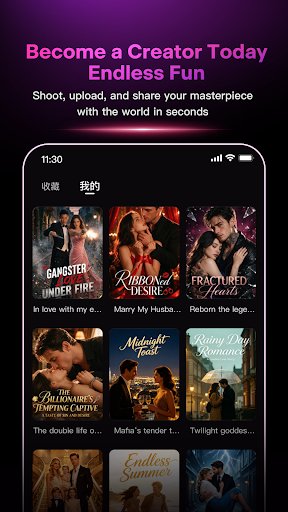

Welcome to DramaEra - the easiest way to discover short dramas.
Swipe down to explore a new drama. Every swipe brings you a new story, a new world, a new beginning.
Romance. Suspense. Comedy. Action. Find your next obsession with just one swipe.
More features coming soon:
• Full episodes - watch every drama to the end
• Unlock system - earn and watch more
• Favorites & watch history
DramaEra is building the future of short-form storytelling. Join us from the beginning.
Download now and start exploring.
もっと見る

1. MEmuインストーラーをダウンロードしてセットアップを完了する

2. MEmuを起動し、デスクトップでのPlayストアを開く

3. PlayストアでDramaEraを検索する
Install
4. DramaEraをダウンロードしてインストールする
5. インストールが完了したら、アイコンをクリックしてスタート

6. MEmuを使ってパソコンでDramaEraを体験する
MEmu Playは現在、最高の無料Androidエミュレーターであり、5,000万人のユーザーが優れたAndroidアプリ体験を楽しんでいます。MEmuの仮想化テクノロジーにより、数千ものAndroidアプリをコンピューターでスムーズに実行できます。
大画面でより精細;無限の待機、電池とドラフィックの極限を超え
キーボード・マウス・コントローラーを全力でサポート、より快適
マルチインスタンスで複数のゲームを同時に実行
Use DramaEra on PC by following steps: