Dubb: AI, teleprompter, video
更新日
現在のバージョン
7.2.9
提供元

スマートフォンは不要!パソコンと同じようにキーボードとマウスで操作できます。MEmu Playは、あなたが待ち望んでいたすべての楽しみをお届けします。バッテリー残量や小さな画面を気にすることなく、Dubb: AI, teleprompter, videoをご利用ください。最新のMEmu 9は、Dubb: AI, teleprompter, videoをPCで体験するのに最適です!完璧なキーマッピングシステムにより、PCのようなスムーズな操作性を実現します。マルチインスタンス機能により、複数のアプリケーションを同時に実行できます。独自の仮想化エンジンがPCのパフォーマンスを最大限に引き出します。アプリを使用するだけでなく、高品質な体験を得ることができます。
もっと見る
Dubb: AI, teleprompter, videoをPCでダウンロード!大画面でより楽しむ。電源が落ちてしまうとか通信料が足りないとかの問題を心配する必要がなく、PCの大画面でより快適にゲームを楽しましょう! Are you in a relationship-based business?
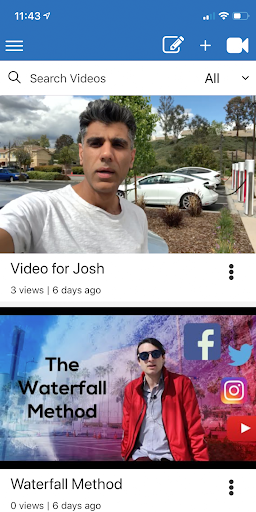
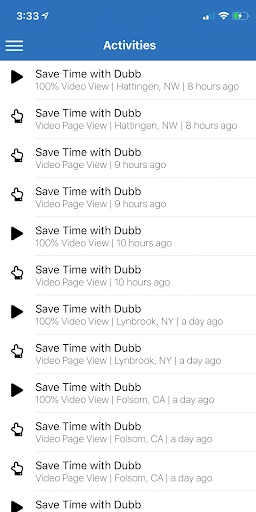
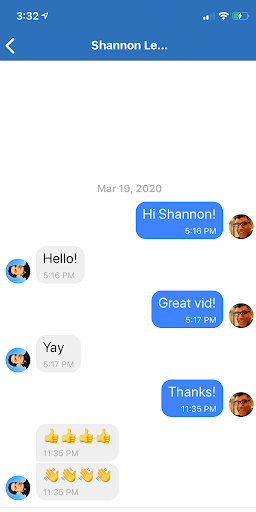
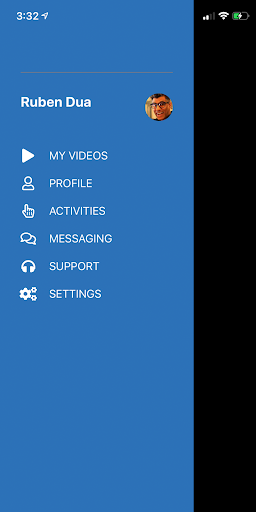
Are you in a relationship-based business? Are you interested in building trust and streamlining communication with your contacts? Do you want to leverage the power of video to grow your business?
The Dubb mobile app for Android lets you create trackable, screen recordings to help communicate your ideas with video.
Video is one of the most powerful means conveying information and personalizing information.
In fact, 70% of people would rather watch a video than read text. And video helps people improve email reply rates by 500% and sales conversion rates by up to 300%.
Dubb has too many benefits to mention, but here is a brief summary:
1. Personalizes someone's communication using video
2. Allows people to leverage the power of video without any special software or skills
3 Provides trackable video messages sent to people to figure out what's working
4. Increases overall email reply and engagement rates
5. Increases their sales rates
6. Increases referral rates
Please note: This is a recording and activity tracking app for the Dubb platform. For the full experience visit dubb.com.
もっと見る

1. MEmuインストーラーをダウンロードしてセットアップを完了する

2. MEmuを起動し、デスクトップでのPlayストアを開く

3. PlayストアでDubb: AI, teleprompter, videoを検索する
Install
4. Dubb: AI, teleprompter, videoをダウンロードしてインストールする
5. インストールが完了したら、アイコンをクリックしてスタート

6. MEmuを使ってパソコンでDubb: AI, teleprompter, videoを体験する
MEmu Playは現在、最高の無料Androidエミュレーターであり、5,000万人のユーザーが優れたAndroidアプリ体験を楽しんでいます。MEmuの仮想化テクノロジーにより、数千ものAndroidアプリをコンピューターでスムーズに実行できます。
大画面でより精細;無限の待機、電池とドラフィックの極限を超え
キーボード・マウス・コントローラーを全力でサポート、より快適
マルチインスタンスで複数のゲームを同時に実行
Use Dubb: AI, teleprompter, video on PC by following steps: