FastBull:Financial Charts&Chat
更新日
現在のバージョン
3.2.2
提供元

スマートフォンは不要!パソコンと同じようにキーボードとマウスで操作できます。MEmu Playは、あなたが待ち望んでいたすべての楽しみをお届けします。バッテリー残量や小さな画面を気にすることなく、FastBull:Financial Charts&Chatをご利用ください。最新のMEmu 9は、FastBull:Financial Charts&ChatをPCで体験するのに最適です!完璧なキーマッピングシステムにより、PCのようなスムーズな操作性を実現します。マルチインスタンス機能により、複数のアプリケーションを同時に実行できます。独自の仮想化エンジンがPCのパフォーマンスを最大限に引き出します。アプリを使用するだけでなく、高品質な体験を得ることができます。
もっと見る
FastBull:Financial Charts&ChatをPCでダウンロード!大画面でより楽しむ。電源が落ちてしまうとか通信料が足りないとかの問題を心配する必要がなく、PCの大画面でより快適にゲームを楽しましょう! FastBull App combines real-time market data, powerful charting tools, and social features to enhance your trading experience.
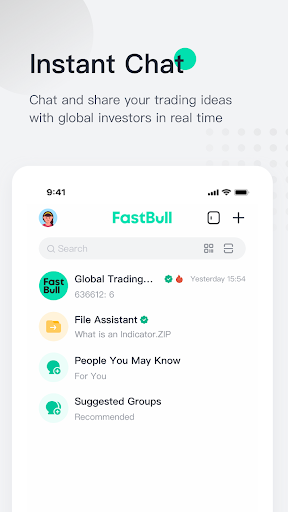
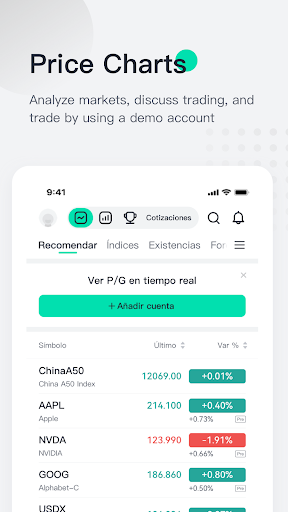
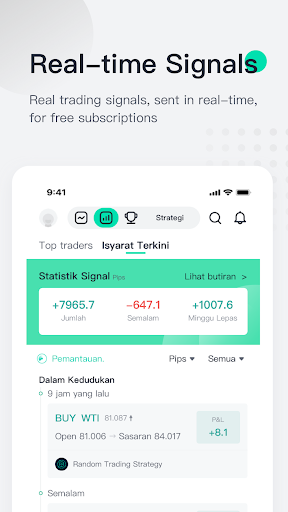

FastBull App combines real-time market data, powerful charting tools, and social features to enhance your trading experience.
FastBull app offers the following features:
1. Financial Charts
Conduct in-depth analysis with our advanced price charts.
Experience trading firsthand with a demo account. Maximize the chart window for an immersive analysis experience.
Supports real-time quotes, multi-chart mode, customizable timeframes, and unlimited historical data.
2. Interactive Chat Room
Join a global chatroom with AI-powered translations for seamless communication.
Engage in multiple language-specific chatrooms, including Vietnamese, Thai, Indonesian, Arabic, Spanish, Russian, Traditional Chinese, Malay, French, Italian, and Turkish.
Enjoy end-to-end encryption for secure communication.
Create and join group chats for focused trading discussions.
3. Top Traders & Copy Trading
Discover and follow top traders with detailed profiles and comprehensive trading data.
Supports other brokers' platforms and FastBull’s own platforms for cross-platform following.
Utilize diverse risk control options to manage your investments securely.
4. Trading Contest
Participate in global trading competitions judged by profitability.
Win up to $10,000 in rewards in a fair and transparent environment.
5. Real-Time Market Quotes
Access comprehensive real-time quotes for indices, stocks, forex, commodities, cryptocurrencies, and futures.
Stay ahead with our expanding coverage, including US, Vietnamese, and upcoming markets like Thailand, Malaysia, India, and Europe.
6. Economic Calendar
Stay informed with an expanded economic calendar, including earnings, dividends, stock splits, and IPOs.
Utilize enhanced filtering options and detailed financial data insights.
7. Exclusive Membership Benefits
Get real-time quotes for over 10,000 instruments.
Access comprehensive chart tools and exclusive trading signals.
Enjoy enhanced social features and diverse payment options.
8. Additional Features
Quick access to quotes, news, calendar, Q&A, and chat via sidebar.
Use screeners to filter US and Vietnamese stocks based on your criteria.
Ask experts your trading questions and receive professional advice.
Create stunning financial posters and wallpapers with our poster maker.
Switch to dark mode for a comfortable visual experience.
Customize app navigation for quick access to your favorite features.
Download FastBull Today
Join FastBull and enhance your trading experience with powerful tools, real-time data, and a supportive community. Download now and start trading smarter!
User Agreement: https://www.fastbull.com/useragreement
Privacy Policy: https://www.fastbull.com/privacy
Membership Agreement: https://www.fastbull.com/signal/agreement/membership
Please rate us and provide feedback so we can enhance the FastBull app even further — contact us at mailto:service@fastbull.com.
もっと見る

1. MEmuインストーラーをダウンロードしてセットアップを完了する

2. MEmuを起動し、デスクトップでのPlayストアを開く

3. PlayストアでFastBull:Financial Charts&Chatを検索する
Install
4. FastBull:Financial Charts&Chatをダウンロードしてインストールする
5. インストールが完了したら、アイコンをクリックしてスタート

6. MEmuを使ってパソコンでFastBull:Financial Charts&Chatを体験する
MEmu Playは現在、最高の無料Androidエミュレーターであり、5,000万人のユーザーが優れたAndroidアプリ体験を楽しんでいます。MEmuの仮想化テクノロジーにより、数千ものAndroidアプリをコンピューターでスムーズに実行できます。
大画面でより精細;無限の待機、電池とドラフィックの極限を超え
キーボード・マウス・コントローラーを全力でサポート、より快適
マルチインスタンスで複数のゲームを同時に実行
Use FastBull:Financial Charts&Chat on PC by following steps: