Firewall
更新日
現在のバージョン
1.2
提供元

スマートフォンは不要!パソコンと同じようにキーボードとマウスで操作できます。MEmu Playは、あなたが待ち望んでいたすべての楽しみをお届けします。バッテリー残量や小さな画面を気にすることなく、Firewallをご利用ください。最新のMEmu 9は、FirewallをPCで体験するのに最適です!完璧なキーマッピングシステムにより、PCのようなスムーズな操作性を実現します。マルチインスタンス機能により、複数のアプリケーションを同時に実行できます。独自の仮想化エンジンがPCのパフォーマンスを最大限に引き出します。アプリを使用するだけでなく、高品質な体験を得ることができます。
もっと見る
MEmu Playを使えば、PCでFirewallを快適に楽しめます。何千ものAndroidアプリをデスクトップ版で利用できる、パワフルな無料Androidエミュレーターです。友達とつながり、より効率的に作品を磨き上げましょう! Important:.
Important:
1. The app works as a VPN, and it is not possible to use it with another VPN, as only one VPN connection can be active.
2. The app does not allow you to select only Wi-Fi or mobile internet access; both Wi-Fi and mobile internet are blocked.
3. The app does not have a connection log.
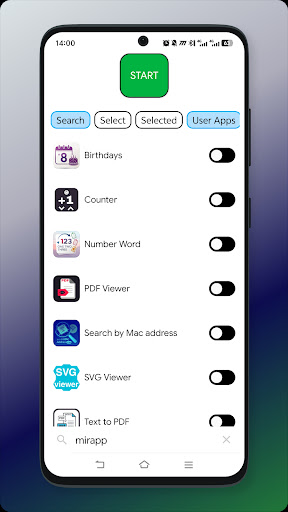
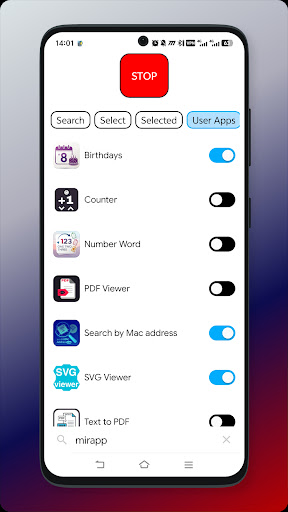
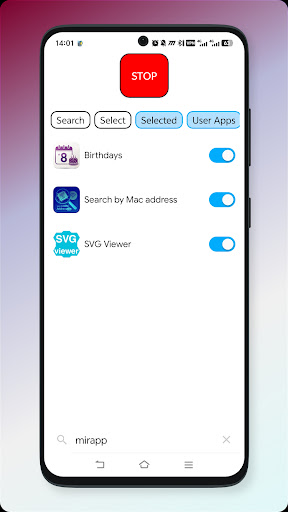
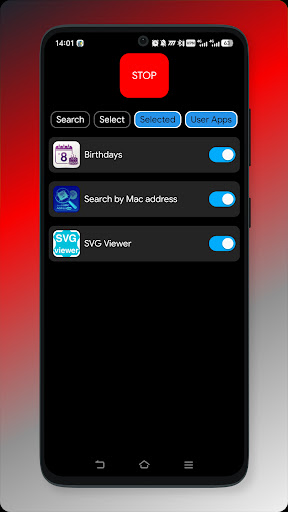
The app only allows certain apps to access the internet, or it does not allow anyone to access the internet at all. It's very easy to set up: there's a switch next to the app, and if it's on, the app has internet access; if it's off, it doesn't.
Additional functions:
- Search
- Select everything and deselect
- Long-pressing on an app opens its settings
Filter functions:
- Selected
- Custom
- System
- By name
- By size
- Latest updates
もっと見る

1. MEmuインストーラーをダウンロードしてセットアップを完了する

2. MEmuを起動し、デスクトップでのPlayストアを開く

3. PlayストアでFirewallを検索する
Install
4. Firewallをダウンロードしてインストールする
5. インストールが完了したら、アイコンをクリックしてスタート

6. MEmuを使ってパソコンでFirewallを体験する
MEmu Playは現在、最高の無料Androidエミュレーターであり、5,000万人のユーザーが優れたAndroidアプリ体験を楽しんでいます。MEmuの仮想化テクノロジーにより、数千ものAndroidアプリをコンピューターでスムーズに実行できます。
大画面でより精細;無限の待機、電池とドラフィックの極限を超え
キーボード・マウス・コントローラーを全力でサポート、より快適
マルチインスタンスで複数のゲームを同時に実行
Use Firewall on PC by following steps: