follow
更新日
現在のバージョン
3.1
提供元

スマートフォンは不要!パソコンと同じようにキーボードとマウスで操作できます。MEmu Playは、あなたが待ち望んでいたすべての楽しみをお届けします。バッテリー残量や小さな画面を気にすることなく、followをご利用ください。最新のMEmu 9は、followをPCで体験するのに最適です!完璧なキーマッピングシステムにより、PCのようなスムーズな操作性を実現します。マルチインスタンス機能により、複数のアプリケーションを同時に実行できます。独自の仮想化エンジンがPCのパフォーマンスを最大限に引き出します。アプリを使用するだけでなく、高品質な体験を得ることができます。
もっと見る
followをPCでダウンロード!大画面でより楽しむ。電源が落ちてしまうとか通信料が足りないとかの問題を心配する必要がなく、PCの大画面でより快適にゲームを楽しましょう! follow is a permission-based Business to Anybody messaging app.
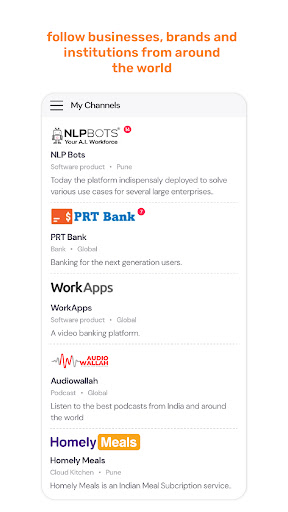
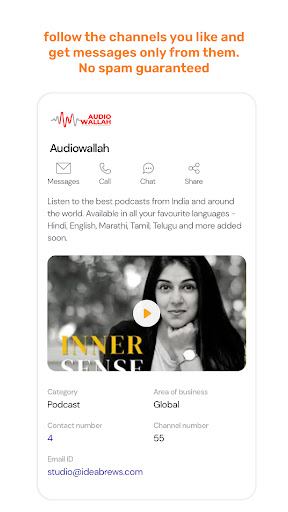
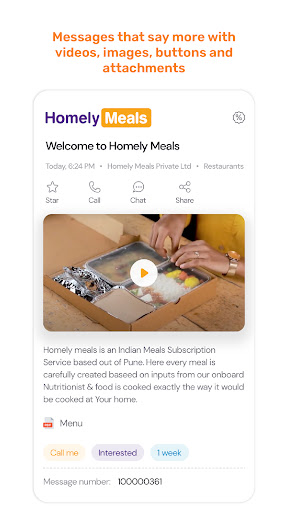
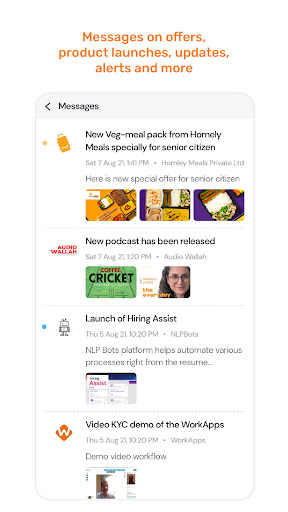
follow is a permission-based Business to Anybody messaging app.
- Businesses, shops, institutions, organizations, associations will own & list
channels on follow.
- Users who could be employees, partners, retailers, members, distributors, or
customers can follow the channels they like.
- Channels can be public or private, & open to follow or invitation based.
- Channels will broadcast messages on various topics like offers, product
launches, news, events, alerts etc.
- Rich media content messages.
- Users following those channels will receive the messages.
- Messages only from the channels they are following, no spam guaranteed.
- Messages that could be generic, or specifically targeted to users.
- Users can respond to those messages at a click or have an instant chat with
the channels.
もっと見る

1. MEmuインストーラーをダウンロードしてセットアップを完了する

2. MEmuを起動し、デスクトップでのPlayストアを開く

3. Playストアでfollowを検索する
Install
4. followをダウンロードしてインストールする
5. インストールが完了したら、アイコンをクリックしてスタート

6. MEmuを使ってパソコンでfollowを体験する
MEmu Playは現在、最高の無料Androidエミュレーターであり、5,000万人のユーザーが優れたAndroidアプリ体験を楽しんでいます。MEmuの仮想化テクノロジーにより、数千ものAndroidアプリをコンピューターでスムーズに実行できます。
大画面でより精細;無限の待機、電池とドラフィックの極限を超え
キーボード・マウス・コントローラーを全力でサポート、より快適
マルチインスタンスで複数のゲームを同時に実行
Use follow on PC by following steps: