GNSS Status (GPS Test)
更新日
現在のバージョン
0.9.16g
提供元

スマートフォンは不要!パソコンと同じようにキーボードとマウスで操作できます。MEmu Playは、あなたが待ち望んでいたすべての楽しみをお届けします。バッテリー残量や小さな画面を気にすることなく、GNSS Status (GPS Test)をご利用ください。最新のMEmu 9は、GNSS Status (GPS Test)をPCで体験するのに最適です!完璧なキーマッピングシステムにより、PCのようなスムーズな操作性を実現します。マルチインスタンス機能により、複数のアプリケーションを同時に実行できます。独自の仮想化エンジンがPCのパフォーマンスを最大限に引き出します。アプリを使用するだけでなく、高品質な体験を得ることができます。
もっと見る
GNSS Status (GPS Test)をPCでダウンロード!大画面でより楽しむ。電源が落ちてしまうとか通信料が足りないとかの問題を心配する必要がなく、PCの大画面でより快適にゲームを楽しましょう! This app is a tool for displaying the GPS status and the status of other GNSS (global navigation satellite systems).
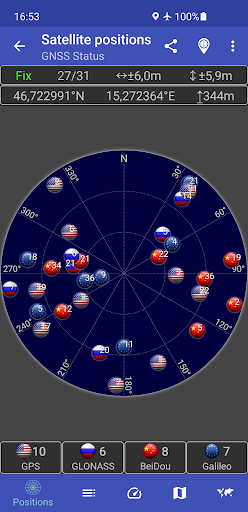
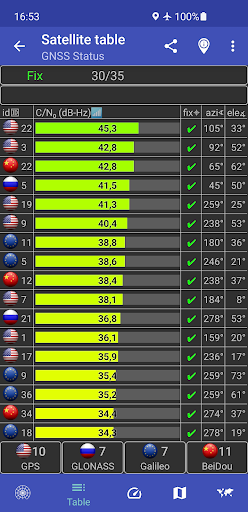
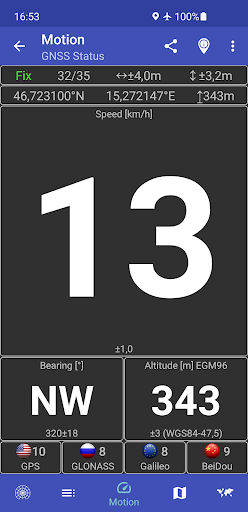
This app is a tool for displaying the GPS status and the status of other GNSS (global navigation satellite systems). It provides all information about all GNSS supported by your device (GPS, GLONASS, Galileo, BeiDou, ...).
Your location can be shown as latitude/longitude, UTM (Universal Transverse Mercator), MGRS (Military Grid Reference System), OLC (Open Location Code / Plus Code), Mercator, QTH/Maidenhead, Geohash or CH1903+.
Via the "Share" functionality you can share your location to tell someone exactly where you are, this can be very helpful not only in emergencies. Location can be shared as latitude/longitude or as link to all major map services.
Furthermore, functions such as a GPS speedometer, a "Find my car" and a "My Places" functionality are integrated. This makes it possible to calculate and display routes to the location of the car or to other previously saved locations and to be able to navigate there.
The app supports the display of any GPX files with various map services.
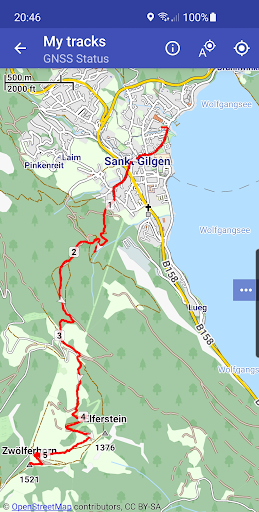
New: Record your tracks while hiking, running or cycling, or import GPX files to find the right path while hiking, running or cycling. Export your captured tracks as GPX files. While hiking, running or cycling, you can share your previous route and your current location as a GPX file via email or social networks at any time. The finished GPX file can also be shared via email and social networks. At the recipient of the shared GPX file, clicking on this file opens and displays our app.
Choose between several map providers for the map displays, we also support offline maps!
もっと見る

1. MEmuインストーラーをダウンロードしてセットアップを完了する

2. MEmuを起動し、デスクトップでのPlayストアを開く

3. PlayストアでGNSS Status (GPS Test)を検索する
Install
4. GNSS Status (GPS Test)をダウンロードしてインストールする
5. インストールが完了したら、アイコンをクリックしてスタート

6. MEmuを使ってパソコンでGNSS Status (GPS Test)を体験する
MEmu Playは現在、最高の無料Androidエミュレーターであり、5,000万人のユーザーが優れたAndroidアプリ体験を楽しんでいます。MEmuの仮想化テクノロジーにより、数千ものAndroidアプリをコンピューターでスムーズに実行できます。
大画面でより精細;無限の待機、電池とドラフィックの極限を超え
キーボード・マウス・コントローラーを全力でサポート、より快適
マルチインスタンスで複数のゲームを同時に実行
Use GNSS Status (GPS Test) on PC by following steps: