
Disney+ Hotstar
更新日
現在のバージョン
26.05.25.0
提供元

スマートフォンは不要!パソコンと同じようにキーボードとマウスで操作できます。MEmu Playは、あなたが待ち望んでいたすべての楽しみをお届けします。バッテリー残量や小さな画面を気にすることなく、Disney+ Hotstarをご利用ください。最新のMEmu 9は、Disney+ HotstarをPCで体験するのに最適です!完璧なキーマッピングシステムにより、PCのようなスムーズな操作性を実現します。マルチインスタンス機能により、複数のアプリケーションを同時に実行できます。独自の仮想化エンジンがPCのパフォーマンスを最大限に引き出します。アプリを使用するだけでなく、高品質な体験を得ることができます。
もっと見る
Disney+ HotstarをPCでダウンロード!大画面でより楽しむ。電源が落ちてしまうとか通信料が足りないとかの問題を心配する必要がなく、PCの大画面でより快適にゲームを楽しましょう! Disney+ is the streaming home of your favourite stories and more.
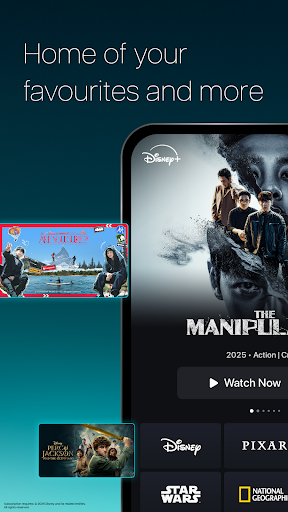
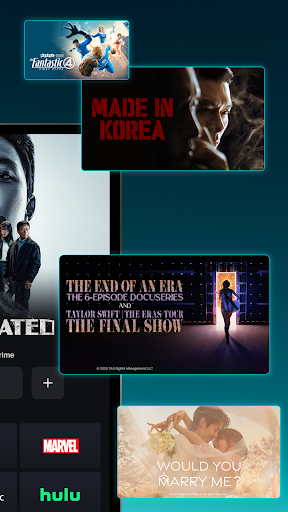
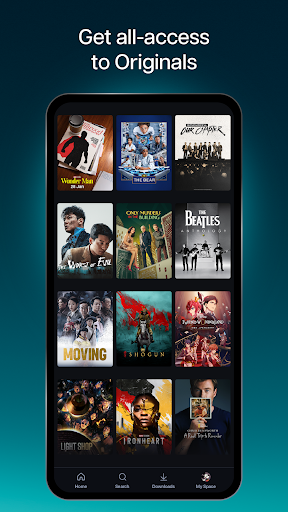
Disney+ is the streaming home of your favourite stories and more. With movies & series from Disney, Pixar, Marvel, Star Wars, National Geographic and Hulu. From Hollywood award-winners to Asian content, discover new favourites on Disney+.
With new titles added regularly, you can watch Disney's latest blockbusters, series, documentaries and so much more. You can stream at home, on-the-go or download select content to watch offline on compatible devices today!
With Disney+, you can watch:
• Original blockbuster films, live-action and animated series, short-form content and documentaries
• Popular Korean dramas & a wide selection of other Asian content
• From the latest releases and popular TV series to Disney classics
Enjoy these features, based on your chosen plan:
Premium Plan
• Watch on max. 3 screens at once
• Stream up to 4K Ultra HD^ for selected content/device
• Log in max. 10 devices
Basic & Premium Plans:
• Download selected content on max. 10 mobile devices only*
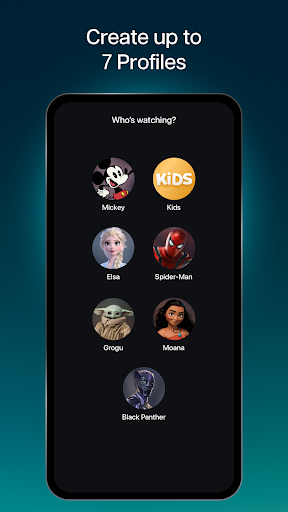
• Create up to 7 profiles under 1 account
• Watch all our titles on compatible Phones, Tablets, Laptops, TVs
Subscription is required. Additional bank charges may apply. The content available on Disney+ may vary by region. Some titles shown on this page may not be available in your country. ^Video and/ or audio quality subject to internet service, device capabilities, content and subscription plan. Please note that Smart TVs require HDCP V2 & HDCP V2.2 for Full HD (1080p) and 4K Ultra HD (2160p) content playback, respectively. *Downloaded content will remain on your device for a limited amount of time as long as you are an active Disney+ subscriber and your device is connected to the internet at least once every 30 days.
For more information on plans, price, features and more, please visit: help.disneyplus.com
Terms of Use: https://www.apps.disneyplus.com/terms-of-use/id-eng
Privacy Policy: https://privacy.thewaltdisneycompany.com/en/current-privacy-policy/
Supplemental Privacy Policy for Indonesia: https://privacy.thewaltdisneycompany.com/en/current-privacy-policy/supplemental-privacy-policy-for-indonesia/
もっと見る

1. MEmuインストーラーをダウンロードしてセットアップを完了する

2. MEmuを起動し、デスクトップでのPlayストアを開く

3. PlayストアでDisney+ Hotstarを検索する
Install
4. Disney+ Hotstarをダウンロードしてインストールする
5. インストールが完了したら、アイコンをクリックしてスタート

6. MEmuを使ってパソコンでDisney+ Hotstarを体験する
MEmu Playは現在、最高の無料Androidエミュレーターであり、5,000万人のユーザーが優れたAndroidアプリ体験を楽しんでいます。MEmuの仮想化テクノロジーにより、数千ものAndroidアプリをコンピューターでスムーズに実行できます。
大画面でより精細;無限の待機、電池とドラフィックの極限を超え
キーボード・マウス・コントローラーを全力でサポート、より快適
マルチインスタンスで複数のゲームを同時に実行
Use Disney+ Hotstar on PC by following steps: