Interprefy
更新日
現在のバージョン
8.1.3
提供元

スマートフォンは不要!パソコンと同じようにキーボードとマウスで操作できます。MEmu Playは、あなたが待ち望んでいたすべての楽しみをお届けします。バッテリー残量や小さな画面を気にすることなく、Interprefyをご利用ください。最新のMEmu 9は、InterprefyをPCで体験するのに最適です!完璧なキーマッピングシステムにより、PCのようなスムーズな操作性を実現します。マルチインスタンス機能により、複数のアプリケーションを同時に実行できます。独自の仮想化エンジンがPCのパフォーマンスを最大限に引き出します。アプリを使用するだけでなく、高品質な体験を得ることができます。
もっと見る
MEmu Playを使えば、PCでInterprefyを快適に楽しめます。何千ものAndroidアプリをデスクトップ版で利用できる、パワフルな無料Androidエミュレーターです。友達とつながり、より効率的に作品を磨き上げましょう! Real-time AI speech translation, live captions & interpretation for multilingual meetings, events & conferences .
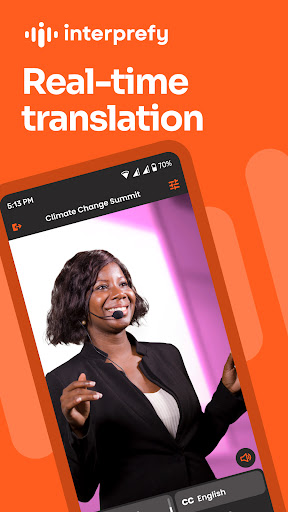

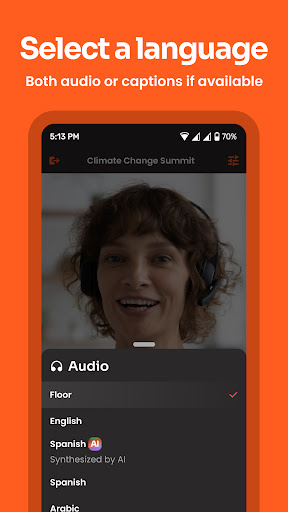
Real-time AI speech translation, live captions & interpretation for multilingual meetings, events & conferences
Designed for business, the Interprefy mobile app is a companion app that connects your mobile device to Interprefy’s cloud-based platform. Interprefy solutions and services are available through a subscription plan or tailored to a standalone event. The app provides listening feeds for audience members and, where appropriate, full access for speakers. It supports everything from spontaneous face-to-face meetings and scheduled online discussions to highly prepared, large-scale presentations and conferences. To access Interprefy’s multilingual services, visit Interprefy.com.
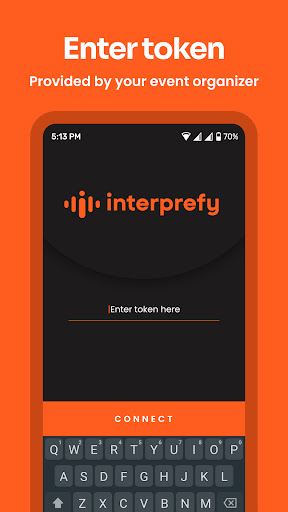
NOTE: This app is only available to customers of Interprefy Ltd. You will get an event access token that will allow you to log in.
Interprefy Mobile App requires specific permissions to function correctly. Below is an overview of the permissions requested and their purpose:
Microphone (Recording Audio)
“Allow Interprefy to record audio?”
Required for capturing the user’s voice when speaking into the app.
Camera (Record Video)
“Allow Interprefy to take pictures and record video?”
This permission is necessary for the Speaker Interface, which allows users to stream videos while speaking.
Phone State
“Allow Interprefy to make and manage phone calls?”
This permission is used to detect incoming phone calls during a session so the app can adjust accordingly (e.g., pausing audio or handling interruptions properly).
Bluetooth
“Allow Interprefy to find, connect to and determine the relative position of nearby devices?”
Required to support Bluetooth headsets. Without this permission, the app would not recognize connected headsets, potentially leading to crashes. The permission is requested before a headset is connected, as the system does not prompt for it afterward, which could lead to connection issues.
Notifications (Android 13+)
“Allow Interprefy to send you notifications?”
Required due to system rules for apps running foreground services. This ensures users are informed when an active service is running.
These permissions are essential to provide a seamless and functional user experience.
もっと見る

1. MEmuインストーラーをダウンロードしてセットアップを完了する

2. MEmuを起動し、デスクトップでのPlayストアを開く

3. PlayストアでInterprefyを検索する
Install
4. Interprefyをダウンロードしてインストールする
5. インストールが完了したら、アイコンをクリックしてスタート

6. MEmuを使ってパソコンでInterprefyを体験する
MEmu Playは現在、最高の無料Androidエミュレーターであり、5,000万人のユーザーが優れたAndroidアプリ体験を楽しんでいます。MEmuの仮想化テクノロジーにより、数千ものAndroidアプリをコンピューターでスムーズに実行できます。
大画面でより精細;無限の待機、電池とドラフィックの極限を超え
キーボード・マウス・コントローラーを全力でサポート、より快適
マルチインスタンスで複数のゲームを同時に実行
Use Interprefy on PC by following steps: