LMW Service - TMD
更新日
現在のバージョン
1.8.5
提供元

スマートフォンは不要!パソコンと同じようにキーボードとマウスで操作できます。MEmu Playは、あなたが待ち望んでいたすべての楽しみをお届けします。バッテリー残量や小さな画面を気にすることなく、LMW Service - TMDをご利用ください。最新のMEmu 9は、LMW Service - TMDをPCで体験するのに最適です!完璧なキーマッピングシステムにより、PCのようなスムーズな操作性を実現します。マルチインスタンス機能により、複数のアプリケーションを同時に実行できます。独自の仮想化エンジンがPCのパフォーマンスを最大限に引き出します。アプリを使用するだけでなく、高品質な体験を得ることができます。
もっと見る
LMW Service - TMDをPCでダウンロード!大画面でより楽しむ。電源が落ちてしまうとか通信料が足りないとかの問題を心配する必要がなく、PCの大画面でより快適にゲームを楽しましょう! This is an official Mobile Application for engineers of Lakshmi Machine Works Limited, a leading Textile Machinery Manufacturer in India and one among the three in the world to produce the entire range of Spinning Machinery.
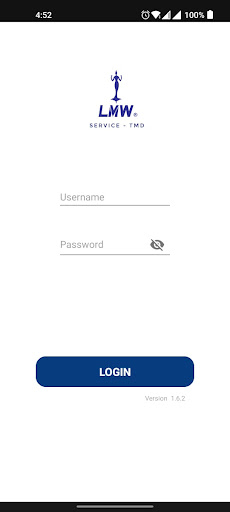
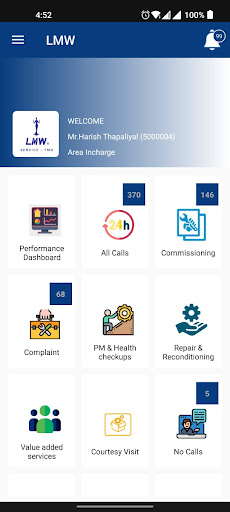
This is an official Mobile Application for engineers of Lakshmi Machine Works Limited, a leading Textile Machinery Manufacturer in India and one among the three in the world to produce the entire range of Spinning Machinery. In 1962, LMW was founded to provide Indian textile mills with the latest Spinning Technology. It caters to the domestic market as well as exports products to the Asian and Oceanic regions.
LMW diversified into CNC Machine Tools and is a brand leader in manufacturing customized products. LMW Foundry makes Precision Castings for industries world over. LMW has added the Advanced Technology Centre to manufacture components for the Aerospace Industry.
Vision:
“To enhance customer satisfaction and our image globally and achieve exponential growth to leadership through world class products and service.”
Mission:
“To deliver greater value to our customers by providing complete competitive solutions through technological leadership and manufacturing excellence that are responsive to dynamic market needs.”
Values:
Excellence
Integrity
Learning and sharing
Contribution to industry and society
もっと見る

1. MEmuインストーラーをダウンロードしてセットアップを完了する

2. MEmuを起動し、デスクトップでのPlayストアを開く

3. PlayストアでLMW Service - TMDを検索する
Install
4. LMW Service - TMDをダウンロードしてインストールする
5. インストールが完了したら、アイコンをクリックしてスタート

6. MEmuを使ってパソコンでLMW Service - TMDを体験する
MEmu Playは現在、最高の無料Androidエミュレーターであり、5,000万人のユーザーが優れたAndroidアプリ体験を楽しんでいます。MEmuの仮想化テクノロジーにより、数千ものAndroidアプリをコンピューターでスムーズに実行できます。
大画面でより精細;無限の待機、電池とドラフィックの極限を超え
キーボード・マウス・コントローラーを全力でサポート、より快適
マルチインスタンスで複数のゲームを同時に実行
Use LMW Service - TMD on PC by following steps: