
Logos Bible Study App
更新日
現在のバージョン
38.0.2
提供元

スマートフォンは不要!パソコンと同じようにキーボードとマウスで操作できます。MEmu Playは、あなたが待ち望んでいたすべての楽しみをお届けします。バッテリー残量や小さな画面を気にすることなく、Logos Bible Study Appをご利用ください。最新のMEmu 9は、Logos Bible Study AppをPCで体験するのに最適です!完璧なキーマッピングシステムにより、PCのようなスムーズな操作性を実現します。マルチインスタンス機能により、複数のアプリケーションを同時に実行できます。独自の仮想化エンジンがPCのパフォーマンスを最大限に引き出します。アプリを使用するだけでなく、高品質な体験を得ることができます。
もっと見る
Logos Bible Study AppをPCでダウンロード!大画面でより楽しむ。電源が落ちてしまうとか通信料が足りないとかの問題を心配する必要がなく、PCの大画面でより快適にゲームを楽しましょう! Access powerful Bible study tools and a theological library for biblical insights on the go.
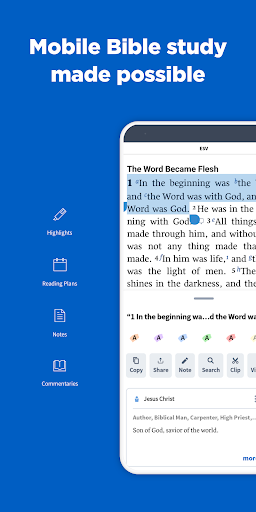
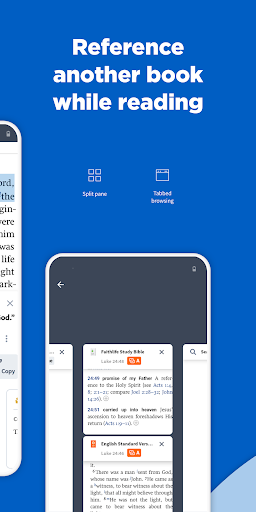
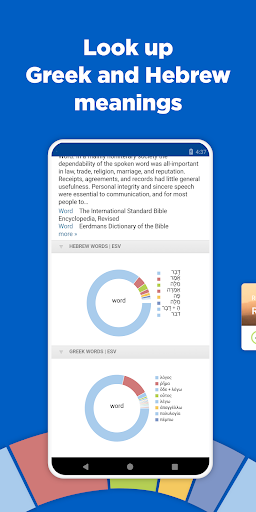
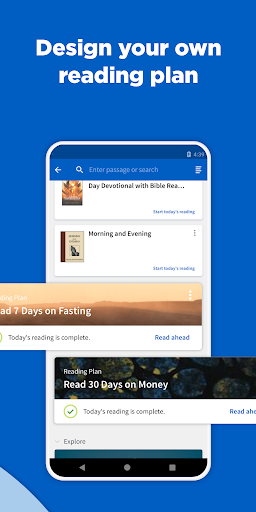
Access powerful Bible study tools and a theological library for biblical insights on the go. With the Logos mobile app, you can read the Bible and a commentary side by side, save books for studying offline, and use exclusive Logos Bible study tools.
Make Time for Reading, Even When You’re Booked
Organize and schedule your reading in seconds. Create a list of books in your library, then start a reading plan when you’re ready to dig in.
Access All Your Bible Study Tools in One Location
Tap a word or passage to highlight, leave a note, open Bible Word Study, and more, all with the enhanced text selection menu.
Find What You’re Looking for, Instantly
Access powerful search features from any book or resource. Quickly navigate to any verse in the Bible or search your library to go deeper.
Never Lose Your Audience—or Your Place
Easily read your sermon outline or manuscript, get a clear view of all your slides, and see a built-in timer to help you stay on track with Preaching Mode.
Read your favorite Bible translations: we have a variety of options, including the NIV, ESV, NASB, NKJV, and many more.
TOP FEATURES:
LIBRARY - Instantly access up to ninety-five free resources to kick off your Bible study. Or sync your current Logos library to access all your books on the go.
PANEL LINKING - Get three independent channels for linking your resources so they track along with you as you read.
SOCIAL SHARING - Share Bible verse images on Facebook, Twitter, Evernote, and email.
REFERENCE SCANNER - Take a picture of a church bulletin or handout using Reference Scanner, and the app will open your preferred Bible version to all the verse references.
PASSAGE LIST - Use Reference Scanner to snap a picture of a document and look up many verses at once, then save those verses as a Passage List.
BIBLE WORD STUDY - Learn more about any word in the Bible by examining dictionaries, lexicons, and cross-references.
PASSAGE GUIDE - Get a detailed, verse-specific report that includes Bible commentaries, cross-references, literary typing, and media resources.
TEXT COMPARISON - Compare any verse across multiple translations with visual and percentage indicators of difference.
TABBED BROWSING - Open as many resources or Bibles as you want and view them side by side.
SPLIT SCREEN - Delve into any secondary resource side by side with your preferred Bible translation.
SEARCH - Find every mention of a word or phrase in every resource in your library.
READING PLANS - Get into daily reading with several Bible reading plans to choose from.
もっと見る

1. MEmuインストーラーをダウンロードしてセットアップを完了する

2. MEmuを起動し、デスクトップでのPlayストアを開く

3. PlayストアでLogos Bible Study Appを検索する
Install
4. Logos Bible Study Appをダウンロードしてインストールする
5. インストールが完了したら、アイコンをクリックしてスタート

6. MEmuを使ってパソコンでLogos Bible Study Appを体験する
MEmu Playは現在、最高の無料Androidエミュレーターであり、5,000万人のユーザーが優れたAndroidアプリ体験を楽しんでいます。MEmuの仮想化テクノロジーにより、数千ものAndroidアプリをコンピューターでスムーズに実行できます。
大画面でより精細;無限の待機、電池とドラフィックの極限を超え
キーボード・マウス・コントローラーを全力でサポート、より快適
マルチインスタンスで複数のゲームを同時に実行
Use Logos Bible Study App on PC by following steps: