Lumary
更新日
現在のバージョン
1.6.0
提供元

スマートフォンは不要!パソコンと同じようにキーボードとマウスで操作できます。MEmu Playは、あなたが待ち望んでいたすべての楽しみをお届けします。バッテリー残量や小さな画面を気にすることなく、Lumaryをご利用ください。最新のMEmu 9は、LumaryをPCで体験するのに最適です!完璧なキーマッピングシステムにより、PCのようなスムーズな操作性を実現します。マルチインスタンス機能により、複数のアプリケーションを同時に実行できます。独自の仮想化エンジンがPCのパフォーマンスを最大限に引き出します。アプリを使用するだけでなく、高品質な体験を得ることができます。
もっと見る
LumaryをPCでダウンロード!大画面でより楽しむ。電源が落ちてしまうとか通信料が足りないとかの問題を心配する必要がなく、PCの大画面でより快適にゲームを楽しましょう! Lumary, Let there be smart life.

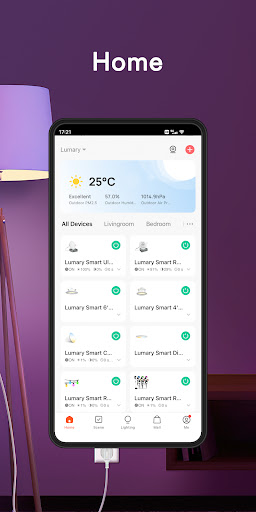
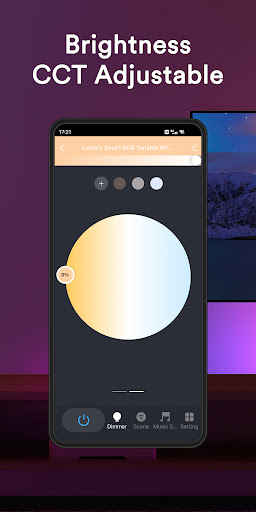
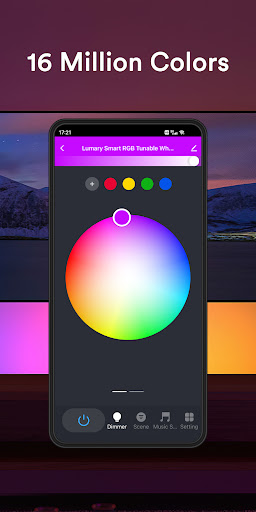
Lumary, Let there be smart life.
Remote control of smart home products, energy saving, allows you to control the smart home whenever and wherever.
You can add a variety of smart life products at the same time and control them with one application.
Support voice control by conecting to smart devices such as Amazon Echo and Google Home.
Intelligent linkage, automatically running smart devices according to the temperature, location, and time.
One-click sharing device to your family and friends, lead to simple and smart life in the whole family
Receive notifications everywhere and get real-time information about the smart home products in home.
Quickly connect to the network, enjoy the speedy experience.
もっと見る

1. MEmuインストーラーをダウンロードしてセットアップを完了する

2. MEmuを起動し、デスクトップでのPlayストアを開く

3. PlayストアでLumaryを検索する
Install
4. Lumaryをダウンロードしてインストールする
5. インストールが完了したら、アイコンをクリックしてスタート

6. MEmuを使ってパソコンでLumaryを体験する
MEmu Playは現在、最高の無料Androidエミュレーターであり、5,000万人のユーザーが優れたAndroidアプリ体験を楽しんでいます。MEmuの仮想化テクノロジーにより、数千ものAndroidアプリをコンピューターでスムーズに実行できます。
大画面でより精細;無限の待機、電池とドラフィックの極限を超え
キーボード・マウス・コントローラーを全力でサポート、より快適
マルチインスタンスで複数のゲームを同時に実行
Use Lumary on PC by following steps: