
Moon Climbing - MoonBoard
更新日
現在のバージョン
1.3.56
提供元

スマートフォンは不要!パソコンと同じようにキーボードとマウスで操作できます。MEmu Playは、あなたが待ち望んでいたすべての楽しみをお届けします。バッテリー残量や小さな画面を気にすることなく、Moon Climbing - MoonBoardをご利用ください。最新のMEmu 9は、Moon Climbing - MoonBoardをPCで体験するのに最適です!完璧なキーマッピングシステムにより、PCのようなスムーズな操作性を実現します。マルチインスタンス機能により、複数のアプリケーションを同時に実行できます。独自の仮想化エンジンがPCのパフォーマンスを最大限に引き出します。アプリを使用するだけでなく、高品質な体験を得ることができます。
もっと見る
MEmu Playを使えば、PCでMoon Climbing - MoonBoardを快適に楽しめます。何千ものAndroidアプリをデスクトップ版で利用できる、パワフルな無料Androidエミュレーターです。友達とつながり、より効率的に作品を磨き上げましょう! MoonBoard App – Train Smarter.
MoonBoard App – Train Smarter. Climb Harder.
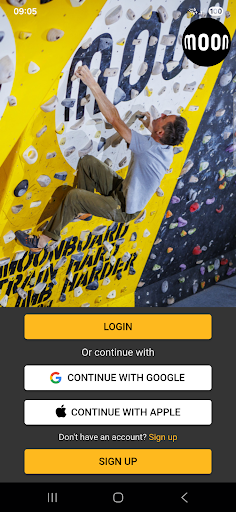
The MoonBoard App is the official companion for both standard and LED MoonBoards, giving you instant access to thousands of problems, powerful training tools and seamless board control from your phone or tablet.
Key Features
Choose your setup — Select the exact hold layout installed on your board.
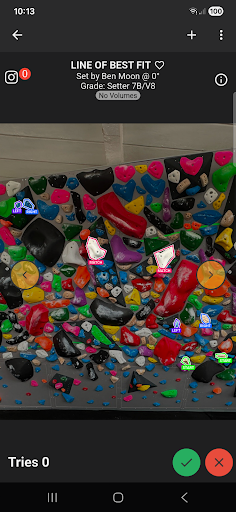
Browse and climb — Explore a global library of MoonBoard problems.
Light up problems — Illuminate holds instantly on LED MoonBoards via Bluetooth.
Create and share — Add new problems and share them with friends or training partners.
Sort and filter — Quickly find climbs by grade, style, rating and more.
Track your progress — Log sessions and monitor improvement over time.
Build lists — Organise warm‑ups, projects, favourites and training circuits.
Easy login — Sign in with your Apple or Google account.
What’s New in This Update
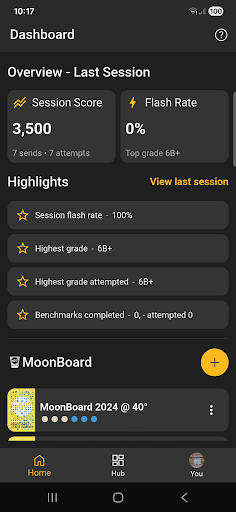
New Dashboard
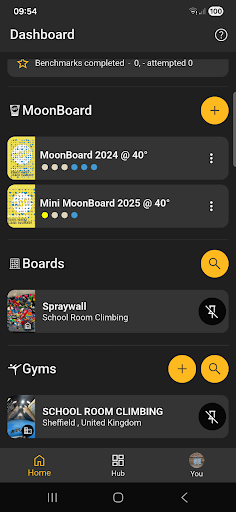
A redesigned Dashboard summarises your last session and lets you pin your favourite MoonBoard setups, gyms and non‑standardised boards for fast access.
New Hub
A streamlined Hub page gives direct access to settings, problem lists, rankings and future feature releases.
Gym Management
Commercial and private gyms can now add and edit their own boards directly in the app.
Support for Non‑Standardised Boards
Add custom boards using automated hold recognition, then map LEDs with the MoonBoard Pro control box and standard Moon LED strings.
もっと見る

1. MEmuインストーラーをダウンロードしてセットアップを完了する

2. MEmuを起動し、デスクトップでのPlayストアを開く

3. PlayストアでMoon Climbing - MoonBoardを検索する
Install
4. Moon Climbing - MoonBoardをダウンロードしてインストールする
5. インストールが完了したら、アイコンをクリックしてスタート

6. MEmuを使ってパソコンでMoon Climbing - MoonBoardを体験する
MEmu Playは現在、最高の無料Androidエミュレーターであり、5,000万人のユーザーが優れたAndroidアプリ体験を楽しんでいます。MEmuの仮想化テクノロジーにより、数千ものAndroidアプリをコンピューターでスムーズに実行できます。
大画面でより精細;無限の待機、電池とドラフィックの極限を超え
キーボード・マウス・コントローラーを全力でサポート、より快適
マルチインスタンスで複数のゲームを同時に実行
Use Moon Climbing - MoonBoard on PC by following steps: