Movie Box DramaPlay & Shows
更新日
現在のバージョン
提供元

スマートフォンは不要!パソコンと同じようにキーボードとマウスで操作できます。MEmu Playは、あなたが待ち望んでいたすべての楽しみをお届けします。バッテリー残量や小さな画面を気にすることなく、Movie Box DramaPlay & Showsをご利用ください。最新のMEmu 9は、Movie Box DramaPlay & ShowsをPCで体験するのに最適です!完璧なキーマッピングシステムにより、PCのようなスムーズな操作性を実現します。マルチインスタンス機能により、複数のアプリケーションを同時に実行できます。独自の仮想化エンジンがPCのパフォーマンスを最大限に引き出します。アプリを使用するだけでなく、高品質な体験を得ることができます。
もっと見る
MEmu Playを使えば、PCでMovie Box DramaPlay & Showsを快適に楽しめます。何千ものAndroidアプリをデスクトップ版で利用できる、パワフルな無料Androidエミュレーターです。友達とつながり、より効率的に作品を磨き上げましょう! Enjoy a smooth and powerful video playback experience with our Movie Box DramaPlay & Shows app.

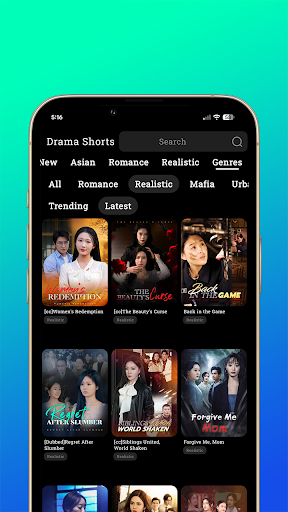
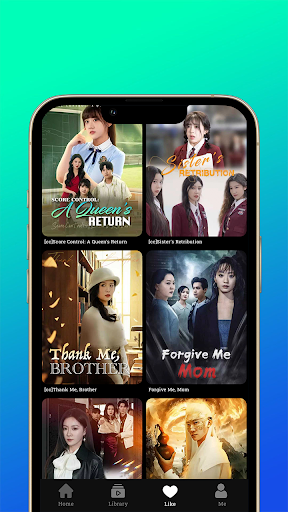
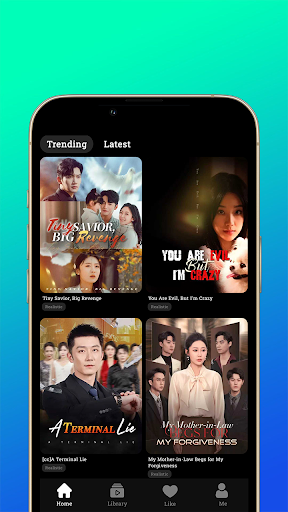
Enjoy a smooth and powerful video playback experience with our Movie Box DramaPlay & Shows app. Watch all your favorite videos in high quality with fast performance and an easy-to-use interface.
Supports all major video formats
HD & Full HD playback
Fast, smooth, and lightweight
Easy controls & user-friendly design
Play videos anytime, anywhere without interruptions. Designed for a seamless entertainment experience.
Disclaimer
This app is a standalone video player and does not host, upload, or provide any copyrighted content. Users are responsible for the media they play within the app.
The Movie Box DramaPlay & Shows app only provides a platform to play locally stored or user-accessed content.
© Credits
All content, trademarks, and media belong to their respective owners.
This app does not claim ownership of any third-party content.
もっと見る

1. MEmuインストーラーをダウンロードしてセットアップを完了する

2. MEmuを起動し、デスクトップでのPlayストアを開く

3. PlayストアでMovie Box DramaPlay & Showsを検索する
Install
4. Movie Box DramaPlay & Showsをダウンロードしてインストールする
5. インストールが完了したら、アイコンをクリックしてスタート

6. MEmuを使ってパソコンでMovie Box DramaPlay & Showsを体験する
MEmu Playは現在、最高の無料Androidエミュレーターであり、5,000万人のユーザーが優れたAndroidアプリ体験を楽しんでいます。MEmuの仮想化テクノロジーにより、数千ものAndroidアプリをコンピューターでスムーズに実行できます。
大画面でより精細;無限の待機、電池とドラフィックの極限を超え
キーボード・マウス・コントローラーを全力でサポート、より快適
マルチインスタンスで複数のゲームを同時に実行
Use Movie Box DramaPlay & Shows on PC by following steps: