
My3
更新日
現在のバージョン
3.5.2
提供元

スマートフォンは不要!パソコンと同じようにキーボードとマウスで操作できます。MEmu Playは、あなたが待ち望んでいたすべての楽しみをお届けします。バッテリー残量や小さな画面を気にすることなく、My3をご利用ください。最新のMEmu 9は、My3をPCで体験するのに最適です!完璧なキーマッピングシステムにより、PCのようなスムーズな操作性を実現します。マルチインスタンス機能により、複数のアプリケーションを同時に実行できます。独自の仮想化エンジンがPCのパフォーマンスを最大限に引き出します。アプリを使用するだけでなく、高品質な体験を得ることができます。
もっと見る
My3をPCでダウンロード!大画面でより楽しむ。電源が落ちてしまうとか通信料が足りないとかの問題を心配する必要がなく、PCの大画面でより快適にゲームを楽しましょう! Introducing the new personalized My3 experience for both monthly subscribers and prepaid SIM users using - an app designed to provide unprecedented ease of access to our one-stop services.
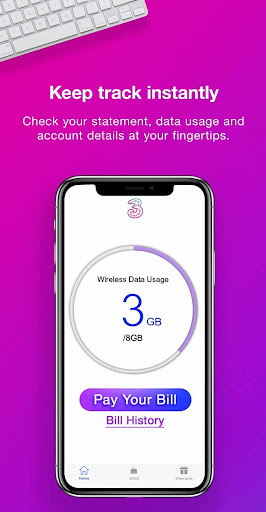
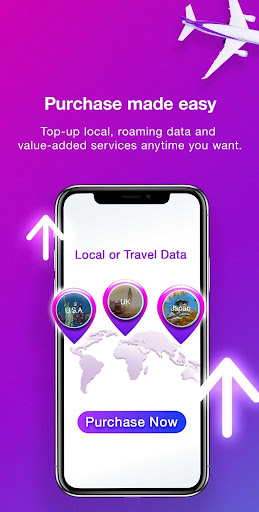
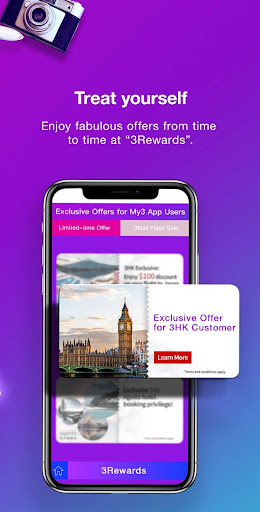
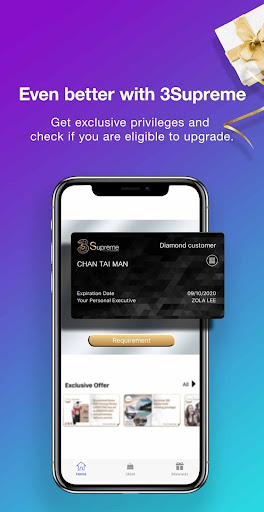
Introducing the new personalized My3 experience for both monthly subscribers and prepaid SIM users using - an app designed to provide unprecedented ease of access to our one-stop services. You can stay on top of our latest promotions and offers, check your bill and usage, top-up or make a payment, and manage your 3HK account anywhere, anytime with the app.
Manage all accounts
- Manage all your numbers, billing and 3HK services in one place
Monitor data usage
- Track your usage and call records, including Cross-Month Top-up Data and Heart-to-Heart
Airtime
- Set usage reminder and manage other value-added services
Top-up and make payments
- Get your bills paid through secure online payment methods
- Top-up your Prepaid SIM online
Easy access to roaming features
- Get a roaming service and make instant activation
- Keep track of your roaming services and charges
Manage 3Supreme status
- Discover the advantages of your status, including exclusive offers, add-ons & apps, exclusive event reservations, and member referral program
3iChat online support
- Reach out to our 24 x 7 online 3iChat Ambassador for any questions
General enquiry
- Look for Wi-Fi hotspots, store locations, and roaming details
Shop at your fingertips
- Shop online at 3Mall, the online shopping platform
- Choose from a wide variety of product options, including innovative goods, mobile accessories and travel essentials
Get your game on
- Join 3GAMER CLUB that gives away virtual items, provides game guides and enjoys gamer offers
- Buy game points
もっと見る

1. MEmuインストーラーをダウンロードしてセットアップを完了する

2. MEmuを起動し、デスクトップでのPlayストアを開く

3. PlayストアでMy3を検索する
Install
4. My3をダウンロードしてインストールする
5. インストールが完了したら、アイコンをクリックしてスタート

6. MEmuを使ってパソコンでMy3を体験する
MEmu Playは現在、最高の無料Androidエミュレーターであり、5,000万人のユーザーが優れたAndroidアプリ体験を楽しんでいます。MEmuの仮想化テクノロジーにより、数千ものAndroidアプリをコンピューターでスムーズに実行できます。
大画面でより精細;無限の待機、電池とドラフィックの極限を超え
キーボード・マウス・コントローラーを全力でサポート、より快適
マルチインスタンスで複数のゲームを同時に実行
Use My3 on PC by following steps: