Neat Reader - EPUB Reader
更新日
現在のバージョン
8.1.4
提供元

スマートフォンは不要!パソコンと同じようにキーボードとマウスで操作できます。MEmu Playは、あなたが待ち望んでいたすべての楽しみをお届けします。バッテリー残量や小さな画面を気にすることなく、Neat Reader - EPUB Readerをご利用ください。最新のMEmu 9は、Neat Reader - EPUB ReaderをPCで体験するのに最適です!完璧なキーマッピングシステムにより、PCのようなスムーズな操作性を実現します。マルチインスタンス機能により、複数のアプリケーションを同時に実行できます。独自の仮想化エンジンがPCのパフォーマンスを最大限に引き出します。アプリを使用するだけでなく、高品質な体験を得ることができます。
もっと見る
Neat Reader - EPUB ReaderをPCでダウンロード!大画面でより楽しむ。電源が落ちてしまうとか通信料が足りないとかの問題を心配する必要がなく、PCの大画面でより快適にゲームを楽しましょう! Neat Reader is an App specifically designed for reading EPUB e-books.
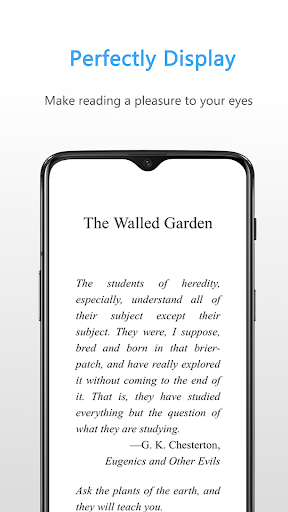
Neat Reader is an App specifically designed for reading EPUB e-books. It is trusted and loved by millions of people around the world.
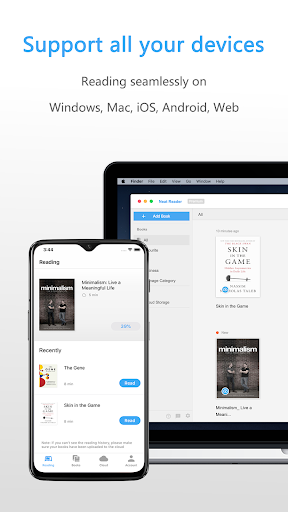
Neat Reader is a cross-platform ePub reader that supports "cloud storage, multi-end synchronization" and supports all the mainstream OS. You can open and read ePub files on any platform and experience a seamless reading experience.
Neat Reader can perfectly parse various ePub files and provide a variety of reading features such as notes, search, customization and more. Effectively meet the user's personalized needs for reading ePub.
IMPORT & VIEW EPUB FILES
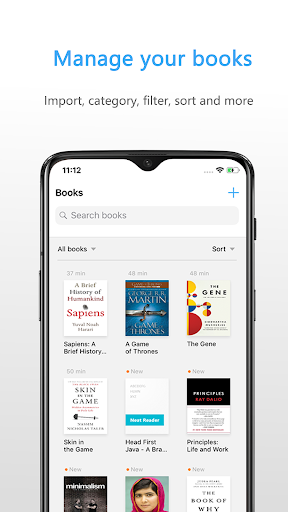
· Easily import your ePub files by wifi-transfer and other convenient methods.
· Choose Neat Reader while you are opening EPUB files in other apps, the file will be automatically added to Neat Reader library.
· Quickly open and view EPUB books.
· Use a variety of ways to navigate within the EPUB book.
ANNOTATE EPUB BOOKS
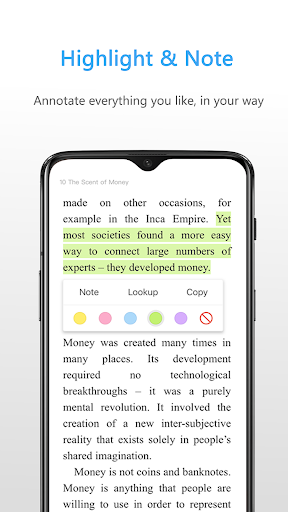
· Highlight book contents and write notes on them.
· Quickly jump to the highlight position inside the EPUB books.
· Highlight color changes automatically when you change the theme.
CUSTOMIZATION
· Change the font size, style of the EPUB books.
· Select the most suitable color theme for the environment.
IN-APP PURCHASE
If you need to read your EPUB books on more than two devices, no matter what device they are and what system they are running, you should upgrade your account to Premium. Neat Reader Premium will give you 10GB cloud storage and when your EPUB book is uploaded to the cloud, all the reading data will be synchronized automatically. Put it simply, when you are Premium, your EPUB books will be stored in the cloud and you can get seamless reading experience on all your devices.
MANAGE EPUB FILES
· You can create a category for your books and manage them in your way.
· With 10 GB cloud storage, you can upload about 5000 EPUB files to the cloud storage.
MORE ABOUT NEAT READER
If you want to know the latest information about Neat Reader or download Neat EPUB Reader application for other platforms, please visit https://www.epubreader.xyz. This website mainly used for promotion of Neat Reader and it will always keep up to date.
ABOUT US
We are dedicated to ePub technology and have carefully applied years of ePub software experience in Neat Reader. We will keep working on Neat Reader apps so that you can enjoy your EPUB books in the future.
TERMS & CONDITIONS
Your use of this application is governed by the Neat Reader Terms of End User and Privacy Policy (https://www.neat-reader.com/info?target=agreement)
What are you waiting for?
Come and download the word famous EPUB Reader, and start to enjoy your eBooks now.
もっと見る

1. MEmuインストーラーをダウンロードしてセットアップを完了する

2. MEmuを起動し、デスクトップでのPlayストアを開く

3. PlayストアでNeat Reader - EPUB Readerを検索する
Install
4. Neat Reader - EPUB Readerをダウンロードしてインストールする
5. インストールが完了したら、アイコンをクリックしてスタート

6. MEmuを使ってパソコンでNeat Reader - EPUB Readerを体験する
MEmu Playは現在、最高の無料Androidエミュレーターであり、5,000万人のユーザーが優れたAndroidアプリ体験を楽しんでいます。MEmuの仮想化テクノロジーにより、数千ものAndroidアプリをコンピューターでスムーズに実行できます。
大画面でより精細;無限の待機、電池とドラフィックの極限を超え
キーボード・マウス・コントローラーを全力でサポート、より快適
マルチインスタンスで複数のゲームを同時に実行
Use Neat Reader - EPUB Reader on PC by following steps: