Nekogram
更新日
現在のバージョン
11.5.3
提供元

スマートフォンは不要!パソコンと同じようにキーボードとマウスで操作できます。MEmu Playは、あなたが待ち望んでいたすべての楽しみをお届けします。バッテリー残量や小さな画面を気にすることなく、Nekogramをご利用ください。最新のMEmu 9は、NekogramをPCで体験するのに最適です!完璧なキーマッピングシステムにより、PCのようなスムーズな操作性を実現します。マルチインスタンス機能により、複数のアプリケーションを同時に実行できます。独自の仮想化エンジンがPCのパフォーマンスを最大限に引き出します。アプリを使用するだけでなく、高品質な体験を得ることができます。
もっと見る
NekogramをPCでダウンロード!大画面でより楽しむ。電源が落ちてしまうとか通信料が足りないとかの問題を心配する必要がなく、PCの大画面でより快適にゲームを楽しましょう! Nekogram is a third-party Telegram client with not many but useful modifications.
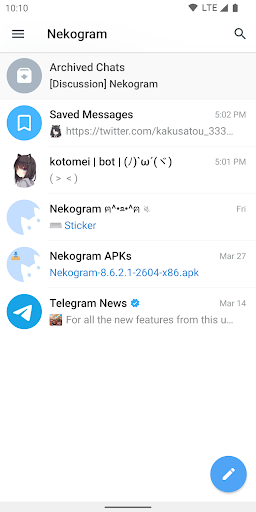
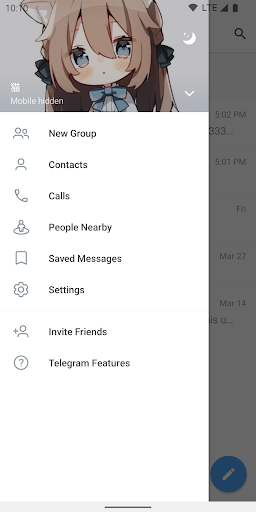
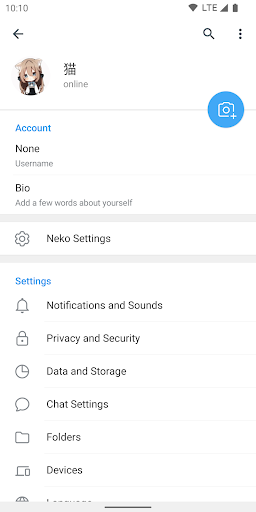
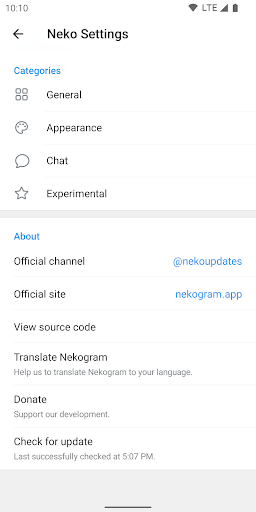
Nekogram is a third-party Telegram client with not many but useful modifications.
Appearance
Use your avatar as drawer header background, use system emojis, let the status bar be transparent, and more.
Chats
Set sticker size, let folders be shown on the forward page, and pause video automatically when switched to the background.
Translator
Translate messages and articles, with multiple translation engines to choose from.
More
The above is only a small part of the features, for more features, please download and check it out.
Official Channel
https://t.me/nekoupdates
Pure instant messaging — simple, fast, secure, and synced across all your devices.
FAST: the fastest messaging app on the market, connecting people via a unique, distributed network of data centers around the globe.
SYNCED: You can access your messages from all your phones, tablets and computers at once.
UNLIMITED: You can send media and files, without any limits on their type and size. Your entire chat history will require no disk space on your device, and will be securely stored in cloud for as long as you need it.
POWERFUL: You can create group chats with up to 200,000 members, share large videos, documents of any type (.DOCX, .MP3, .ZIP, etc.) up to 2 GB each, and even set up bots for specific tasks.
FUN: Powerful photo and video editing tools, animated stickers and emoji, fully customizable themes to change the appearance of your app, and an open sticker/GIF platform to cater to all your expressive needs.
SIMPLE: While providing an unprecedented array of features, we take great care to keep the interface clean.
もっと見る

1. MEmuインストーラーをダウンロードしてセットアップを完了する

2. MEmuを起動し、デスクトップでのPlayストアを開く

3. PlayストアでNekogramを検索する
Install
4. Nekogramをダウンロードしてインストールする
5. インストールが完了したら、アイコンをクリックしてスタート

6. MEmuを使ってパソコンでNekogramを体験する
MEmu Playは現在、最高の無料Androidエミュレーターであり、5,000万人のユーザーが優れたAndroidアプリ体験を楽しんでいます。MEmuの仮想化テクノロジーにより、数千ものAndroidアプリをコンピューターでスムーズに実行できます。
大画面でより精細;無限の待機、電池とドラフィックの極限を超え
キーボード・マウス・コントローラーを全力でサポート、より快適
マルチインスタンスで複数のゲームを同時に実行
Use Nekogram on PC by following steps: