Nekogram
Обновлено
Текущая версия
11.5.3
Продавец

Перестаньте беспокоиться о быстром разряде батареи при использовании Nekogram на вашем телефоне. Освободитесь от крошечного экрана и наслаждайтесь приложением на гораздо большем экране. Теперь вы можете работать с приложением в полноэкранном режиме с удобством клавиатуры и мыши. MEmu предлагает вам все ожидаемые удивительные функции: быструю установку и простую настройку, интуитивно понятное управление и больше никаких забот о времени автономной работы, мобильном трафике или неожиданных звонках. Совершенно новый MEmu 9 — идеальный выбор для использования Nekogram на вашем компьютере. С помощью менеджера нескольких экземпляров MEmu вы можете одновременно использовать два или более аккаунтов. И самое главное, наш эксклюзивный движок эмуляции раскрывает весь потенциал вашего ПК, обеспечивая плавную и приятную работу.
Показать больше
Скачайте Nekogram на ПК с помощью Андроид эмулятора MEmu. Наслаждайтесь на большом экране. Nekogram is a third-party Telegram client with not many but useful modifications.
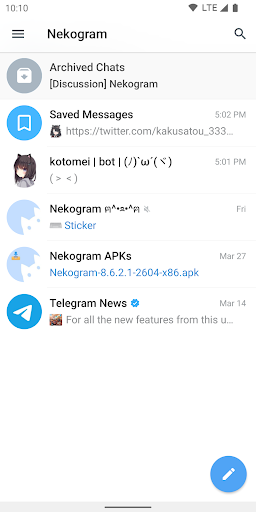
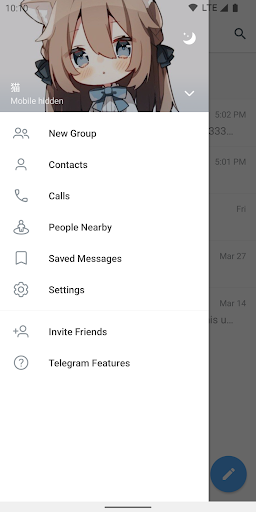
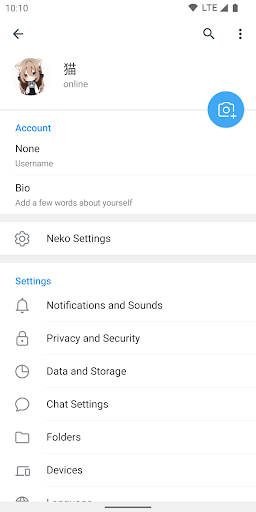
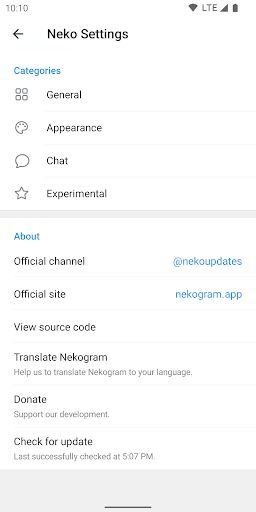
Nekogram is a third-party Telegram client with not many but useful modifications.
Appearance
Use your avatar as drawer header background, use system emojis, let the status bar be transparent, and more.
Chats
Set sticker size, let folders be shown on the forward page, and pause video automatically when switched to the background.
Translator
Translate messages and articles, with multiple translation engines to choose from.
More
The above is only a small part of the features, for more features, please download and check it out.
Official Channel
https://t.me/nekoupdates
Pure instant messaging — simple, fast, secure, and synced across all your devices.
FAST: the fastest messaging app on the market, connecting people via a unique, distributed network of data centers around the globe.
SYNCED: You can access your messages from all your phones, tablets and computers at once.
UNLIMITED: You can send media and files, without any limits on their type and size. Your entire chat history will require no disk space on your device, and will be securely stored in cloud for as long as you need it.
POWERFUL: You can create group chats with up to 200,000 members, share large videos, documents of any type (.DOCX, .MP3, .ZIP, etc.) up to 2 GB each, and even set up bots for specific tasks.
FUN: Powerful photo and video editing tools, animated stickers and emoji, fully customizable themes to change the appearance of your app, and an open sticker/GIF platform to cater to all your expressive needs.
SIMPLE: While providing an unprecedented array of features, we take great care to keep the interface clean.
Показать больше

1. Скачать инсталлятор MEmu и завершайте установку

2. Запускайте MEmu, затем откройте Google Play на главной странице

3. Ищите Nekogram в Google Play
Install
4. Скачайте и установите Nekogram
5. При завершении установки, нажмите на значок для старта

6. Наслаждайтесь Nekogram на своем компьютере с помощью MEmu.
MEmu Play — лучший бесплатный эмулятор Android, превосходный опыт работы с которым оценили 50 миллионов пользователей. Технология виртуализации MEmu позволяет без проблем запускать тысячи Android-приложений на вашем компьютере, даже самые требовательные.
Большой экран с лучшей графикой; Большая продолжительность, без ограничения батареи или мобильных данных.
Полная поддержка установки клавиш для точного управления клавиатурой и мышью или геймпадом.
Несколько игровых учетных записей или задач на одном компьютере одновременно с менеджером нескольких экземпляров.
Use Nekogram on PC by following steps: