
New Match
更新日
現在のバージョン
1.1
提供元

スマートフォンは不要!パソコンと同じようにキーボードとマウスで操作できます。MEmu Playは、あなたが待ち望んでいたすべての楽しみをお届けします。バッテリー残量や小さな画面を気にすることなく、New Matchをご利用ください。最新のMEmu 9は、New MatchをPCで体験するのに最適です!完璧なキーマッピングシステムにより、PCのようなスムーズな操作性を実現します。マルチインスタンス機能により、複数のアプリケーションを同時に実行できます。独自の仮想化エンジンがPCのパフォーマンスを最大限に引き出します。アプリを使用するだけでなく、高品質な体験を得ることができます。
もっと見る
MEmu Playを使えば、PCでNew Matchを快適に楽しめます。何千ものAndroidアプリをデスクトップ版で利用できる、パワフルな無料Androidエミュレーターです。友達とつながり、より効率的に作品を磨き上げましょう! New Match is an app that allows you to make balanced line ups, considering the skills of the players and their specific contribution to the team.
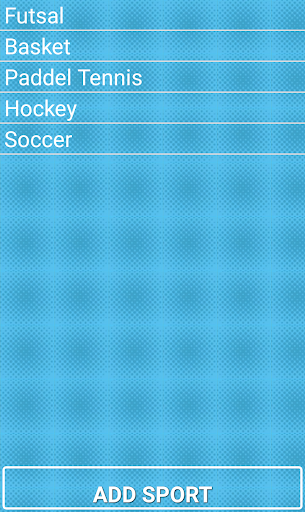
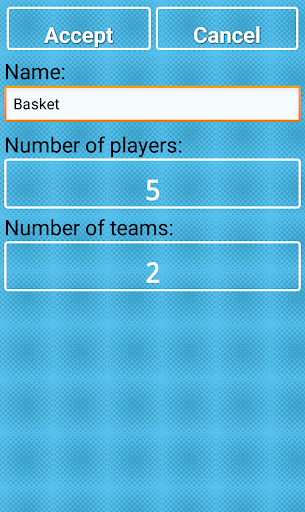
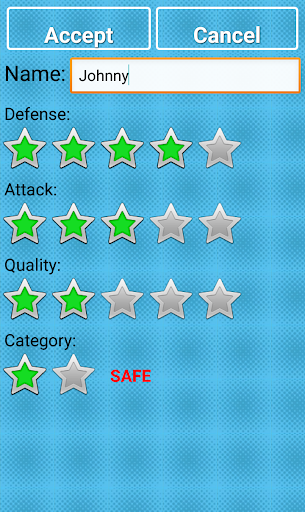
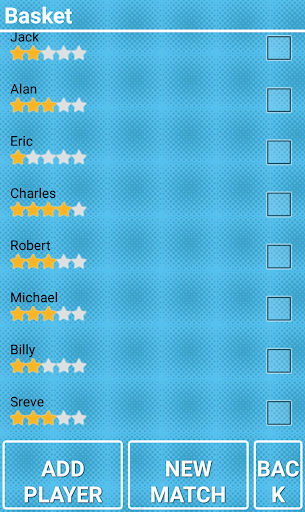
New Match is an app that allows you to make balanced line ups, considering the skills of the players and their specific contribution to the team. According to a few parameters like power, technical or defending skill, this app will assure you the best and competitive matches between you and your friends. It can be used for any sport: Basket, Hockey, Soccer...
In the classic way of making teams, in which two captains selected in order, is distributed first to the two best players, then the following two best, and so ... Thus, typically leaving them always line up, if the players are the same. This application lets you generate different random teams and these are balanced. So get more different teams with the same players, so enjoy it!!
もっと見る

1. MEmuインストーラーをダウンロードしてセットアップを完了する

2. MEmuを起動し、デスクトップでのPlayストアを開く

3. PlayストアでNew Matchを検索する
Install
4. New Matchをダウンロードしてインストールする
5. インストールが完了したら、アイコンをクリックしてスタート

6. MEmuを使ってパソコンでNew Matchを体験する
MEmu Playは現在、最高の無料Androidエミュレーターであり、5,000万人のユーザーが優れたAndroidアプリ体験を楽しんでいます。MEmuの仮想化テクノロジーにより、数千ものAndroidアプリをコンピューターでスムーズに実行できます。
大画面でより精細;無限の待機、電池とドラフィックの極限を超え
キーボード・マウス・コントローラーを全力でサポート、より快適
マルチインスタンスで複数のゲームを同時に実行
Use New Match on PC by following steps: