NREGA Mobile Monitoring System
更新日
現在のバージョン
4.0.1
提供元

スマートフォンは不要!パソコンと同じようにキーボードとマウスで操作できます。MEmu Playは、あなたが待ち望んでいたすべての楽しみをお届けします。バッテリー残量や小さな画面を気にすることなく、NREGA Mobile Monitoring Systemをご利用ください。最新のMEmu 9は、NREGA Mobile Monitoring SystemをPCで体験するのに最適です!完璧なキーマッピングシステムにより、PCのようなスムーズな操作性を実現します。マルチインスタンス機能により、複数のアプリケーションを同時に実行できます。独自の仮想化エンジンがPCのパフォーマンスを最大限に引き出します。アプリを使用するだけでなく、高品質な体験を得ることができます。
もっと見る
MEmu Playを使えば、PCでNREGA Mobile Monitoring Systemを快適に楽しめます。何千ものAndroidアプリをデスクトップ版で利用できる、パワフルな無料Androidエミュレーターです。友達とつながり、より効率的に作品を磨き上げましょう! National Mobile Monitoring Service (NMMS) は 2021 ~ 22 年度に開始されました。
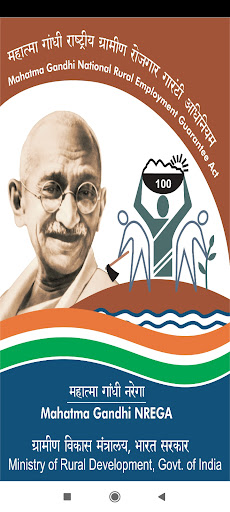
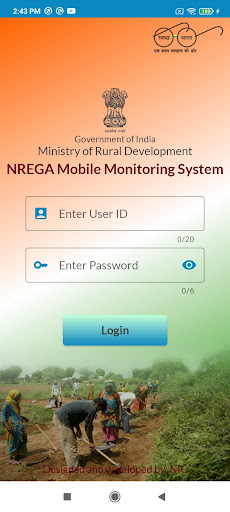
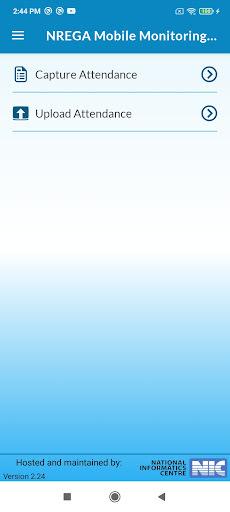
National Mobile Monitoring Service (NMMS) は 2021 ~ 22 年度に開始されました。 NMMS アプリを使用すると、マハトマ ガンジー NREGA 作業現場の労働者のリアルタイムの出席を、ジオタグ付きの写真とともに取得できます。このアプリは、プログラムに対する市民の監視を強化するのに役立ち、透明性と説明責任へのもう 1 つのステップです。
もっと見る

1. MEmuインストーラーをダウンロードしてセットアップを完了する

2. MEmuを起動し、デスクトップでのPlayストアを開く

3. PlayストアでNREGA Mobile Monitoring Systemを検索する
Install
4. NREGA Mobile Monitoring Systemをダウンロードしてインストールする
5. インストールが完了したら、アイコンをクリックしてスタート

6. MEmuを使ってパソコンでNREGA Mobile Monitoring Systemを体験する
MEmu Playは現在、最高の無料Androidエミュレーターであり、5,000万人のユーザーが優れたAndroidアプリ体験を楽しんでいます。MEmuの仮想化テクノロジーにより、数千ものAndroidアプリをコンピューターでスムーズに実行できます。
大画面でより精細;無限の待機、電池とドラフィックの極限を超え
キーボード・マウス・コントローラーを全力でサポート、より快適
マルチインスタンスで複数のゲームを同時に実行
Use NREGA Mobile Monitoring System on PC by following steps: