NTRIP Client by Bluecover
更新日
現在のバージョン
1.5
提供元

スマートフォンは不要!パソコンと同じようにキーボードとマウスで操作できます。MEmu Playは、あなたが待ち望んでいたすべての楽しみをお届けします。バッテリー残量や小さな画面を気にすることなく、NTRIP Client by Bluecoverをご利用ください。最新のMEmu 9は、NTRIP Client by BluecoverをPCで体験するのに最適です!完璧なキーマッピングシステムにより、PCのようなスムーズな操作性を実現します。マルチインスタンス機能により、複数のアプリケーションを同時に実行できます。独自の仮想化エンジンがPCのパフォーマンスを最大限に引き出します。アプリを使用するだけでなく、高品質な体験を得ることができます。
もっと見る
MEmu Playを使えば、PCでNTRIP Client by Bluecoverを快適に楽しめます。何千ものAndroidアプリをデスクトップ版で利用できる、パワフルな無料Androidエミュレーターです。友達とつながり、より効率的に作品を磨き上げましょう! The NTRIP Client allows to provide GNSS corrections to your RTK GNSS receiver in order to reach high precision positioning.
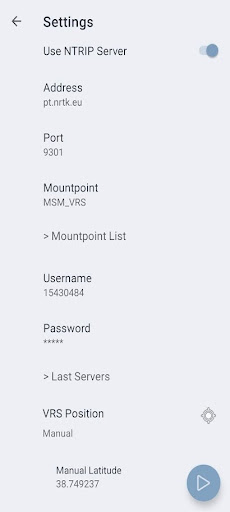
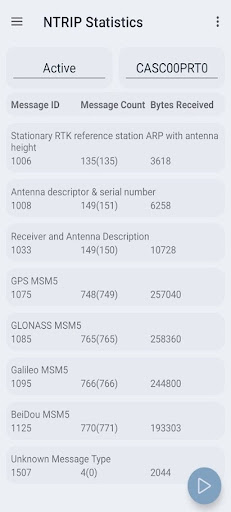
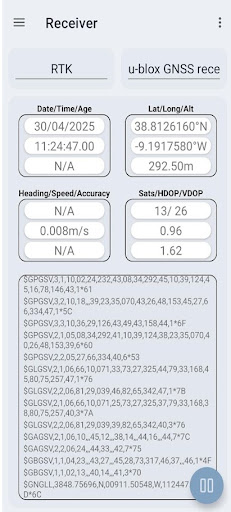
The NTRIP Client allows to provide GNSS corrections to your RTK GNSS receiver in order to reach high precision positioning. It gets GNSS message corrections from a public or private Base Station and sends them out to the serial port of your Rover Station (via USB ou Bluetooth). The application includes the following features:
- Connects to Single Base Stations or Virtual Reference Stations via Internet or private IP network
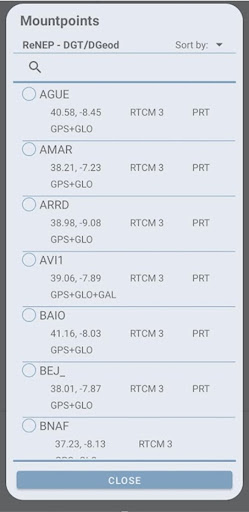
- Collects messages from a NTRIP mountpoint
- Decode NTRIP messages received (RTCM3 protocol compatible) and produce statistics of the corrections;
- Checks the status of the GNSS RTK receiver with NMEA support, through the Android smartphone’s USB port (requires an OTG cable) or via Bluetooth;
- Pushes corrections to a serial port of the RTK receiver (USB or Bluetooth).
For further information, check our quick guide at https://www.bluecover.pt/ntripclient4usb/guide and provide us your feedback to info@bluecover.pt.
もっと見る

1. MEmuインストーラーをダウンロードしてセットアップを完了する

2. MEmuを起動し、デスクトップでのPlayストアを開く

3. PlayストアでNTRIP Client by Bluecoverを検索する
Install
4. NTRIP Client by Bluecoverをダウンロードしてインストールする
5. インストールが完了したら、アイコンをクリックしてスタート

6. MEmuを使ってパソコンでNTRIP Client by Bluecoverを体験する
MEmu Playは現在、最高の無料Androidエミュレーターであり、5,000万人のユーザーが優れたAndroidアプリ体験を楽しんでいます。MEmuの仮想化テクノロジーにより、数千ものAndroidアプリをコンピューターでスムーズに実行できます。
大画面でより精細;無限の待機、電池とドラフィックの極限を超え
キーボード・マウス・コントローラーを全力でサポート、より快適
マルチインスタンスで複数のゲームを同時に実行
Use NTRIP Client by Bluecover on PC by following steps: