OriginOS - icon pack
更新日
現在のバージョン
1.1
提供元

スマートフォンは不要!パソコンと同じようにキーボードとマウスで操作できます。MEmu Playは、あなたが待ち望んでいたすべての楽しみをお届けします。バッテリー残量や小さな画面を気にすることなく、OriginOS - icon packをご利用ください。最新のMEmu 9は、OriginOS - icon packをPCで体験するのに最適です!完璧なキーマッピングシステムにより、PCのようなスムーズな操作性を実現します。マルチインスタンス機能により、複数のアプリケーションを同時に実行できます。独自の仮想化エンジンがPCのパフォーマンスを最大限に引き出します。アプリを使用するだけでなく、高品質な体験を得ることができます。
もっと見る
OriginOS - icon packをPCでダウンロード!大画面でより楽しむ。電源が落ちてしまうとか通信料が足りないとかの問題を心配する必要がなく、PCの大画面でより快適にゲームを楽しましょう! OriginOS - icon pack brings the sleek, vibrant look of OriginOS to your device, enhancing your user experience with its visually stunning design.
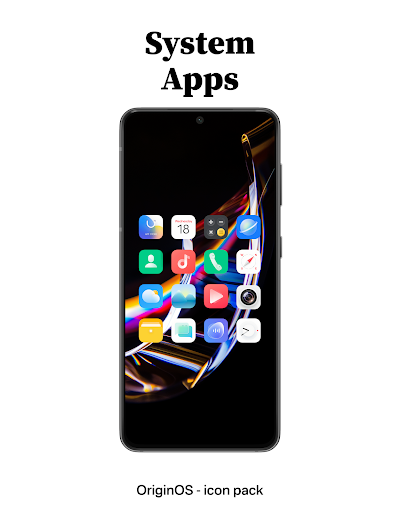
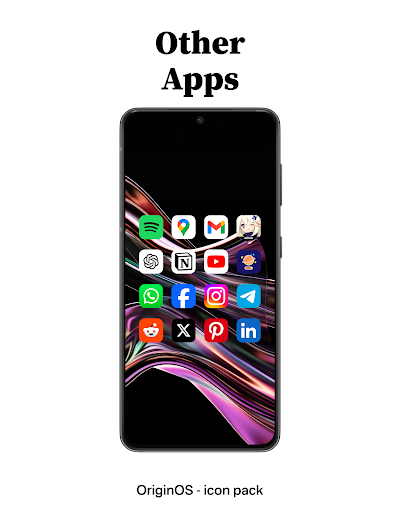
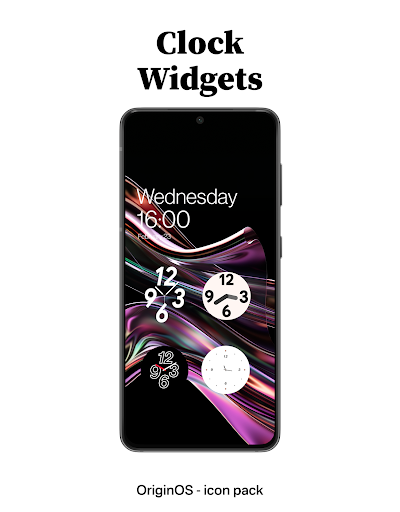
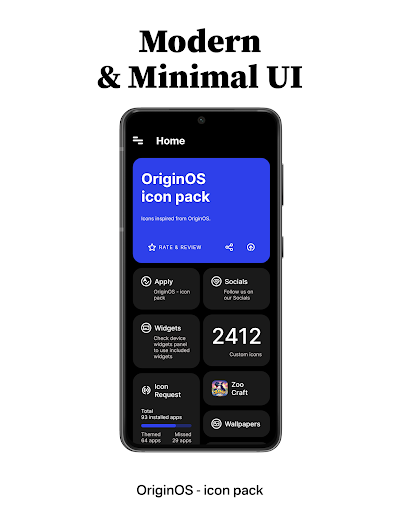
OriginOS - icon pack brings the sleek, vibrant look of OriginOS to your device, enhancing your user experience with its visually stunning design.
✨Key Features:
- Over 2400+ meticulously crafted icons, continuously expanding with each update.
- Uniform square icons with soft rounded edges for a harmonious look.
- Modern and minimalistic app UI with subtle animations that bring a smooth and enjoyable experience.
- Each icon is 192*192 px in size, perfect for modern high-definition screens.
- Exclusive analog and digital widgets for a complete customization experience without the hassle of additional tools like KWGT.
✨ Extensive Launcher Compatibility:
Our icon pack is designed to work seamlessly with a wide range of launchers, ensuring you can enjoy our icons no matter what interface you prefer. Compatible with:
- Action Launcher
- ADW Launcher
- Apex Launcher
- BlackBerry Launcher
- ColorOS Launcher
- Evie Launcher
- Hyperion Launcher
- Kvaesitso Launcher
- Lawnchair Launcher
- Microsoft Launcher
- Niagara Launcher
- Nova Launcher
- OnePlus Launcher
- POCO Launcher
- RealmeUI Launcher
- Samsung OneUI Launcher
and many more.
✨Easy Application:
Not sure how to get started? Our FAQ page provides simple, step-by-step instructions to apply your new icons effortlessly.
✨Join Our Community:
Need assistance or have suggestions? Join our Telegram community at t.me/Stellar_Fam or reach out to us at debojyotichakraborty.appshelp@gmail.com. We’re here to help!
⚠️Important Note:
To customize your smartphone experience with our OriginOS - icon pack, please ensure you have a compatible launcher installed.
Missing an icon? Request it directly through our app, and we’ll add it in our next update.
Acknowledgments:
Special thanks to Sarsa Murmu for the exceptional CandyBar Dashboard.
もっと見る

1. MEmuインストーラーをダウンロードしてセットアップを完了する

2. MEmuを起動し、デスクトップでのPlayストアを開く

3. PlayストアでOriginOS - icon packを検索する
Install
4. OriginOS - icon packをダウンロードしてインストールする
5. インストールが完了したら、アイコンをクリックしてスタート

6. MEmuを使ってパソコンでOriginOS - icon packを体験する
MEmu Playは現在、最高の無料Androidエミュレーターであり、5,000万人のユーザーが優れたAndroidアプリ体験を楽しんでいます。MEmuの仮想化テクノロジーにより、数千ものAndroidアプリをコンピューターでスムーズに実行できます。
大画面でより精細;無限の待機、電池とドラフィックの極限を超え
キーボード・マウス・コントローラーを全力でサポート、より快適
マルチインスタンスで複数のゲームを同時に実行
Use OriginOS - icon pack on PC by following steps: