PDF Viewer: Read, Scan & Edit
更新日
現在のバージョン
1.1.0
提供元

スマートフォンは不要!パソコンと同じようにキーボードとマウスで操作できます。MEmu Playは、あなたが待ち望んでいたすべての楽しみをお届けします。バッテリー残量や小さな画面を気にすることなく、PDF Viewer: Read, Scan & Editをご利用ください。最新のMEmu 9は、PDF Viewer: Read, Scan & EditをPCで体験するのに最適です!完璧なキーマッピングシステムにより、PCのようなスムーズな操作性を実現します。マルチインスタンス機能により、複数のアプリケーションを同時に実行できます。独自の仮想化エンジンがPCのパフォーマンスを最大限に引き出します。アプリを使用するだけでなく、高品質な体験を得ることができます。
もっと見る
MEmu Playを使えば、PCでPDF Viewer: Read, Scan & Editを快適に楽しめます。何千ものAndroidアプリをデスクトップ版で利用できる、パワフルな無料Androidエミュレーターです。友達とつながり、より効率的に作品を磨き上げましょう! PDF Viewer: Read, Scan & Edit is a practical document viewing and processing application that can easily open, edit and organize PDFS and various mainstream document formats, meeting the needs of daily study, office work and daily file management.
PDF Viewer: Read, Scan & Edit is a practical document viewing and processing application that can easily open, edit and organize PDFS and various mainstream document formats, meeting the needs of daily study, office work and daily file management.
Main functions
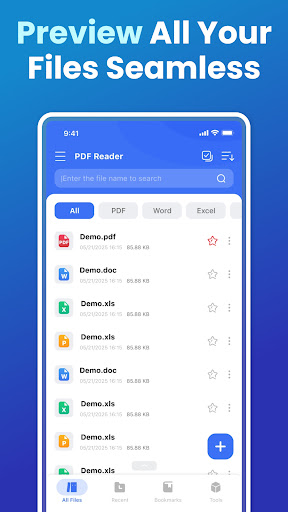
Multi-format preview: Quickly open common document formats such as PDF, Word, Excel, and PPT, with clear content presentation and smooth and natural reading.
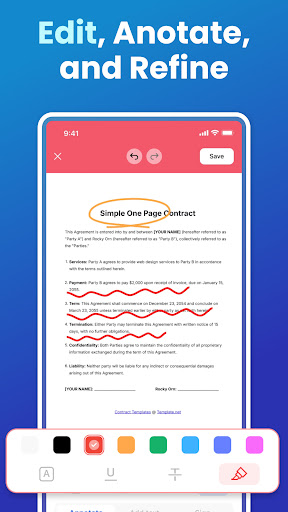
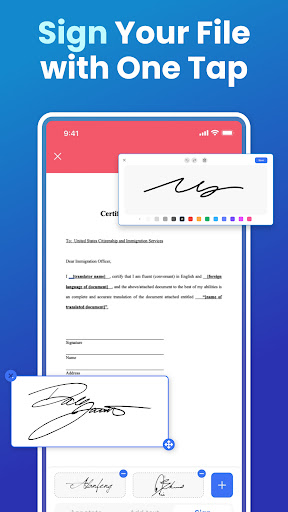
PDF Editing and Annotation: Supports adding annotations, text and signatures to documents, helping you efficiently complete annotations and modifications.
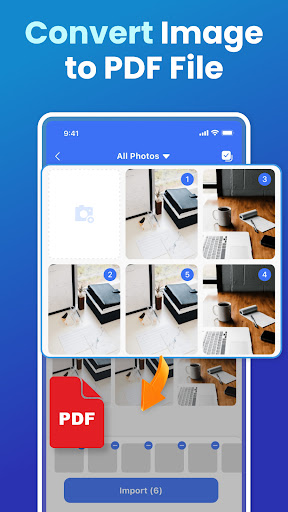
Image to PDF: One-click conversion of local images to PDF files, with automatic layout optimization for easy archiving, printing and sharing.
Intelligent document management: Automatically identify and organize files in the device, supporting classification, collection and quick sharing, making management more organized.
Quick search: You can quickly locate the required documents by their file names, improving the efficiency of search and processing.
Comfortable reading experience: High-quality rendering and smooth page-turning effects bring a natural and smooth reading experience.
Permission description
To ensure the normal use of core functions, this application needs to request the following permissions.
MANAGE_EXTERNAL_STORAGE (Manage all file Permissions) : It is used for scanning, importing, viewing and managing documents on the device, supporting classification, search and file operations.
FOREGROUND_SERVICE_SPECIAL_USE (foreground service permission) : When opening or processing large PDFS, keep the background running state to prevent tasks from being interrupted by the system.
We always attach great importance to user privacy and data security. All permissions are enabled only after users have explicitly authorized them. Data processing in the application is completed locally, and no file content is uploaded, stored or shared.
Whether it's reading materials, editing documents, or organizing files, PDF Viewer: Read, Scan & Edit offers you a safe, efficient and convenient user experience.
Download now and make document processing simpler!
Privacy Policy: https://allpdf-docs.com/1/privacy/
Terms of service: https://allpdf-docs.com/1/terms/
Contact us at : allinone1133@proton.me
もっと見る

1. MEmuインストーラーをダウンロードしてセットアップを完了する

2. MEmuを起動し、デスクトップでのPlayストアを開く

3. PlayストアでPDF Viewer: Read, Scan & Editを検索する
Install
4. PDF Viewer: Read, Scan & Editをダウンロードしてインストールする
5. インストールが完了したら、アイコンをクリックしてスタート

6. MEmuを使ってパソコンでPDF Viewer: Read, Scan & Editを体験する
MEmu Playは現在、最高の無料Androidエミュレーターであり、5,000万人のユーザーが優れたAndroidアプリ体験を楽しんでいます。MEmuの仮想化テクノロジーにより、数千ものAndroidアプリをコンピューターでスムーズに実行できます。
大画面でより精細;無限の待機、電池とドラフィックの極限を超え
キーボード・マウス・コントローラーを全力でサポート、より快適
マルチインスタンスで複数のゲームを同時に実行
Use PDF Viewer: Read, Scan & Edit on PC by following steps: