Phone Tracker
更新日
現在のバージョン
1.1.0.0
提供元

スマートフォンは不要!パソコンと同じようにキーボードとマウスで操作できます。MEmu Playは、あなたが待ち望んでいたすべての楽しみをお届けします。バッテリー残量や小さな画面を気にすることなく、Phone Trackerをご利用ください。最新のMEmu 9は、Phone TrackerをPCで体験するのに最適です!完璧なキーマッピングシステムにより、PCのようなスムーズな操作性を実現します。マルチインスタンス機能により、複数のアプリケーションを同時に実行できます。独自の仮想化エンジンがPCのパフォーマンスを最大限に引き出します。アプリを使用するだけでなく、高品質な体験を得ることができます。
もっと見る
MEmu Playを使えば、PCでPhone Trackerを快適に楽しめます。何千ものAndroidアプリをデスクトップ版で利用できる、パワフルな無料Androidエミュレーターです。友達とつながり、より効率的に作品を磨き上げましょう! Welcome to Phone Tracker, where you can always see your child's location.
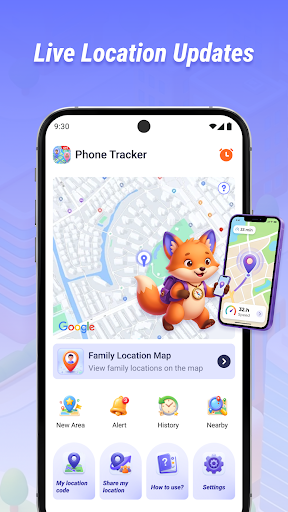
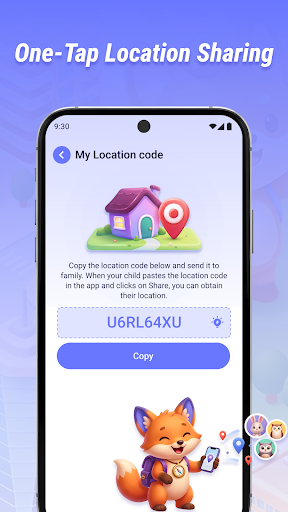
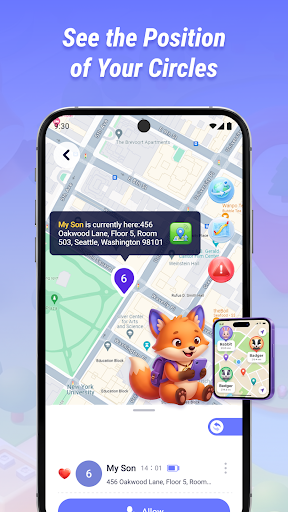
Welcome to Phone Tracker, where you can always see your child's location.
Real-time Location Tracking
● Real-time Location View: View your child's current location on a map, updated in real-time, so you can always know their whereabouts.
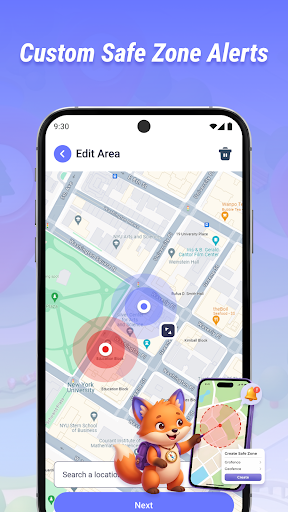
● Safe Zone Alerts: Set custom safe zones for your child (e.g., home, school), and receive instant notifications when they enter or leave the zone, giving you greater peace of mind.
Location Sharing and Recording
● Quick Location Sharing: Share your child's real-time location with parents to stay informed.
● Location History: Automatically saves your and your child's historical routes, allowing you to view past routes and timelines.
Convenience and Travel
● Nearby Amenities Search: Find nearby restaurants, hotels, banks, etc., making it easier to plan navigation routes and saving time on daily commutes.
Contact Us
Email: nandar.hermawannn@gmail.com
------ Important Notes ------
1.All location tracking and sharing functions require explicit consent from both parties.
2.We strictly respect user privacy and personal boundaries. This app only requests necessary permissions, and we are committed to protecting your online privacy at all times.
もっと見る

1. MEmuインストーラーをダウンロードしてセットアップを完了する

2. MEmuを起動し、デスクトップでのPlayストアを開く

3. PlayストアでPhone Trackerを検索する
Install
4. Phone Trackerをダウンロードしてインストールする
5. インストールが完了したら、アイコンをクリックしてスタート

6. MEmuを使ってパソコンでPhone Trackerを体験する
MEmu Playは現在、最高の無料Androidエミュレーターであり、5,000万人のユーザーが優れたAndroidアプリ体験を楽しんでいます。MEmuの仮想化テクノロジーにより、数千ものAndroidアプリをコンピューターでスムーズに実行できます。
大画面でより精細;無限の待機、電池とドラフィックの極限を超え
キーボード・マウス・コントローラーを全力でサポート、より快適
マルチインスタンスで複数のゲームを同時に実行
Use Phone Tracker on PC by following steps: