
Play as One
更新日
現在のバージョン
1.1.11
提供元

スマートフォンは不要!パソコンと同じようにキーボードとマウスで操作できます。MEmu Playは、あなたが待ち望んでいたすべての楽しみをお届けします。バッテリー残量や小さな画面を気にすることなく、Play as Oneをご利用ください。最新のMEmu 9は、Play as OneをPCで体験するのに最適です!完璧なキーマッピングシステムにより、PCのようなスムーズな操作性を実現します。マルチインスタンス機能により、複数のアプリケーションを同時に実行できます。独自の仮想化エンジンがPCのパフォーマンスを最大限に引き出します。アプリを使用するだけでなく、高品質な体験を得ることができます。
もっと見る
Play as OneをPCでダウンロード!大画面でより楽しむ。電源が落ちてしまうとか通信料が足りないとかの問題を心配する必要がなく、PCの大画面でより快適にゲームを楽しましょう! As the popularity of sports continues to increase in the 21st century, the influence of athletics on our communities reaches unhealthy levels.
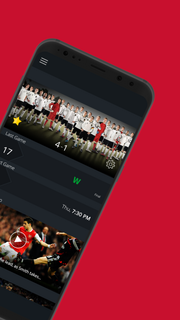
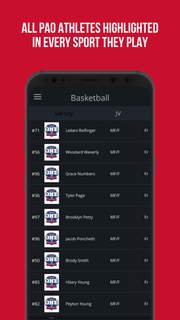
As the popularity of sports continues to increase in the 21st century, the influence of athletics on our communities reaches unhealthy levels. Athletes at young ages are taught that their value is based on game performance, the minutes they play and a scoreboard.The coach is one of the most prominent authoritative figures in the lives of our youth, their families and their community. Our solution is to equip coaches with the tools to be transformational in the eternal lives of their players.Field of Faith is called to coach the heart of the athlete, their families, and their community to see the world transformed by Jesus Christ through the influence of coaches and athletes.With this calling our vision is build an educational complex that can facilitate camps, co-curriculars (Sports, Arts, Vocational Training and Education), and a private school.App Features Include:• Coverage of all sports• Full Season Schedules• Team Rosters & Player Profiles• In-Game scoring• Box Scores• Post-Game Video Highlights• Photo & Video Galleries• Breaking News• Sport Specific Notifications• Coaches Directory• Team Twitter, Instagram & Facebook Feeds
もっと見る

1. MEmuインストーラーをダウンロードしてセットアップを完了する

2. MEmuを起動し、デスクトップでのPlayストアを開く

3. PlayストアでPlay as Oneを検索する
Install
4. Play as Oneをダウンロードしてインストールする
5. インストールが完了したら、アイコンをクリックしてスタート

6. MEmuを使ってパソコンでPlay as Oneを体験する
MEmu Playは現在、最高の無料Androidエミュレーターであり、5,000万人のユーザーが優れたAndroidアプリ体験を楽しんでいます。MEmuの仮想化テクノロジーにより、数千ものAndroidアプリをコンピューターでスムーズに実行できます。
大画面でより精細;無限の待機、電池とドラフィックの極限を超え
キーボード・マウス・コントローラーを全力でサポート、より快適
マルチインスタンスで複数のゲームを同時に実行
Use Play as One on PC by following steps: