PowerPDF: Read, Sign, Convert
更新日
現在のバージョン
1.1.1
提供元

スマートフォンは不要!パソコンと同じようにキーボードとマウスで操作できます。MEmu Playは、あなたが待ち望んでいたすべての楽しみをお届けします。バッテリー残量や小さな画面を気にすることなく、PowerPDF: Read, Sign, Convertをご利用ください。最新のMEmu 9は、PowerPDF: Read, Sign, ConvertをPCで体験するのに最適です!完璧なキーマッピングシステムにより、PCのようなスムーズな操作性を実現します。マルチインスタンス機能により、複数のアプリケーションを同時に実行できます。独自の仮想化エンジンがPCのパフォーマンスを最大限に引き出します。アプリを使用するだけでなく、高品質な体験を得ることができます。
もっと見る
MEmu Playを使えば、PCでPowerPDF: Read, Sign, Convertを快適に楽しめます。何千ものAndroidアプリをデスクトップ版で利用できる、パワフルな無料Androidエミュレーターです。友達とつながり、より効率的に作品を磨き上げましょう! PowerPDF is an efficient document tool that integrates reading, signing and conversion.
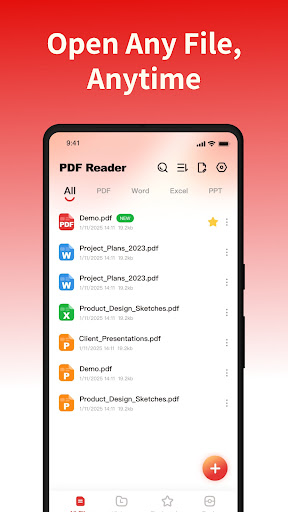
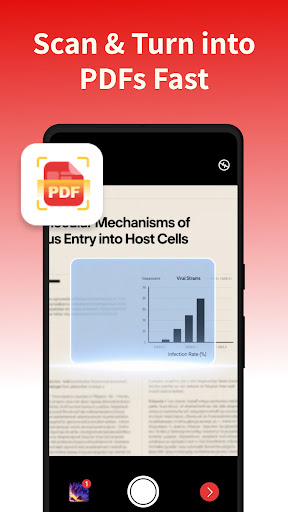
PowerPDF is an efficient document tool that integrates reading, signing and conversion. With a simple and intuitive interface, it can easily improve your file processing efficiency.
Core features highlights
- Multi-format preview: Quickly identify and display PDF, Word, Excel, and PPT files on the device, and view frequently used documents in one stop.
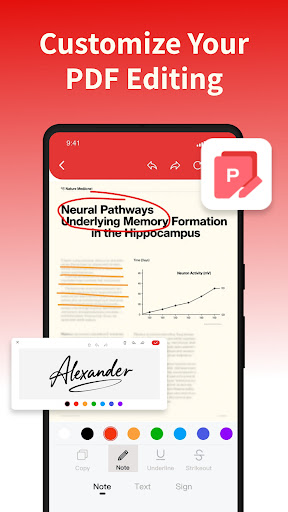
- PDF Editing and Signing: Supports adding signatures, text and brush annotations, making it easy to complete reading annotations and electronic signatures.
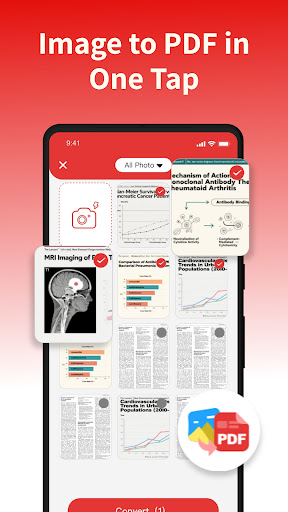
- Image to PDF: Convert local images to PDF with one click, with automatic layout for easy saving and sharing.
- File Management Assistant: Supports document classification, collection, search and quick sharing, making materials well-organized and office work more worry-free.
- Smooth reading experience: High-definition document display, clear and sharp content, smooth and natural operation, helping you focus on reading without distraction.
Permission description
To provide better services, our application needs to invoke the following permissions.
MANAGE_EXTERNAL_STORAGE: It is used for scanning local documents, generating file lists, and intelligently classifying files based on their attributes, thereby enhancing the efficiency of file search and management.
FOREGROUND_SERVICE_SPECIAL_USE: When opening large PDF files, it supports continuous background operation to avoid interruption of parsing and ensure smooth reading.
We strictly adhere to the privacy policy, enabling relevant permissions only after user authorization. All data processing is solely for core functions to ensure user information security.
for more information
- Privacy Policy: https://fancy-photoedit.com/3/privacy
- Terms of Service: https://fancy-photoedit.com/3/terms
If you have any questions or suggestions, please feel free to contact us via email: lingxinzhang746@proton.me
PowerPDF, making your documents more powerful! Download now and start a new experience of efficient work and reading!
もっと見る

1. MEmuインストーラーをダウンロードしてセットアップを完了する

2. MEmuを起動し、デスクトップでのPlayストアを開く

3. PlayストアでPowerPDF: Read, Sign, Convertを検索する
Install
4. PowerPDF: Read, Sign, Convertをダウンロードしてインストールする
5. インストールが完了したら、アイコンをクリックしてスタート

6. MEmuを使ってパソコンでPowerPDF: Read, Sign, Convertを体験する
MEmu Playは現在、最高の無料Androidエミュレーターであり、5,000万人のユーザーが優れたAndroidアプリ体験を楽しんでいます。MEmuの仮想化テクノロジーにより、数千ものAndroidアプリをコンピューターでスムーズに実行できます。
大画面でより精細;無限の待機、電池とドラフィックの極限を超え
キーボード・マウス・コントローラーを全力でサポート、より快適
マルチインスタンスで複数のゲームを同時に実行
Use PowerPDF: Read, Sign, Convert on PC by following steps: