Private Sound Recorder
更新日
現在のバージョン
1.6.6
提供元

スマートフォンは不要!パソコンと同じようにキーボードとマウスで操作できます。MEmu Playは、あなたが待ち望んでいたすべての楽しみをお届けします。バッテリー残量や小さな画面を気にすることなく、Private Sound Recorderをご利用ください。最新のMEmu 9は、Private Sound RecorderをPCで体験するのに最適です!完璧なキーマッピングシステムにより、PCのようなスムーズな操作性を実現します。マルチインスタンス機能により、複数のアプリケーションを同時に実行できます。独自の仮想化エンジンがPCのパフォーマンスを最大限に引き出します。アプリを使用するだけでなく、高品質な体験を得ることができます。
もっと見る
MEmu Playを使えば、PCでPrivate Sound Recorderを快適に楽しめます。何千ものAndroidアプリをデスクトップ版で利用できる、パワフルな無料Androidエミュレーターです。友達とつながり、より効率的に作品を磨き上げましょう! Private Sound Recorder - 100% Offline (No Ads).
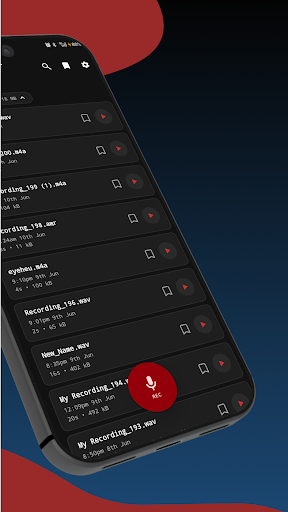
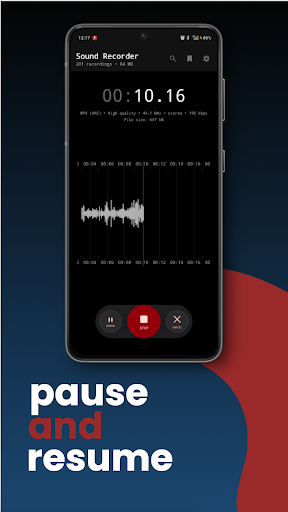
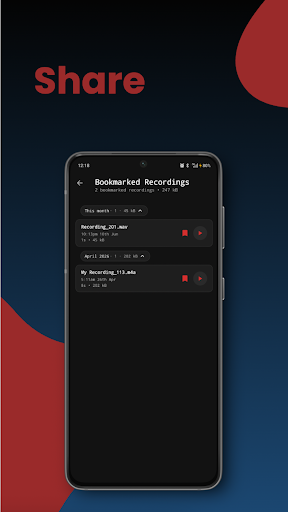
Private Sound Recorder - 100% Offline (No Ads)
Record audio privately without internet permission. Your recordings never leave your device - no cloud upload, no tracking, no account required.
Works in airplane mode.
Why users choose our offline recorder:
Completely offline - zero internet permission, maximum privacy
No ads, no data collection, no sign-up
Unlimited recording time (only limited by storage)
High quality audio recording
Works on all Android phones and tablets
Background recording supported
Clean, simple interface
Perfect for:
Students recording lectures and study notes
Journalists conducting interviews
Musicians capturing song ideas and practice sessions
Business professionals recording meetings and memos
Voice notes and personal reminders
Sleep talking and ambient sound recording
Recording audio from other apps (YouTube, podcasts)
Privacy-focused features:
No internet permission means your recordings stay 100% private on your device. Unlike other voice recorders that upload to cloud services or require accounts, we never access your data. Ideal for sensitive recordings, confidential meetings, or anyone who values digital privacy.
Trusted by 750,000+ users in 160+ countries.
Works perfectly as: voice recorder, audio recorder, dictaphone, meeting recorder, lecture recorder, interview recorder, memo app, sound capture tool.No hidden costs. No premium features locked behind paywalls. Just a simple, reliable, private recording app that respects your privacy.
もっと見る

1. MEmuインストーラーをダウンロードしてセットアップを完了する

2. MEmuを起動し、デスクトップでのPlayストアを開く

3. PlayストアでPrivate Sound Recorderを検索する
Install
4. Private Sound Recorderをダウンロードしてインストールする
5. インストールが完了したら、アイコンをクリックしてスタート

6. MEmuを使ってパソコンでPrivate Sound Recorderを体験する
MEmu Playは現在、最高の無料Androidエミュレーターであり、5,000万人のユーザーが優れたAndroidアプリ体験を楽しんでいます。MEmuの仮想化テクノロジーにより、数千ものAndroidアプリをコンピューターでスムーズに実行できます。
大画面でより精細;無限の待機、電池とドラフィックの極限を超え
キーボード・マウス・コントローラーを全力でサポート、より快適
マルチインスタンスで複数のゲームを同時に実行
Use Private Sound Recorder on PC by following steps: