QPython - Learn Python & AI
更新日
現在のバージョン
3.3.8
提供元

スマートフォンは不要!パソコンと同じようにキーボードとマウスで操作できます。MEmu Playは、あなたが待ち望んでいたすべての楽しみをお届けします。バッテリー残量や小さな画面を気にすることなく、QPython - Learn Python & AIをご利用ください。最新のMEmu 9は、QPython - Learn Python & AIをPCで体験するのに最適です!完璧なキーマッピングシステムにより、PCのようなスムーズな操作性を実現します。マルチインスタンス機能により、複数のアプリケーションを同時に実行できます。独自の仮想化エンジンがPCのパフォーマンスを最大限に引き出します。アプリを使用するだけでなく、高品質な体験を得ることができます。
もっと見る
QPython - Learn Python & AIをPCでダウンロード!大画面でより楽しむ。電源が落ちてしまうとか通信料が足りないとかの問題を心配する必要がなく、PCの大画面でより快適にゲームを楽しましょう! QPython is a Python programming engine on your Android device.
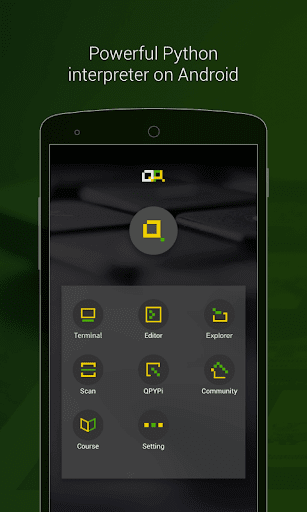
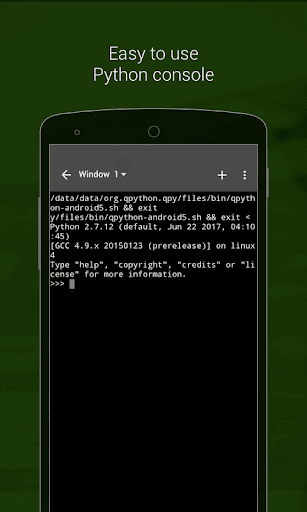
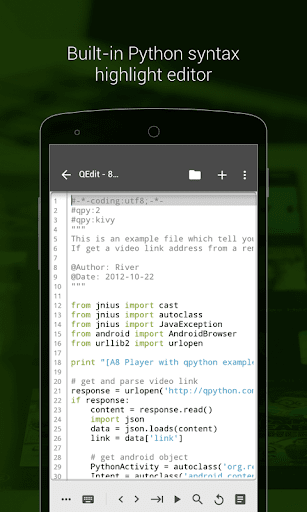
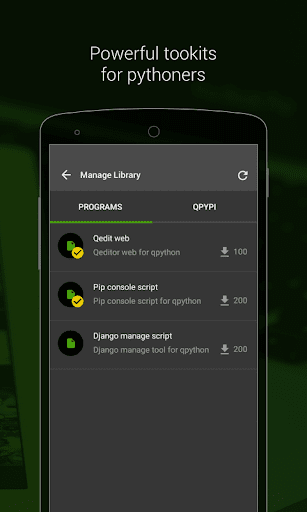
QPython is a Python programming engine on your Android device. It integrates an interpreter, console, editor and QSL4A library, and fully supports web development, scientific computing and AI expansion. Whether you are new to Python programming or an experienced developer, QPython can provide you with a powerful mobile programming workstation.
# The main function
- Complete Python environment: built-in Python interpreter, write and execute code anytime, anywhere.
- Feature-rich editor: QEditor allows you to easily develop Python projects on your mobile phone.
- Jupyter Notebook support: Learn and run Notebook files through QNotebook browser.
- Extension libraries and PIP: Easily install and manage third-party libraries to expand your programming capabilities.
- Scan the QR code to run the code: The QRCode function makes sharing and running Python scripts easy and fast.
- Free learning resources: Embedded quality courses to help you quickly improve your programming skills.
# Core Highlights
- Android features: Access Android device sensors and services through the QSL4A library to broaden application scenarios.
- Web development: Supports popular frameworks such as Django and Flask to easily build web applications.
- AI integration: supports OpenAI, Langchain, APIGPTCloud and other AI frameworks to explore the infinite possibilities of artificial intelligence.
- Scientific computing: Numpy, Scipy, Scikit-learn, Matplotlib and other libraries help you solve complex scientific computing problems.
- File processing: Pillow, OpenPyXL, Lxml and other libraries make data processing simple.
# Learning Community
- Join us on Facebook group: https://www.facebook.com/groups/qpython
- Join us on Discord: https://discord.gg/hV2chuD
- Join us on Slack: https://join.slack.com/t/qpython/shared_invite/zt-bsyw9868-nNJyJP_3IHABVtIk3BK5SA
# Feedback and Support
If you have any questions, we are here to help. Please contact us via our official website, email or social media:
Official website: https://www.qpython.org
Email: support@qpython.org
Twitter: http://twitter.com/QPython
もっと見る

1. MEmuインストーラーをダウンロードしてセットアップを完了する

2. MEmuを起動し、デスクトップでのPlayストアを開く

3. PlayストアでQPython - Learn Python & AIを検索する
Install
4. QPython - Learn Python & AIをダウンロードしてインストールする
5. インストールが完了したら、アイコンをクリックしてスタート

6. MEmuを使ってパソコンでQPython - Learn Python & AIを体験する
MEmu Playは現在、最高の無料Androidエミュレーターであり、5,000万人のユーザーが優れたAndroidアプリ体験を楽しんでいます。MEmuの仮想化テクノロジーにより、数千ものAndroidアプリをコンピューターでスムーズに実行できます。
大画面でより精細;無限の待機、電池とドラフィックの極限を超え
キーボード・マウス・コントローラーを全力でサポート、より快適
マルチインスタンスで複数のゲームを同時に実行
Use QPython - Learn Python & AI on PC by following steps: