RealDash
更新日
現在のバージョン
v2.4.4-2
提供元

スマートフォンは不要!パソコンと同じようにキーボードとマウスで操作できます。MEmu Playは、あなたが待ち望んでいたすべての楽しみをお届けします。バッテリー残量や小さな画面を気にすることなく、RealDashをご利用ください。最新のMEmu 9は、RealDashをPCで体験するのに最適です!完璧なキーマッピングシステムにより、PCのようなスムーズな操作性を実現します。マルチインスタンス機能により、複数のアプリケーションを同時に実行できます。独自の仮想化エンジンがPCのパフォーマンスを最大限に引き出します。アプリを使用するだけでなく、高品質な体験を得ることができます。
もっと見る
RealDashをPCでダウンロード!大画面でより楽しむ。電源が落ちてしまうとか通信料が足りないとかの問題を心配する必要がなく、PCの大画面でより快適にゲームを楽しましょう! The best vehicle companion app for road trips, street and race track.
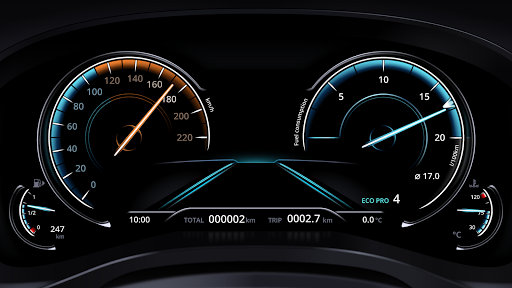
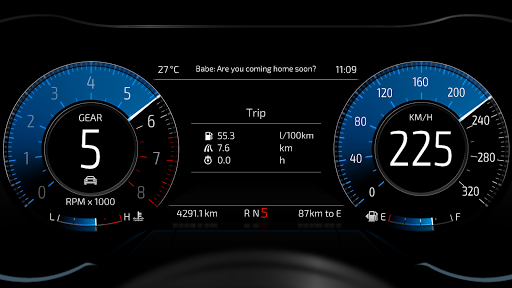
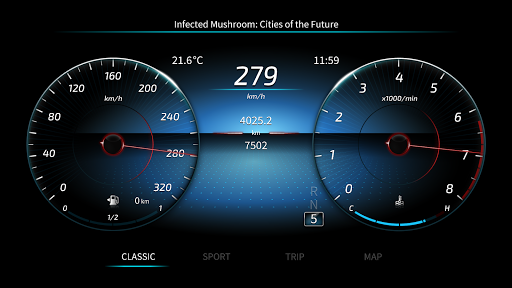
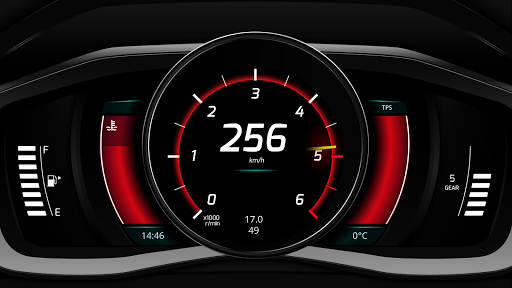
The best vehicle companion app for road trips, street and race track. Or just having fun with your favourite racing simulator.
RealDash is free to try. Consider subscribing My RealDash service if you find this app useful.
★ Pixel Perfect™ customization of dashboards. Limited only by imagination.
★ Super high quality visuals and animated gauges.
★ Gallery with downloadable free and premium Dashboards and Gizmos.
★ Read and clear vehicle error codes.
★ Map and Speed limit display.
★ Voice commands allow hands free operation.
★ Instant and average fuel consumption.
★ Performance meter 0-60, 0-100, 0-200, 60 feet, 1/8 mile, 1/4 mile, and mile.
★ Measure horsepower and torque.
★ A powerful Trigger->Action system.
★ Create alarms and visual effects based on configurable triggers.
★ A lap timer with dozens of automatically detected race tracks.
Supported ECUs:
- Autronic SM4, SM2 and SMC
- CAN-Analyzer USB (7.x)
- DTAFast S-Series
- EasyEcu 3+
- Ecumaster EMU
- Hondata K-Pro, FlashPro, and S300
- Hybrid EMS
- KMS MP25 and MD35
- Link ECU (except G4X)
- MaxxECU
- Megasquirt 1,2,3 / Microsquirt
- Motorsport-Electronics ME221
- Nissan Consult I
- OBD2 via ELM327 adapter
- Speeduino
- Spitronics ECU & TCU
- SPLeinonen PDSX-1 & DashBox
- Tatech 32 & 38
- UltraSky EMS
- Unichip
- VEMS v3
+ Custom hardware and DIY solutions via our open protocol.
Supported Racing games:
- Assetto Corsa
- BeamNG Drive
- Codemasters F1 2015-2020
- Dirt Rally
- Euro Truck Simulator 2
- Forza Horizon 4
- Forza Motorsport 7
- Gran Turismo Sport
- Gran Turismo 7
- Grid 2
- Live for Speed
- Project Cars
RealDash can be used without connection to ECU. Then a GPS and device internal sensors are available for:
- Vehicle speed.
- Your current location on map.
- Current speed limit.
- Lap timer.
- Acceleration info.
- Performance measurements (with limited accuracy).
We hope you enjoy using RealDash. Have Fun!
もっと見る

1. MEmuインストーラーをダウンロードしてセットアップを完了する

2. MEmuを起動し、デスクトップでのPlayストアを開く

3. PlayストアでRealDashを検索する
Install
4. RealDashをダウンロードしてインストールする
5. インストールが完了したら、アイコンをクリックしてスタート

6. MEmuを使ってパソコンでRealDashを体験する
MEmu Playは現在、最高の無料Androidエミュレーターであり、5,000万人のユーザーが優れたAndroidアプリ体験を楽しんでいます。MEmuの仮想化テクノロジーにより、数千ものAndroidアプリをコンピューターでスムーズに実行できます。
大画面でより精細;無限の待機、電池とドラフィックの極限を超え
キーボード・マウス・コントローラーを全力でサポート、より快適
マルチインスタンスで複数のゲームを同時に実行
Use RealDash on PC by following steps: