Resilio Sync
更新日
現在のバージョン
3.0.1
提供元

スマートフォンは不要!パソコンと同じようにキーボードとマウスで操作できます。MEmu Playは、あなたが待ち望んでいたすべての楽しみをお届けします。バッテリー残量や小さな画面を気にすることなく、Resilio Syncをご利用ください。最新のMEmu 9は、Resilio SyncをPCで体験するのに最適です!完璧なキーマッピングシステムにより、PCのようなスムーズな操作性を実現します。マルチインスタンス機能により、複数のアプリケーションを同時に実行できます。独自の仮想化エンジンがPCのパフォーマンスを最大限に引き出します。アプリを使用するだけでなく、高品質な体験を得ることができます。
もっと見る
Resilio SyncをPCでダウンロード!大画面でより楽しむ。電源が落ちてしまうとか通信料が足りないとかの問題を心配する必要がなく、PCの大画面でより快適にゲームを楽しましょう! Sync lets you transfer files directly from device to device.
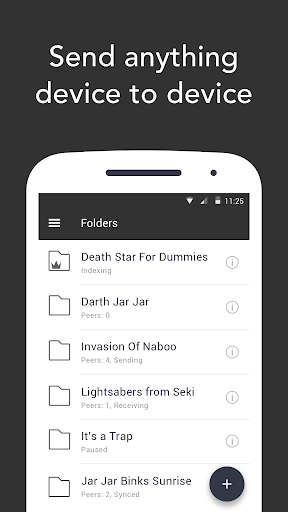
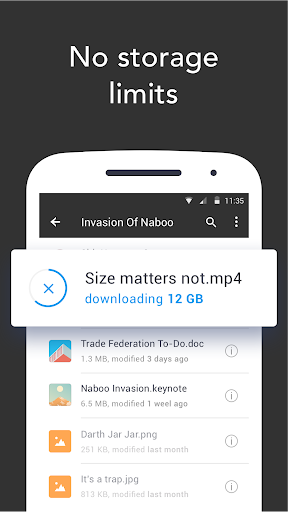
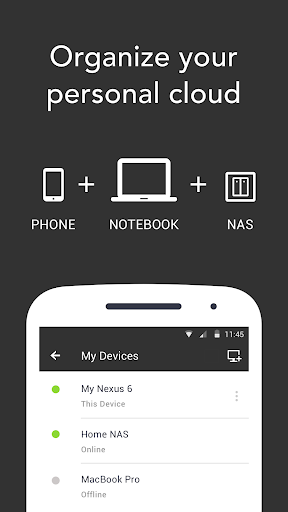
Sync lets you transfer files directly from device to device. Share photos, videos, docs without storage limits: our technology works especially well with huge files.
Create your own private cloud. Connect devices and sync files securely between your Mac, PC, NAS, and even server. Use Sync on your mobile to access the files you keep on your home computer or work laptop.
Sync encrypts all files during transfer and never stores any of your information on third-party servers. This means your data is protected against identity theft or attacks.
No storage limits
• Sync as much data as you have on your hard drive or SD card.
• Add large files of any size to your synced folders and transfer them up to 16x faster than the cloud.
Automatic camera backup
• Sync will back up photos and videos as soon as you take them.
• You can then delete photos from your phone and save space.
• Set up backup of any info from your phone to a folder on your computer.
Any device and platform
• Access folders and upload files to your tablet, PC, Mac, NAS, and even server from anywhere.
One Time Send
• The fastest and most private way to send files to friends and family.
• Send one or more files to multiple recipients without sharing the whole folder or creating a permanent sync connection.
• Send photos, videos, movies, or any other large file directly to friends.
Direct transfers, no cloud
• Your information is never stored on servers in the cloud, so nobody can access it without your permission.
• Transfer files directly and fast using BitTorrent peer-to-peer technology (p2p).
• Connect two devices by taking picture of a QR code, even if you are in local network without internet connection.
Save space
• Selective Sync lets you save only the files you need.
• Clear synced files to free up space on your device.
Supports all file types
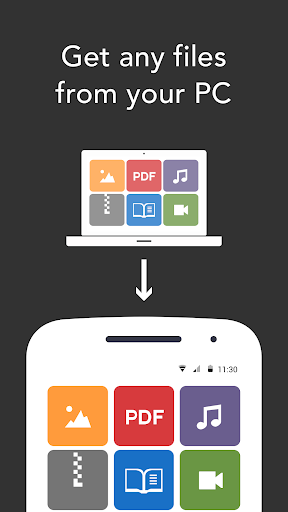
• Sync photos, videos, music, PDFs, docs and books library to your Android phone or tablet.
To get the best performance and to avoid running up your data charges while syncing folders, we recommend leaving the "Use Cellular Data" setting off.
Note: Resilio Sync is a personal file syncing manager. It is not compatible with torrent file sharing applications.
もっと見る

1. MEmuインストーラーをダウンロードしてセットアップを完了する

2. MEmuを起動し、デスクトップでのPlayストアを開く

3. PlayストアでResilio Syncを検索する
Install
4. Resilio Syncをダウンロードしてインストールする
5. インストールが完了したら、アイコンをクリックしてスタート

6. MEmuを使ってパソコンでResilio Syncを体験する
MEmu Playは現在、最高の無料Androidエミュレーターであり、5,000万人のユーザーが優れたAndroidアプリ体験を楽しんでいます。MEmuの仮想化テクノロジーにより、数千ものAndroidアプリをコンピューターでスムーズに実行できます。
大画面でより精細;無限の待機、電池とドラフィックの極限を超え
キーボード・マウス・コントローラーを全力でサポート、より快適
マルチインスタンスで複数のゲームを同時に実行
Use Resilio Sync on PC by following steps: