
RXCamView
更新日
現在のバージョン
5.40.1
提供元

スマートフォンは不要!パソコンと同じようにキーボードとマウスで操作できます。MEmu Playは、あなたが待ち望んでいたすべての楽しみをお届けします。バッテリー残量や小さな画面を気にすることなく、RXCamViewをご利用ください。最新のMEmu 9は、RXCamViewをPCで体験するのに最適です!完璧なキーマッピングシステムにより、PCのようなスムーズな操作性を実現します。マルチインスタンス機能により、複数のアプリケーションを同時に実行できます。独自の仮想化エンジンがPCのパフォーマンスを最大限に引き出します。アプリを使用するだけでなく、高品質な体験を得ることができます。
もっと見る
RXCamViewをPCでダウンロード!大画面でより楽しむ。電源が落ちてしまうとか通信料が足りないとかの問題を心配する必要がなく、PCの大画面でより快適にゲームを楽しましょう! RXCamViewアプリは、NVR、DVR、IPC、その他の監視カメラで動作するように設計されています。
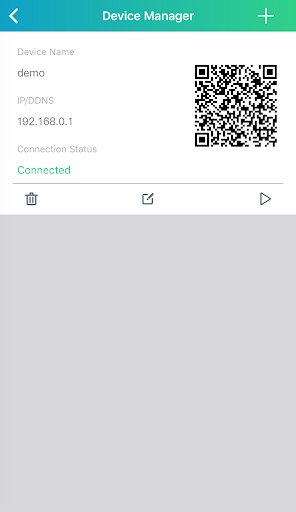
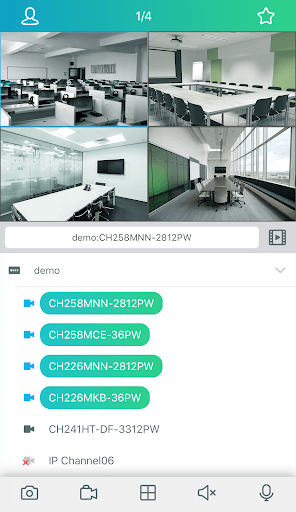
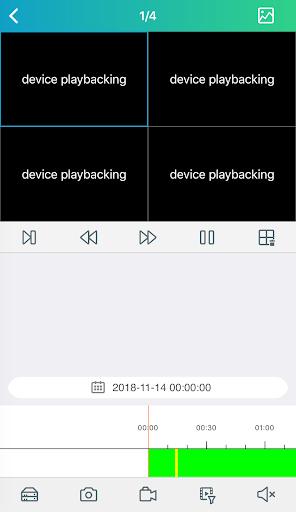
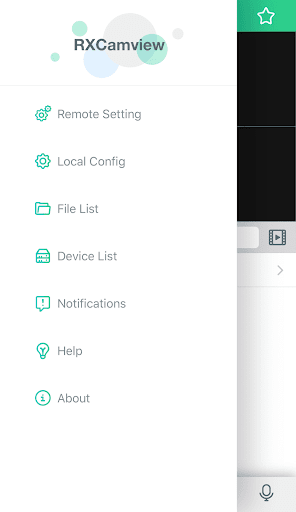
RXCamViewアプリは、NVR、DVR、IPC、その他の監視カメラで動作するように設計されています。
このアプリのビデオプレビュー機能を使用すると、いつでもどこでもリアルタイムの監視ビデオをリモートで表示できます。
ビデオ再生機能を使用すると、過去の期間に何が起こったかを簡単に表示できます。 AIをサポートする監視カメラを使用すると、顔写真で多数のビデオからビデオレコードを検索することもできます。
もちろん、アラームメッセージサービスでは、気になる場所のアラーム情報をそもそも受け取ることができるため、タイムリーにロスを減らすことができます。
音声インターホン機能を使用すると、カメラが設置されている人と通信することもできます
主な機能:
1. HDビデオをリアルタイムで見る
2.過去のビデオ視聴
3.イベントメッセージリマインダー
4.双方向音声で通話する
5.動き、人の形、音が検出されたときに即座にアラートを受け取ります
6.検出領域と感度をカスタマイズする
7.録画スケジュールとアラーム通知スケジュールを設定する
もっと見る

1. MEmuインストーラーをダウンロードしてセットアップを完了する

2. MEmuを起動し、デスクトップでのPlayストアを開く

3. PlayストアでRXCamViewを検索する
Install
4. RXCamViewをダウンロードしてインストールする
5. インストールが完了したら、アイコンをクリックしてスタート

6. MEmuを使ってパソコンでRXCamViewを体験する
MEmu Playは現在、最高の無料Androidエミュレーターであり、5,000万人のユーザーが優れたAndroidアプリ体験を楽しんでいます。MEmuの仮想化テクノロジーにより、数千ものAndroidアプリをコンピューターでスムーズに実行できます。
大画面でより精細;無限の待機、電池とドラフィックの極限を超え
キーボード・マウス・コントローラーを全力でサポート、より快適
マルチインスタンスで複数のゲームを同時に実行
Use RXCamView on PC by following steps: