
Secret Crush Detector App
更新日
現在のバージョン
1.0.7
提供元

スマートフォンは不要!パソコンと同じようにキーボードとマウスで操作できます。MEmu Playは、あなたが待ち望んでいたすべての楽しみをお届けします。バッテリー残量や小さな画面を気にすることなく、Secret Crush Detector Appをご利用ください。最新のMEmu 9は、Secret Crush Detector AppをPCで体験するのに最適です!完璧なキーマッピングシステムにより、PCのようなスムーズな操作性を実現します。マルチインスタンス機能により、複数のアプリケーションを同時に実行できます。独自の仮想化エンジンがPCのパフォーマンスを最大限に引き出します。アプリを使用するだけでなく、高品質な体験を得ることができます。
もっと見る
Secret Crush Detector AppをPCでダウンロード!大画面でより楽しむ。電源が落ちてしまうとか通信料が足りないとかの問題を心配する必要がなく、PCの大画面でより快適にゲームを楽しましょう! Do you ever feel like you are being watched?

Do you ever feel like you are being watched?
Do you know that there is someone who secretly staring, smiling, and winking at you?
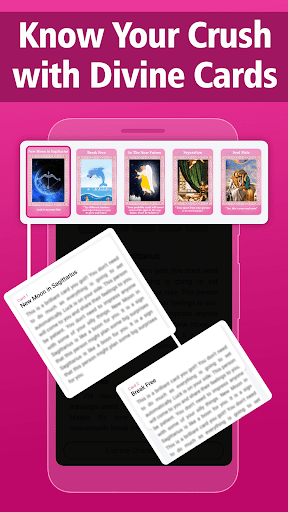
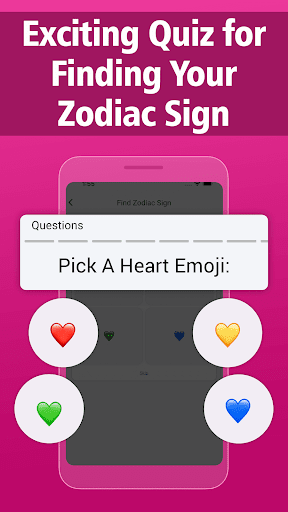
Do you notice someone who acts differently around you than they do with other people, ultimately, has a Crush on you? Knowing who they are is one of the most prior things. So, here we present you an app with the name Secret Crush to find Characteristics, Zodiac Signs, Hair Color, Eye Color & Personality.
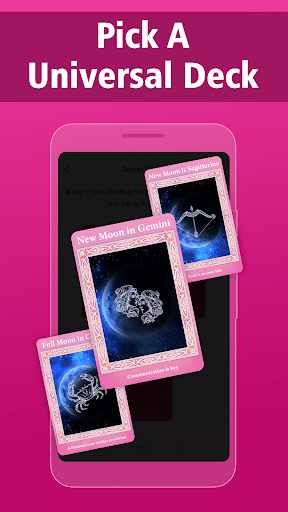
With the aid of some Universal divine power, you can find your secret admirer who may love you as well.
Just pick one dack and by the power of these Oracle Angel Cards, you can know thoroughly your secret person's character and inner personality traits.
Will they ever tell you or not? you may also know here. So, just relax and by these qualities try to identify them in your surroundings.
All the best!
Check out this amazing app, share it with your friends, and help them to find out their "Secret Crush".
Permissions:
Few permissions like ACCESS_NETWORK_STATE & INTERNET are requested by the app only during the time of installation and no explicit message for the same is shown by the app. You can check the details at https://sites.google.com/view/tarotcardsreadingss/app-permissions.
Disclaimer:
We have common readings in our app and we make no claims our readings should be used for any purpose beyond entertainment and we strongly discourage the use of these readings for any reason other than amusement.
For quick support, write to us at feedback@hopeitz.com.
もっと見る

1. MEmuインストーラーをダウンロードしてセットアップを完了する

2. MEmuを起動し、デスクトップでのPlayストアを開く

3. PlayストアでSecret Crush Detector Appを検索する
Install
4. Secret Crush Detector Appをダウンロードしてインストールする
5. インストールが完了したら、アイコンをクリックしてスタート

6. MEmuを使ってパソコンでSecret Crush Detector Appを体験する
MEmu Playは現在、最高の無料Androidエミュレーターであり、5,000万人のユーザーが優れたAndroidアプリ体験を楽しんでいます。MEmuの仮想化テクノロジーにより、数千ものAndroidアプリをコンピューターでスムーズに実行できます。
大画面でより精細;無限の待機、電池とドラフィックの極限を超え
キーボード・マウス・コントローラーを全力でサポート、より快適
マルチインスタンスで複数のゲームを同時に実行
Use Secret Crush Detector App on PC by following steps: