Starparks-Your PC game console
更新日
現在のバージョン
1.3.2.260427
提供元

スマートフォンは不要!パソコンと同じようにキーボードとマウスで操作できます。MEmu Playは、あなたが待ち望んでいたすべての楽しみをお届けします。バッテリー残量や小さな画面を気にすることなく、Starparks-Your PC game consoleをご利用ください。最新のMEmu 9は、Starparks-Your PC game consoleをPCで体験するのに最適です!完璧なキーマッピングシステムにより、PCのようなスムーズな操作性を実現します。マルチインスタンス機能により、複数のアプリケーションを同時に実行できます。独自の仮想化エンジンがPCのパフォーマンスを最大限に引き出します。アプリを使用するだけでなく、高品質な体験を得ることができます。
もっと見る
MEmu Playを使えば、PCでStarparks-Your PC game consoleを快適に楽しめます。何千ものAndroidアプリをデスクトップ版で利用できる、パワフルな無料Androidエミュレーターです。友達とつながり、より効率的に作品を磨き上げましょう! "Starparks is a mobile game APP for PC and become your game console, as a cloud gaming platform with over 400+ and 200+ 3A games in Steam, PS4, Xbox One and Switch game libraries, all you need is a mobile phone to play your favorite PC games.

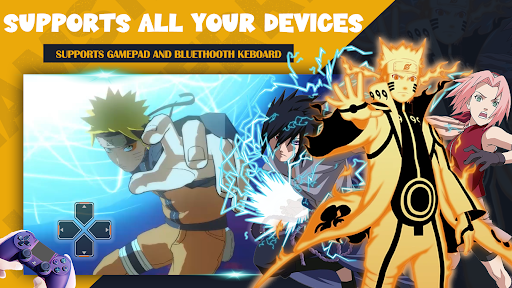
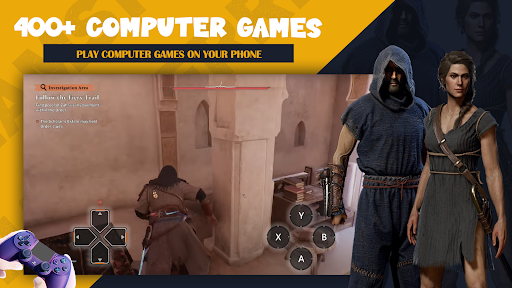
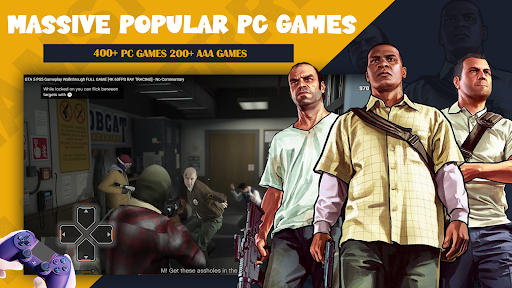
"Starparks is a mobile game APP for PC and become your game console, as a cloud gaming platform with over 400+ and 200+ 3A games in Steam, PS4, Xbox One and Switch game libraries, all you need is a mobile phone to play your favorite PC games. Such as:GTA5,FIFA23, Naruto Storm 4,Forza Horizon 5,Demon Slayer, EldenRing, Red Dead Redemption 2, Marvel's Spider-Man Remastered, Resident Evil 4,WWE 2K23, The Sims 4, Choo-Choo Charles, BeamNG.drive, The Last of Us Part I, DRAGON BALL Z:KAKAROT, God of War, Marvel’s Spider-Man: Miles Morales, Mortal Kombat 11 Ghostwire: Tokyo, Attack on Titan, Grand Theft Auto: San Andreas,171,Cuphead,Battlefield 5,Troublemaker Tekken7,Resident Evil Village,Dragonball Fighter Z,Stray,One Piece:Pirate Warriors 4 etc.
※ Play games anytime and anywhere! Make your phone become a high-end game console on the go
※ At the same time, much cheaper and less waiting in line! Every genre on Steam/Origin/Epic, updated weekly, no need to wait for mobile versions of your favorite games.
※ No download, no installation! Just log in; For all PC games, save mobile phone storage space; Awesome game experience! Wonderful scenery, no lag, having your own game world without spending hundreds or thousands of dollars on PC games and consoles;
Come and playg ames with your friends, and here is the advanced cloud game.
もっと見る

1. MEmuインストーラーをダウンロードしてセットアップを完了する

2. MEmuを起動し、デスクトップでのPlayストアを開く

3. PlayストアでStarparks-Your PC game consoleを検索する
Install
4. Starparks-Your PC game consoleをダウンロードしてインストールする
5. インストールが完了したら、アイコンをクリックしてスタート

6. MEmuを使ってパソコンでStarparks-Your PC game consoleを体験する
MEmu Playは現在、最高の無料Androidエミュレーターであり、5,000万人のユーザーが優れたAndroidアプリ体験を楽しんでいます。MEmuの仮想化テクノロジーにより、数千ものAndroidアプリをコンピューターでスムーズに実行できます。
大画面でより精細;無限の待機、電池とドラフィックの極限を超え
キーボード・マウス・コントローラーを全力でサポート、より快適
マルチインスタンスで複数のゲームを同時に実行
Use Starparks-Your PC game console on PC by following steps: