Skibidi Tools
更新日
現在のバージョン
1.0
提供元

スマートフォンは不要!パソコンと同じようにキーボードとマウスで操作できます。MEmu Playは、あなたが待ち望んでいたすべての楽しみをお届けします。バッテリー残量や小さな画面を気にすることなく、Skibidi Toolsをご利用ください。最新のMEmu 9は、Skibidi ToolsをPCで体験するのに最適です!完璧なキーマッピングシステムにより、PCのようなスムーズな操作性を実現します。マルチインスタンス機能により、複数のアプリケーションを同時に実行できます。独自の仮想化エンジンがPCのパフォーマンスを最大限に引き出します。アプリを使用するだけでなく、高品質な体験を得ることができます。
もっと見る
MEmu Playを使えば、PCでSkibidi Toolsを快適に楽しめます。何千ものAndroidアプリをデスクトップ版で利用できる、パワフルな無料Androidエミュレーターです。友達とつながり、より効率的に作品を磨き上げましょう! Overview.
Overview
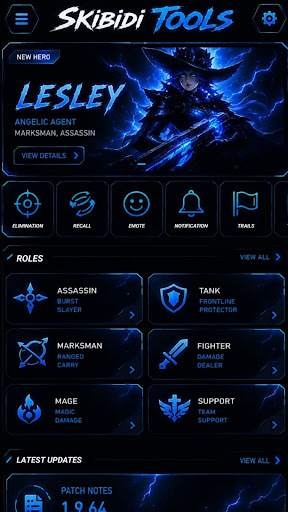
Dive into an immersive gaming experience where strategy meets action. Whether you are exploring vast landscapes, solving intricate puzzles, or competing for the top leaderboard spot, [Skibidi Tools] delivers endless entertainment, intuitive controls, and stunning visuals designed to keep you hooked.
Built by passionate creators for players who love a challenge, this game offers a seamless, standalone experience you can enjoy anytime, anywhere.
Key Features
Dynamic Gameplay: Engage in unique mechanics that challenge your skills and strategy.
Stunning Visuals: Immerse yourself in a beautifully crafted art style and smooth animations.
Play at Your Own Pace: Enjoy a fully realized offline-friendly experience with zero interruptions.
Important Notices & Privacy Policy
Fair Use & Copyright Disclaimer
This application is a fan-made / independent project. It is not intended to infringe upon any copyrights or trademarks. All registered characters, names, assets, and intellectual properties belong to their respective owners. If you believe any content violates your intellectual property rights, please contact us directly, and it will be addressed immediately.
Zero Data Collection
Your privacy is our top priority. This application features no data gathering. We do not collect, store, or share any personal information, device data, or analytical metrics. Play with total peace of mind knowing your digital footprint is 100% secure.
もっと見る

1. MEmuインストーラーをダウンロードしてセットアップを完了する

2. MEmuを起動し、デスクトップでのPlayストアを開く

3. PlayストアでSkibidi Toolsを検索する
Install
4. Skibidi Toolsをダウンロードしてインストールする
5. インストールが完了したら、アイコンをクリックしてスタート

6. MEmuを使ってパソコンでSkibidi Toolsを体験する
MEmu Playは現在、最高の無料Androidエミュレーターであり、5,000万人のユーザーが優れたAndroidアプリ体験を楽しんでいます。MEmuの仮想化テクノロジーにより、数千ものAndroidアプリをコンピューターでスムーズに実行できます。
大画面でより精細;無限の待機、電池とドラフィックの極限を超え
キーボード・マウス・コントローラーを全力でサポート、より快適
マルチインスタンスで複数のゲームを同時に実行
Use Skibidi Tools on PC by following steps: