Sleep Timer for Fire TV
更新日
現在のバージョン
1.1.0
提供元

スマートフォンは不要!パソコンと同じようにキーボードとマウスで操作できます。MEmu Playは、あなたが待ち望んでいたすべての楽しみをお届けします。バッテリー残量や小さな画面を気にすることなく、Sleep Timer for Fire TVをご利用ください。最新のMEmu 9は、Sleep Timer for Fire TVをPCで体験するのに最適です!完璧なキーマッピングシステムにより、PCのようなスムーズな操作性を実現します。マルチインスタンス機能により、複数のアプリケーションを同時に実行できます。独自の仮想化エンジンがPCのパフォーマンスを最大限に引き出します。アプリを使用するだけでなく、高品質な体験を得ることができます。
もっと見る
MEmu Playを使えば、PCでSleep Timer for Fire TVを快適に楽しめます。何千ものAndroidアプリをデスクトップ版で利用できる、パワフルな無料Androidエミュレーターです。友達とつながり、より効率的に作品を磨き上げましょう! Take control of screen time.
Take control of screen time.
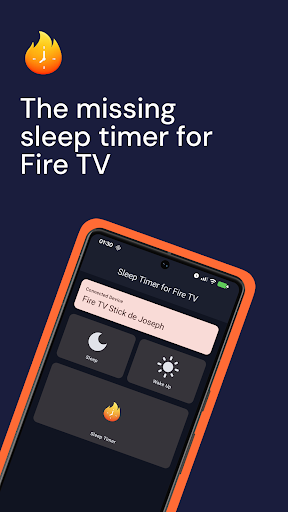
Fire TV doesn’t include a proper sleep timer.
This app adds one.
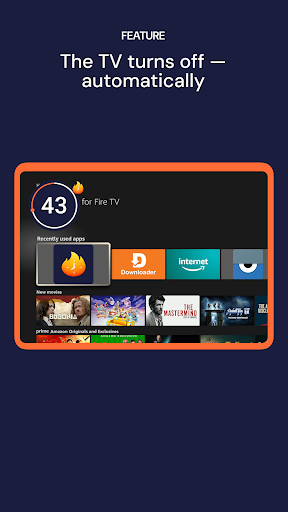
Sleep Timer for Fire TV lets you automatically turn off your TV after a set amount of time — perfect for bedtime, kids’ screen limits, or falling asleep without leaving the TV on all night.
No subscriptions. No ads. No clutter.
What it does
Sleep Timer
Set a timer and let Fire TV turn off automatically.
Designed for families
Ideal for kids’ bedtime routines and shared TVs.
Simple setup
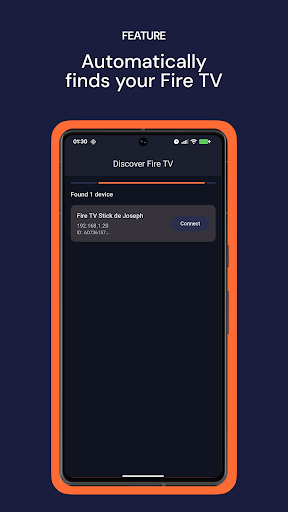
Automatically finds your Fire TV on the same WiFi network.
Clean and private
Works locally on your network. No tracking. No data collection.
Helpful extras
Includes basic controls to support setup and daily use.
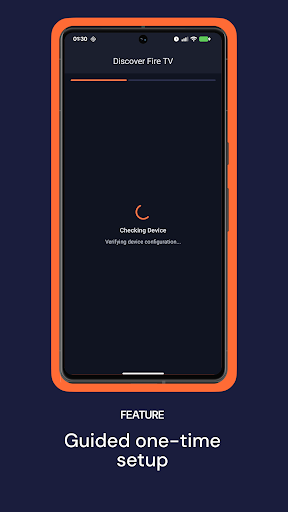
One-time setup (guided)
Due to Fire TV system limitations, a short one-time setup is required to enable the sleep timer.
The app will guide you step by step to:
Enable a required system setting on your Fire TV
Install a small helper app directly on the TV
Confirm the installation using your TV remote
This setup takes only a few minutes and is required only once.
No changes are made without your confirmation on the TV.
Supported Fire TV devices
This app supports Fire TV devices running Fire OS, including:
• Fire TV Stick Lite
• Fire TV Stick (HD)
• Fire TV Stick 4K / 4K Max / 4K Plus
• Fire TV Cube
• Fire TV Edition smart TVs from major brands
Devices running other operating systems are not supported.
Perfect for
Parents managing kids’ screen time
Falling asleep with the TV on
Anyone who wants Fire TV to turn off when it should
Important notes
Your phone and Fire TV must be connected to the same WiFi network
Setup is required for each Fire TV device
Family Library is supported — buy once, use on all phones in your household
Refunds
If the app does not work with your setup, you can request a refund directly through Google Play, according to Google Play’s refund policy.
Disclaimer: This app is not affiliated with Amazon. Fire TV is a trademark of Amazon.com, Inc.
もっと見る

1. MEmuインストーラーをダウンロードしてセットアップを完了する

2. MEmuを起動し、デスクトップでのPlayストアを開く

3. PlayストアでSleep Timer for Fire TVを検索する
Install
4. Sleep Timer for Fire TVをダウンロードしてインストールする
5. インストールが完了したら、アイコンをクリックしてスタート

6. MEmuを使ってパソコンでSleep Timer for Fire TVを体験する
MEmu Playは現在、最高の無料Androidエミュレーターであり、5,000万人のユーザーが優れたAndroidアプリ体験を楽しんでいます。MEmuの仮想化テクノロジーにより、数千ものAndroidアプリをコンピューターでスムーズに実行できます。
大画面でより精細;無限の待機、電池とドラフィックの極限を超え
キーボード・マウス・コントローラーを全力でサポート、より快適
マルチインスタンスで複数のゲームを同時に実行
Use Sleep Timer for Fire TV on PC by following steps: